4 Collateral Eligibility Check
This topic describes the systematic instructions about Collateral Eligibility Check.
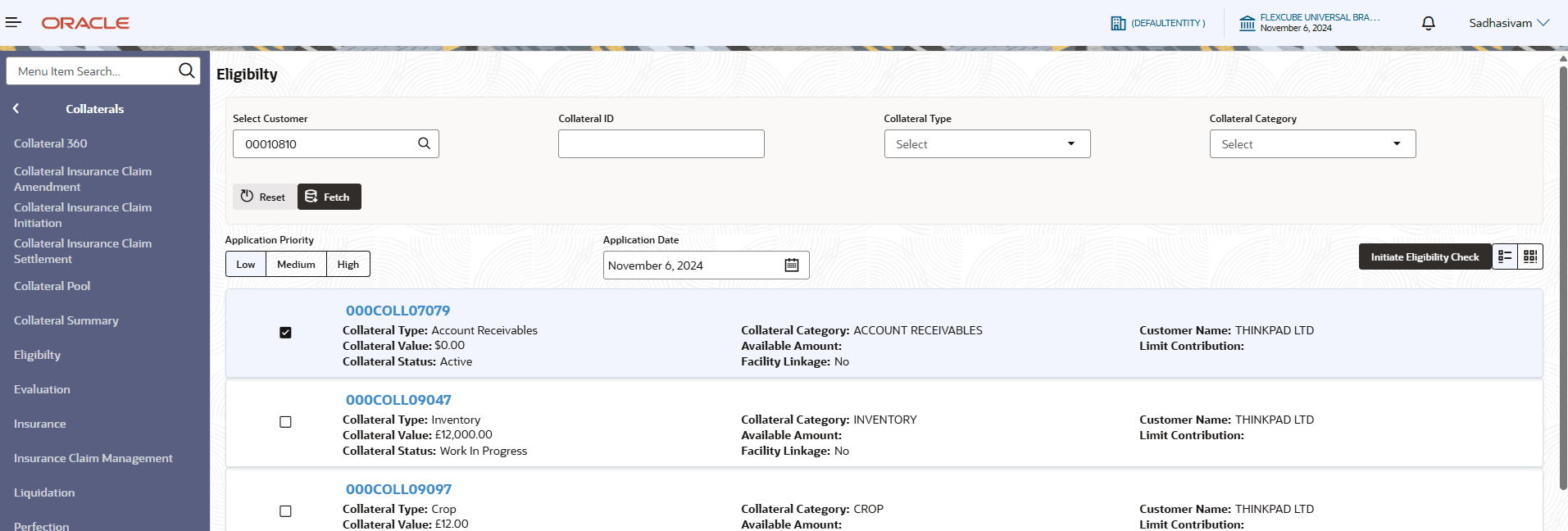
- From Homescreen, click
Collaterals. Under Collaterals , click
Eligibility. The Eligibility Initiation screen displays.
- Specify the fields on the Eligibility Initiation
screen.For more information on fields, refer to the field description table.
Note:
The fields marked as Required are mandatory.Table 4-1 Eligibility Initiation - Field Description
Field Name Description Select Customer Click  icon and select the customer no from the
list.
icon and select the customer no from the
list.
Collateral ID Displays the collateral ID. Collateral Type Select the collateral type from the drop-down list. The available options are:
- Account Receivables
- Account Contracts
- Aircraft
- Bill Of Exchange
- Bond
- Cash Collaterals
- Commercial Paper
- Commodity
- Corporate Deposits
- Crop
- Fund
- Guarantee
- Insurance
- Inventory
- Machine
- Miscellaneous
- Other Bank Deposits
- PDC
- Perishable
- Precious Metals
- Promissory Note
- Property
- Ship
- Stock
- Vehicle
Collateral Category Select the collateral category from the drop-down list. Note: User can select the collateral category based on the collatera type.
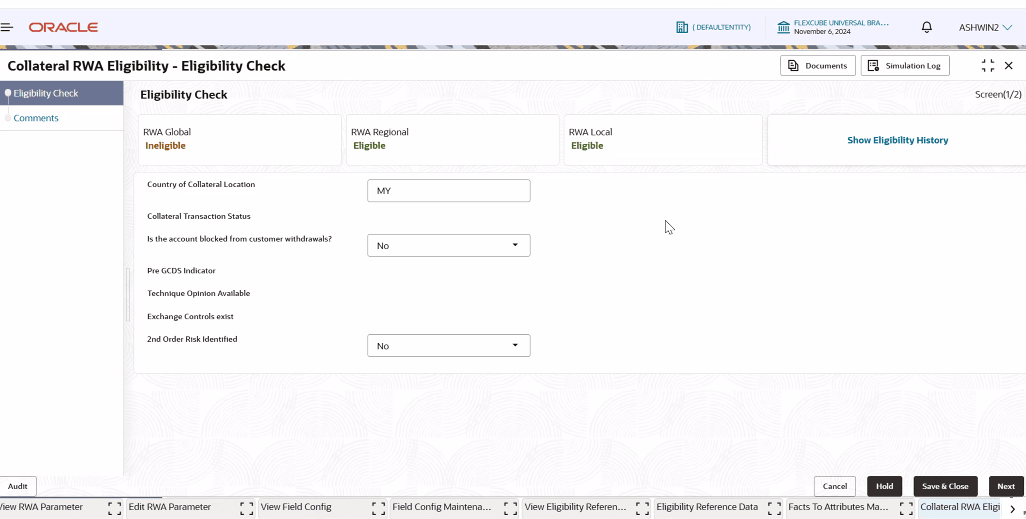
- Click to Initiate Eligibility check The Collateral RWA Eligibility - Eligibility check screen displays.
Figure 4-2 Collateral RWA Eligibility - Eligibility check
For more information on fields refer to the field descriptipon table below.Table 4-2 Collateral Eligibility checker - Field Description
Field Name Description RWA Global Displays the eligibility of RWA Global. RWA Local Displays the eligibility of RWA Local. RWA Regional Displays the eligibility of RWA Regional. Note:
The questions shown on the collateral eligibility checker screen depend on the configured questionnaire.