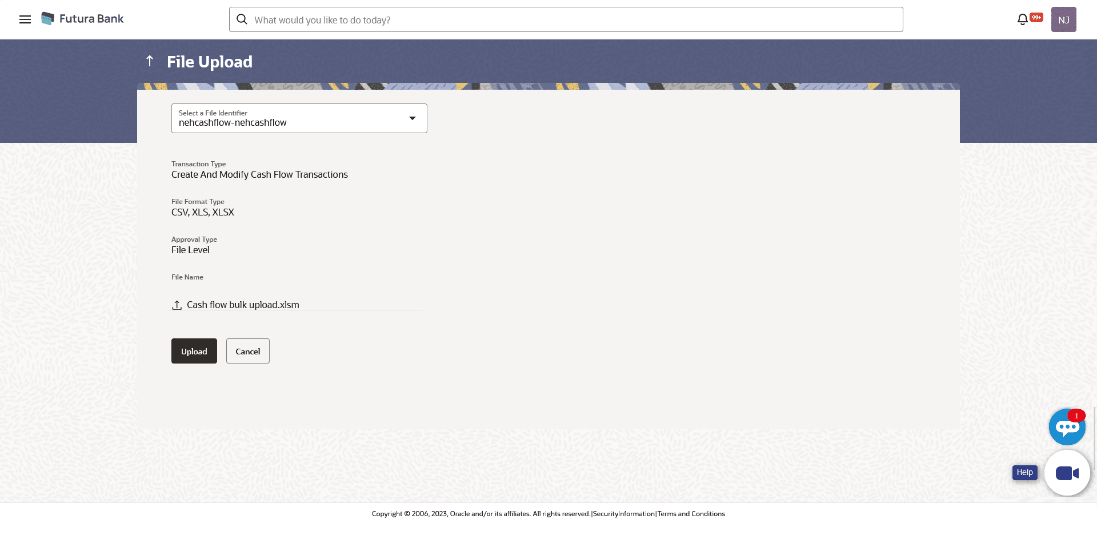
4.1.1.3 Bulk File Upload
This topic describes about the Bulk File Upload in Oracle Banking Digital Experience.
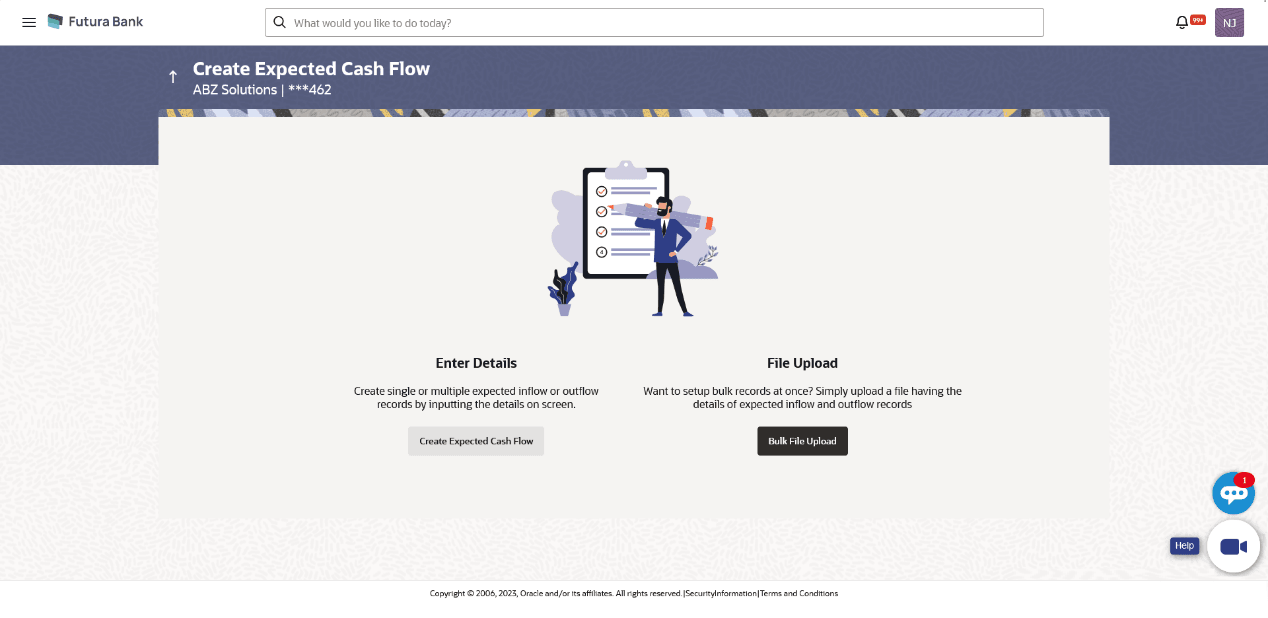
- Perform the following navigation to access the Create Expected Cash Flow
screen.From the Dashboard, click Toggle Menu. Under Toggle Menu, click Cash Management . Under Cash Management , click Cash Flow. Under Cash Flow , click Create Expected Cash Flow.The Create Expected Cash Flow screen displays.
For more information on fields, refer to the field description table below:
Table 4-7 Create Expected Cash Flow - Field and Description
Field Description Party Name & ID Displays the name and ID of the logged-in corporate party Enter Details Indicates the option to create single or recurring expected cash flow records by manual entry of cash flow details. File Upload Indicates the option to create bulk expected cash flow records through file upload. - In the Create Expected Cash Flow screen, click Bulk File
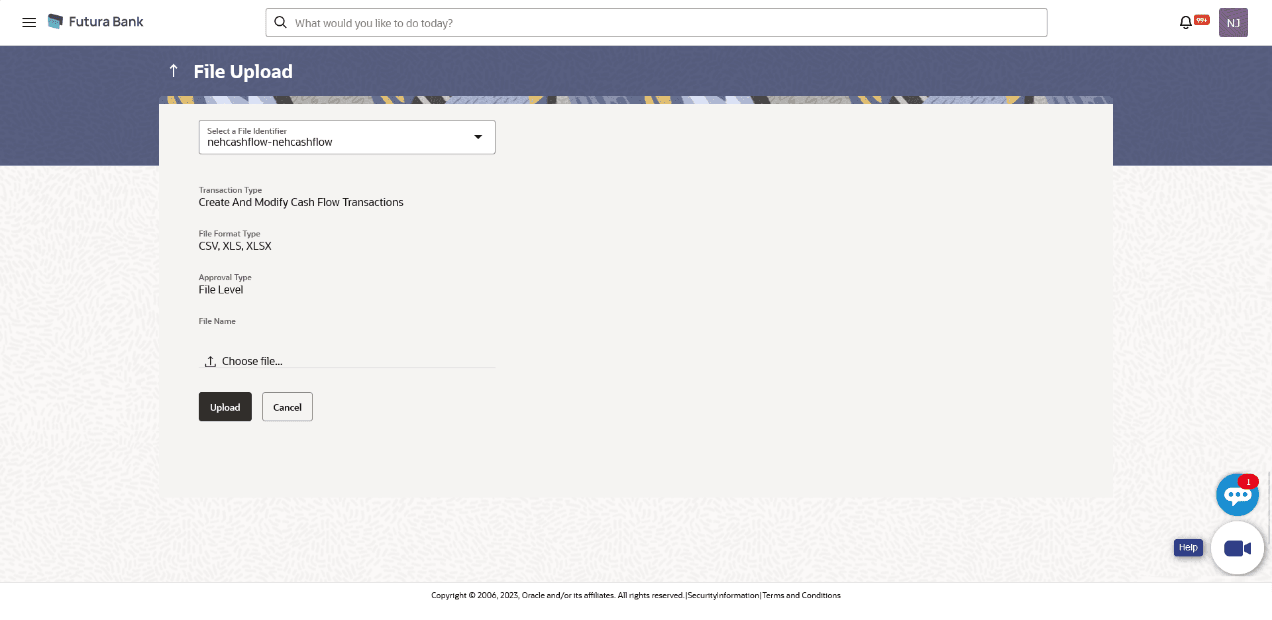
Upload.The File Upload screen displays.
For more information on fields, refer to the field description table below:
Table 4-8 File Upload - Field and Description
Field Description File Identifier Select the identifier associated with expected cash flow transactions. Transaction Type Displays the type of transaction of the bulk expected cash flow records. Information is displayed based on the parameters defined for the file identifier selected. File Format Type Displays the file formats that are allowed. Information is displayed based on the parameters defined for the file identifier selected. In general, the file formats supported are .xls, .xlsx, .csv, and .xml. Approval Type Displays the approval level of the file.
The approval could be:
- Record Level: In record type approval, the approver can approve some records (in a file), and reject others. Only approved records are processed.
- File Level: In a file type approval, the approver accepts or rejects the entire file, and all records are either processed or rejected.
Information is displayed based on the parameters defined for the file identifier selected.
File Name Click  to select and upload the file with the expected cash
flow records data.
to select and upload the file with the expected cash
flow records data.
For information on the file format, refer the Bulk File Format.
Bulk File Format
Data Format of an XLS file to upload:
Note:
Refer this file for the sequence:
While uploading a .XLSX / .XLS file, if you do not have the required data for a particular cell, and need to leave it blank, then ensure that the particular empty cell has been formatted to the data type of the expected data of that cell. For example, a cell that is supposed to hold textual content, such as name or description, should be formatted to 'Text'. Similarly, a cell that is supposed to hold a number, should be formatted to 'Number'.
For more information on fields, refer to the field description table below:
The following fields must be present in the file for bulk upload.
Table 4-9 Bulk File Format - Field and Description
| Field | Description |
|---|---|
| Customer Reference Number | Enter the customer’s own reference number for the cash flow. |
| Inflow/Outflow | Enter whether the cash flow is an inflow or an outflow. |
| Cash Flow Category Code | Enter the code for the cash flow transaction category. |
| Cashflow Category Name | Enter a category name for the cash flow transaction. |
| Existing Code | Enter a existing code for the cash flow transaction. |
| Expected Date | Enter the expected date of the cash flow transaction. |
| Real Account | Enter the account number from user mapped real account if Own Account Flag is Y else from OBLM real accounts. |
| Virtual Account | Enter the virtual account from user mapped virtual accounts if own account flag is Y else user to enter virtual account no. |
| Counter party Name | Enter the counter party Name. |
| Counter Party ID | Enter the counter party ID. |
| Existing Party | Enter the name of the existing party. |
| Currency | Enter the currency code for the expected cash flow transaction. |
| Expected Amount | Enter the amount of the expected cash flow transaction. |
| Revised Expected Date | Enter the revised date of the cash flow transaction. |
| Narration | Enter the narration of the expected cash flow transaction. |
| Expected Date | Enter the expected date of the cash flow transaction. |
| Actual Date | Enter the actual date of the transaction. |
| Currency | Enter the currency for the cash flow transaction. |
| Actual Amount | Enter the actual amount of the expected cash flow transaction. |
| Recurring Counter | Enter the recurring count of the cash flow transaction. |
| Field1 -10 | Enter the values for the fields 1 to 10. |
| Own Bank flag | Possible Values Y or N. |
| BIC Code | Enter the BIC Code of the transaction. |
Figure 4-13 File Upload - Post Uploading File