1.11 System Configuration on server for Application
This topic provides information on System Configuration on server for Application.
- Proxy password to be mounted by the cloud AMS team
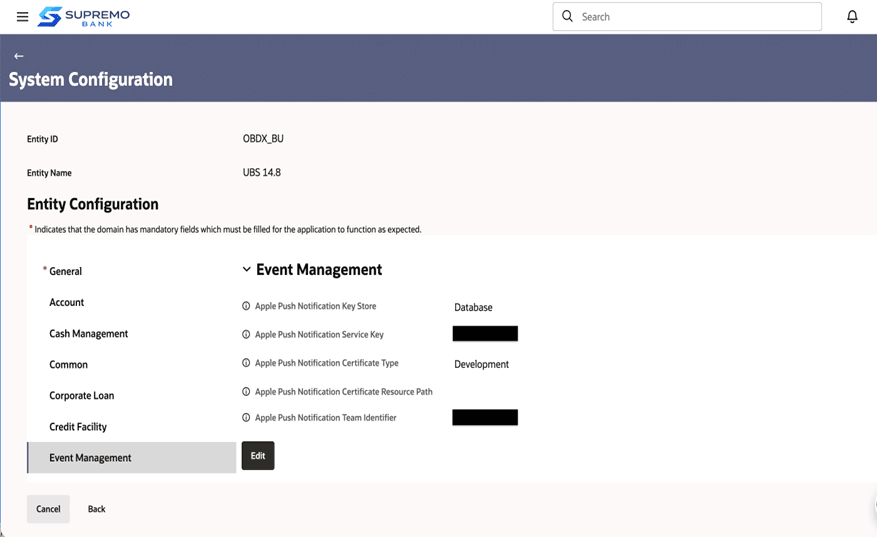
- Update below configurations for IOS Push notifications from OBDCS web
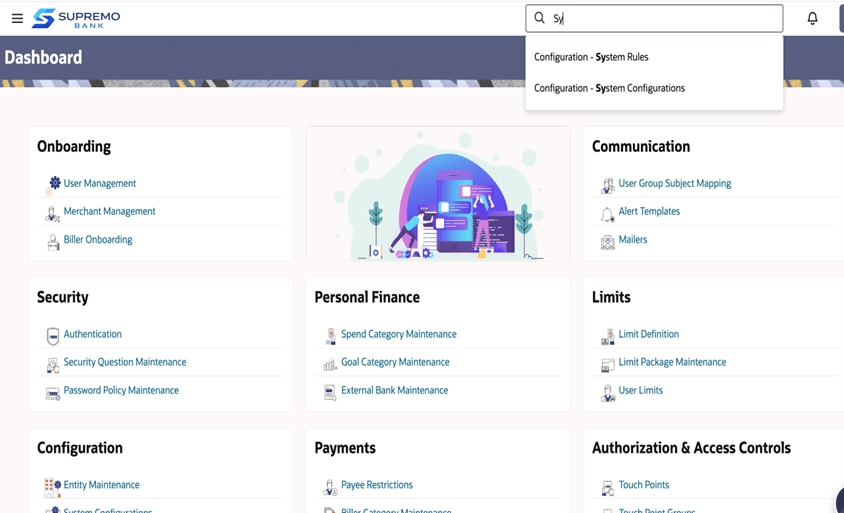
console using super admin login. Login to OBDCS using admin and Open System
Configurations Screen.
Table 1-6 Configurations for IOS Push notifications
Name Path for the config Value Apple Push Notification Key Store Entity -> Event Management Database. (Do not change this) Apple Push Notification Service Key Entity -> Event Management <APNS key generated on apple Developer console> Apple Push Notification Certificate Type Entity -> Event Management Set it to Development for dev-based key. Set it to Production for prod-based key.
Apple Push Notification Team Identifier Entity -> Event Management Bank’s Team Identifier on Apple Developer Console Apple Push Notification Key Certificate Store Entity -> Event Management Database. (Do not change this) Apple Push Notification Key Certificate Entity -> Event Management Based 64 of the APNS key certificate generated from Apple Developer Console. Apple Push Notification Bundle Identifier Entity -> Event Management Bank’s Bundle Identifier for the application on Apple Developer. This is same as set for Zigbank target in the IOS workspace. Proxy settings Entity -> Event Management Proxy settings to allow APNS connection from OBDX server. The format is: HTTP,<proxy>,<proxy port> Allowed Push Registration Count Global Settings - >General In base, it is configured as 1. Set to 1 or more than 1 according to bank’s requirement to allow those many devices for push per user. - Biometric Settings
Table 1-7 Biometric Settings
Name Path for the config Value Allowed Device Count for Biometric Registration Global Settings -> Framework Set to 1 or 100 based on bank’s requirement to allow number of devices or biometric registration
Parent topic: OBDX Servicing Application on Saas