15.1.2 Transfer Adhoc Payee
This topic provides information on transder an adhoc payee.
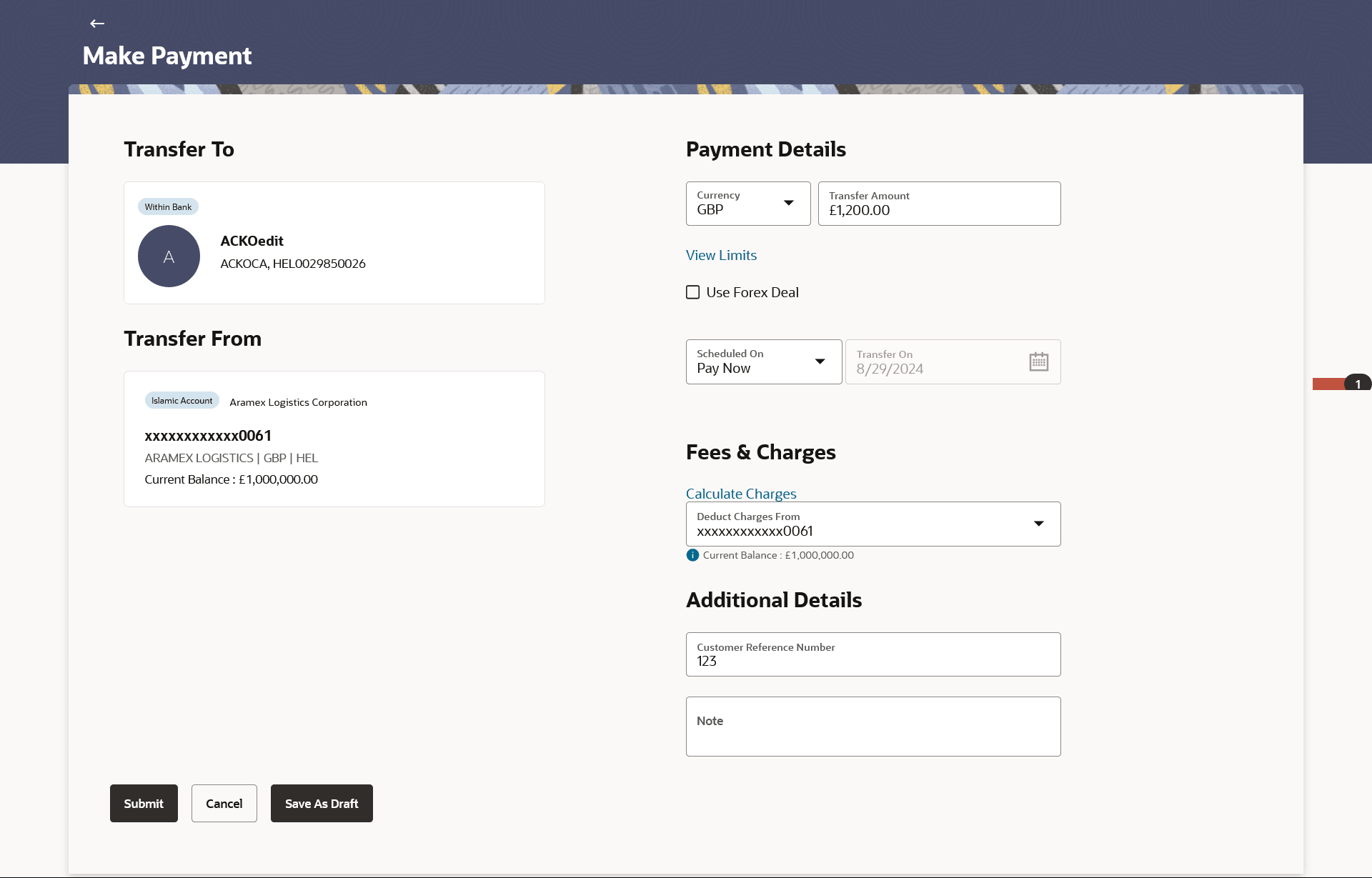
- From My Payments screen, click Make
PaymentThe Make Payment screen is displayed.
- On Make Payment screen, click New
Payee.The Transfer To - New Payee screen is displayed.
- On Transfer To - New Payee screen, click
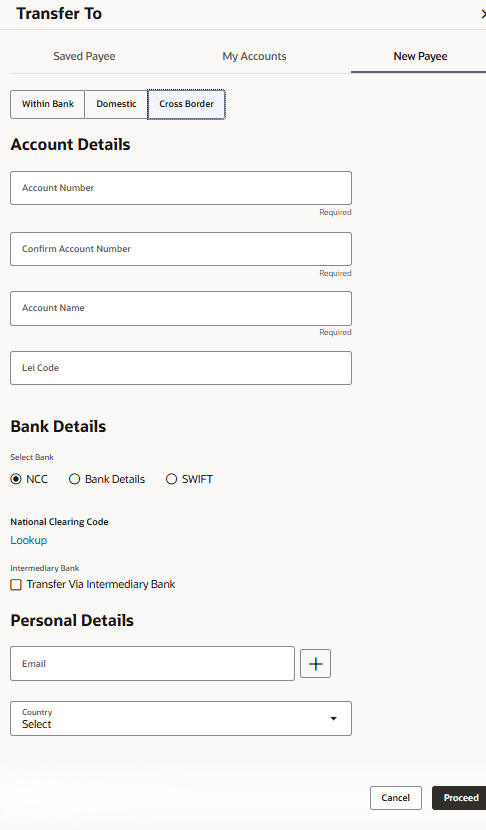
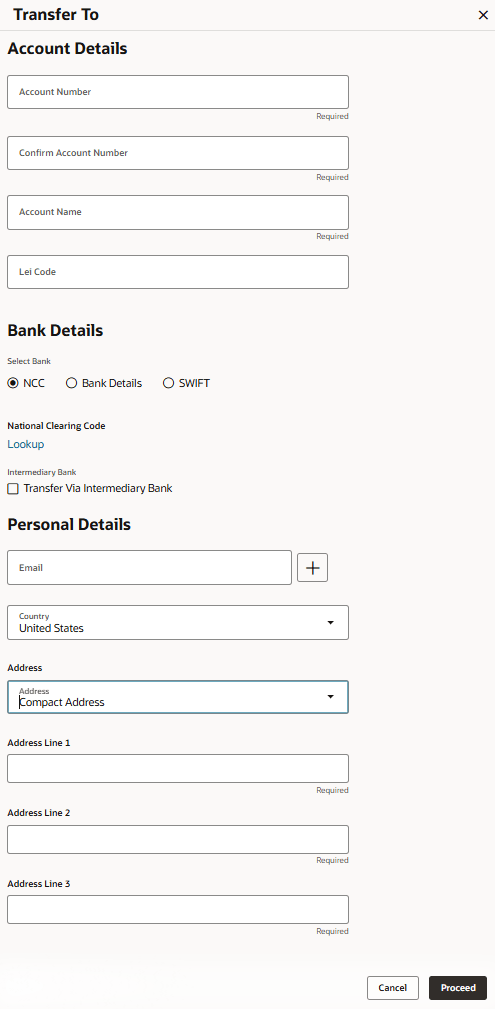
Cross Border.The Transfer To - New Payee - Cross Border Details are displayed.
Figure 15-9 Transfer To - New Payee - Cross Border Details
Note:
The fields which are marked as Required are mandatory.For more information on fields, refer to the field description table.
Table 15-6 Transfer To - New Payee - Cross Border Details
Field Description Account Details This section capturing the beneficiary’s bank account-related information Account Number Specifies the beneficiary’s bank account number. Confirm Account Number Re-enter the account number to validate accuracy. Account Name Displays or captures the name of the account holder. Lei Code Legal Entity Identifier (LEI) code that uniquely identifies a financial entity Bank Details Section capturing beneficiary’s bank and routing information Select Bank Allows the user to select the beneficiary’s bank from the available list NCC National Clearing Code used for domestic routing within the country SWIFT International routing code identifying the beneficiary’s bank for cross-border transfers National Clearing Code Alternative or full form of NCC, used for identifying domestic bank routing Lookup Enables searching for bank details based on account or routing information Intermediary Bank Specifies a correspondent bank used when the beneficiary’s bank cannot receive the transfer directly Transfer Via Intermediary Bank Option to route payment through an intermediary/correspondent bank if required Personal Details Section capturing beneficiary’s personal profile information Nickname Specify the user-defined recognizable name for the beneficiary Email Email address of the beneficiary for communication or notification purposes Country Specifies the country of the beneficiary. - On Personal Details section, select the
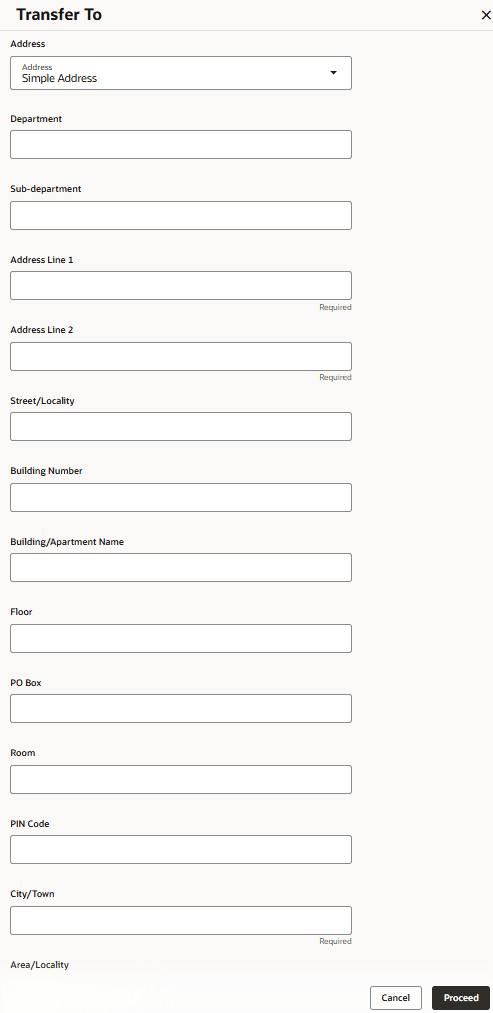
Country to specify the address.The available options under address are:
- Simple Address (Label given to Hybrid Address)
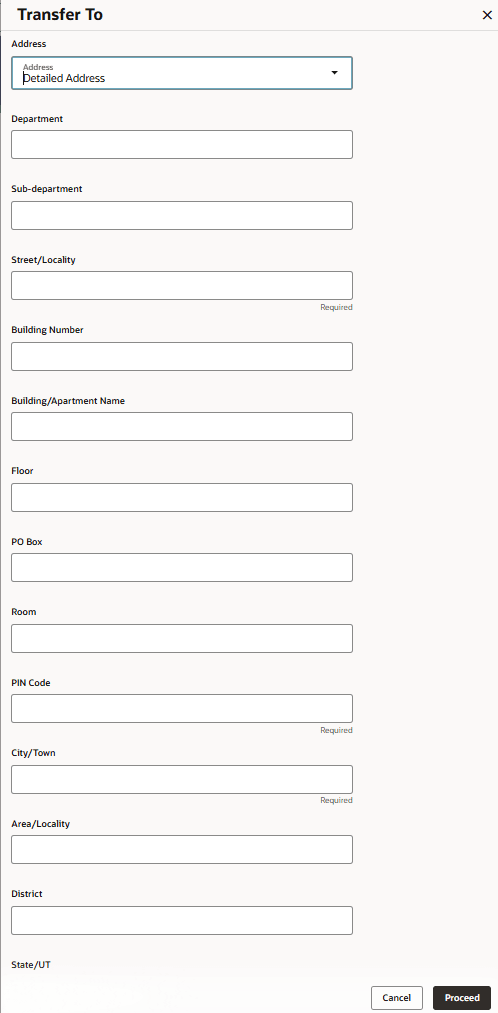
- Detailed Address (Label given to Structured Address)
- Compact Address (Label given to Unstructured Address)
For more information on fields, refer to the field description table section in Add Account Payee.
Figure 15-11 Transfer To - Detailed Address
Figure 15-12 Transfer To - Compact Address
Parent topic: Address Types Enhancement