1.4 Cancel a Saved Application
This topic describes how to cancel a saved application.
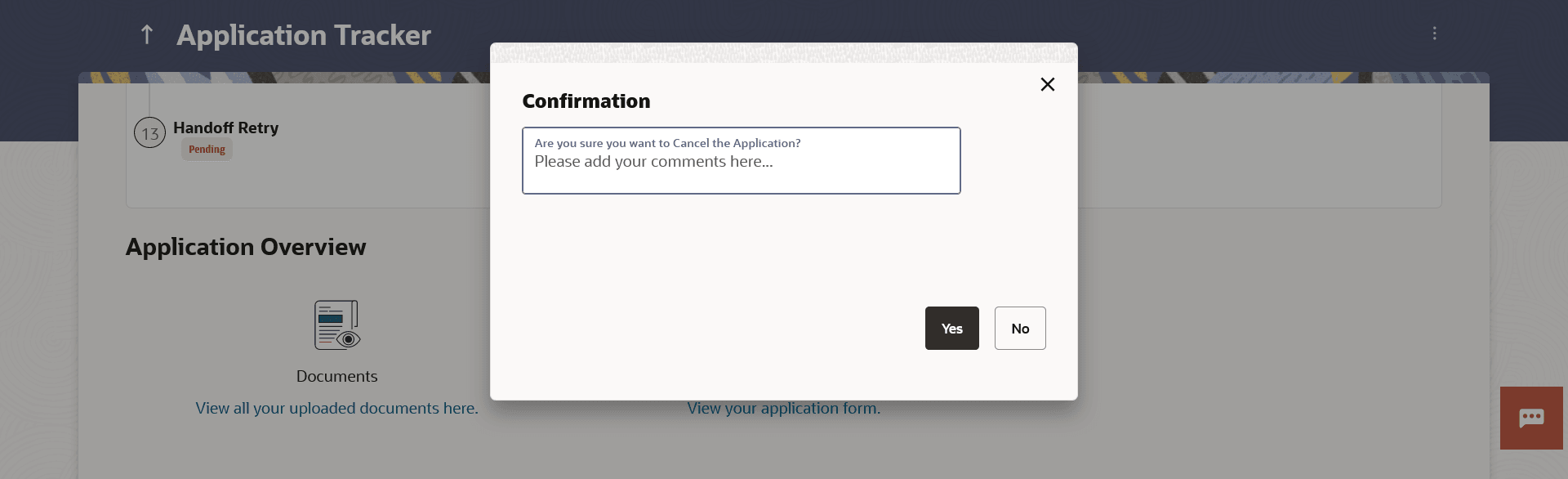
The option is available on the Application Tracker Summary page, under the kebab menu. Once you select this option, a modal window will appear on which you can provide the reason for cancellation and can confirm cancellation of the application.
In case of bundled applications, if you select the option to cancel the application, all the product applications will be cancelled. There is no option to cancel individual product applications within a bundled application, in this release.Note:
At present it is only possible to cancel saved applications i.e. applications that have not yet been submitted to the bank. Once you have submitted an application, it cannot be cancelled from the digital channel.To cancel the application:
- Click on the kebab menu and select the Cancel Application option
to cancel the application. The Confirmation modal window appears.
Note:
The fields which are marked as Required are mandatory.For more information on fields, refer to the field description table.
Table 1-9 Cancel Application - Field Description
Field Name Description Are you sure you want to Cancel the Application? Define the reason for which you are canceling the application. This is an optional step. - In the Are you sure you want to Cancel the Application? field, enter the reason for which you are cancelling the application.
- Perform one of the following actions:
- Click Yes to cancel the application.
- Click No to return to the application summary screen.
Parent topic: Application Tracker