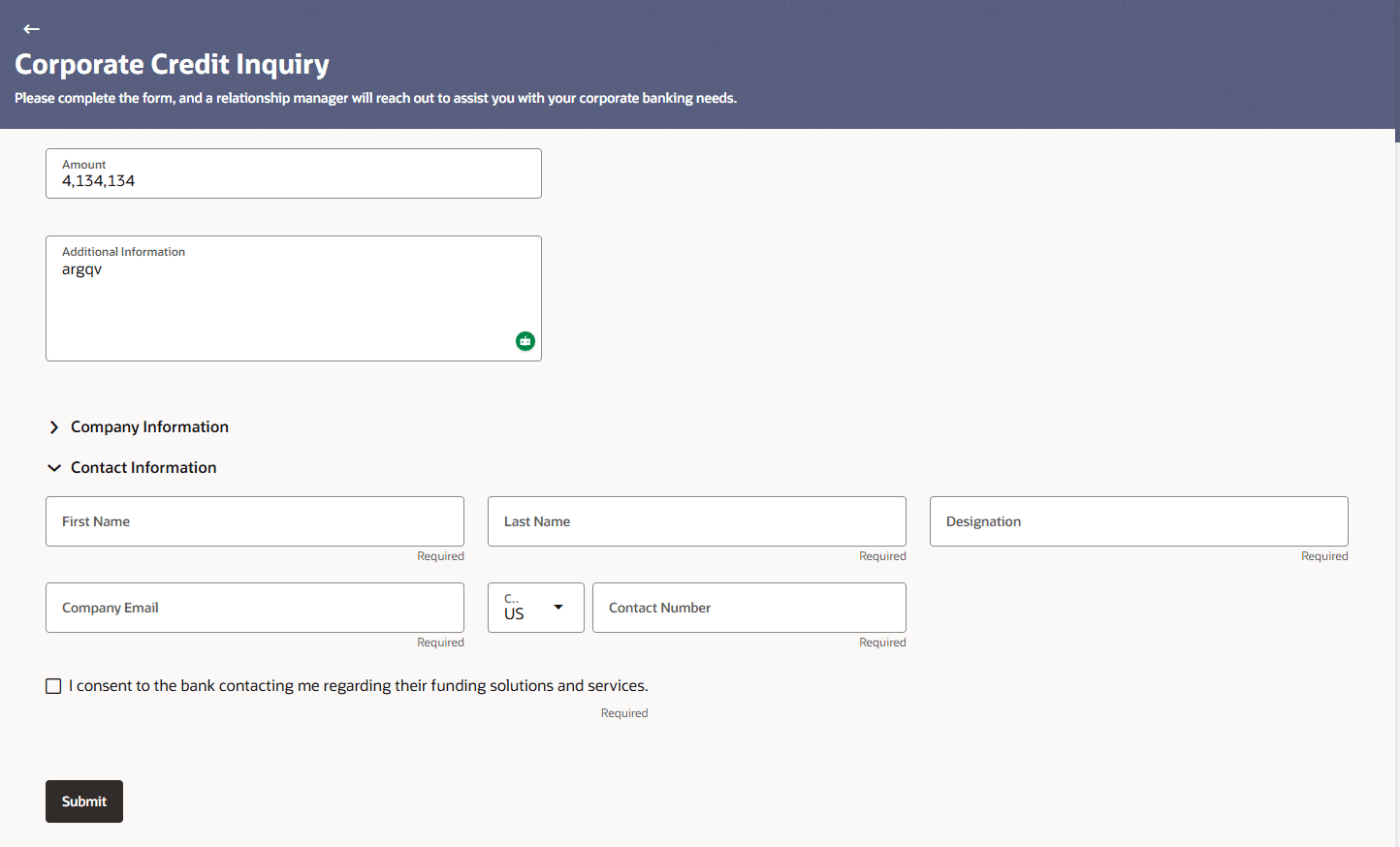
1.3 Corporate Credit Inquiry - Contact Information Click Next on the company information section.The Contact Information section is expanded. Figure 1-3 Contact InformationDescription of "Figure 1-3 Contact Information" In Contact Information section, specify the details of the contact person for this inquiry. Table 1-3 Contact Information - Field Description Field Description First Name Enter the first name of the contact person for the credit facility inquiry. Last Name Enter the last name of the contact person for the credit facility inquiry. Designation Enter the designation of the contact person. Company Email Enter the email address for communication regarding the credit facility inquiry. ISD Code Select the ISD code for the contact number. Contact Number Enter the phone number for the bank to contact regarding the credit facility inquiry. Consent Checkbox Select to provided checkbox to provide the required consent/s to the bank to process the application. In the First Name field, enter the first name of the contact person. In the Last Name field, enter the last name of the contact person. In the Designation field, enter the designation of the contact person. In the Company Email field, enter the email address at which the bank can contact the company with regards to this credit facility inquiry. From the ISD Code drop-down list, select the applicable ISD code. In the Contact Number field, enter the phone number for contact. Select the Consent Checkbox to provide required consent to the bank to process the application. Click Submit to submit the credit facility inquiry form.The Verification Code screen is displayed. Parent topic: Corporate Credit Facility Inquiry