3.3 Transfer From Selection
This topic provides the systematic instructions to users for choosing a transfer account using the Transfer From list.
On click of Transfer From card the Transfer From
drawer will open displaying all the accounts available to the user.
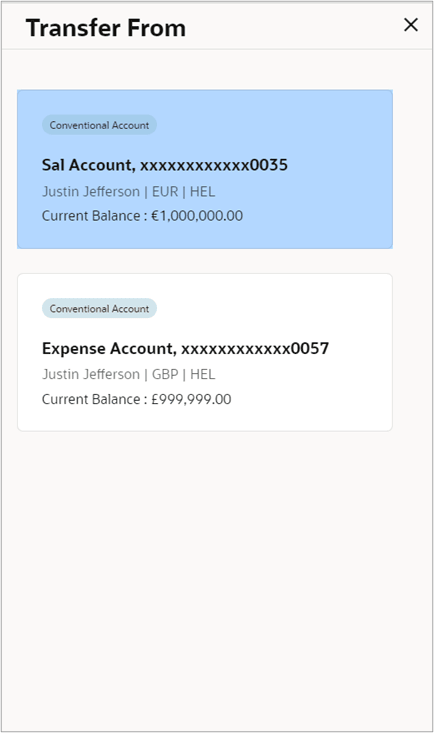
There are 3 types of drawers possible:
Note:
Bank can maintain currencies against each network, and based on the selected network in payments, accounts belonging to only those currencies will be displayed.- When number of accounts are less than 10. In that case, the accounts will be listed as shown.
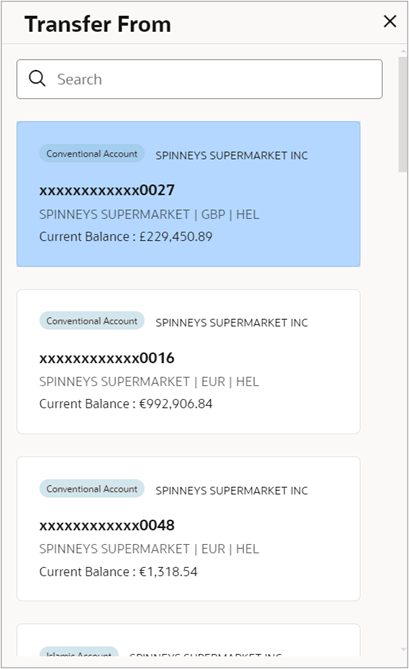
- When number of accounts are between 10 to 100.
In this case a search option is provided, to search the by typing in few characters. The search could be on account name, account number, branch, amount or currency.
- When number of accounts are more than 100.
In this case advanced search option is provided, to search the by using below filters:
- Party Name
- Account Number
- Account Name
- Account Type
Note:
This number 10 & 100 is configurable, and based on the configuration accounts will be displayed.
Parent topic: Make Payment