4.10 Card Number & CVV
This topic provides the systematic instructions for users to view card number and CVV of existing debit cards.
The user can choose to view the debit card number and CVV for reference
or to perform online transactions. This option enables the user to securely access
sensitive card details after successful authentication.
To view card number & CVV of the credit card:
- Perform anyone of the following navigation to access the Upgrade
Card screen.
- From the Dashboard, click Toggle menu, click Menu, then click Accounts, and then click Current and Savings Accounts tab, and then click Current and Savings Account Number, and then from Current & Savings Accounts Details section, go to Credit Cards section, then from the kebab menu, click on the Card Number & CVV.
- On the Dashboard, click Overview widget, click Current and Savings card, then click Current and Savings Account Number, and then from Current & Savings Accounts Details, section, go to Debit Cards section, then from the kebab menu, click on the Card Number & CVV.
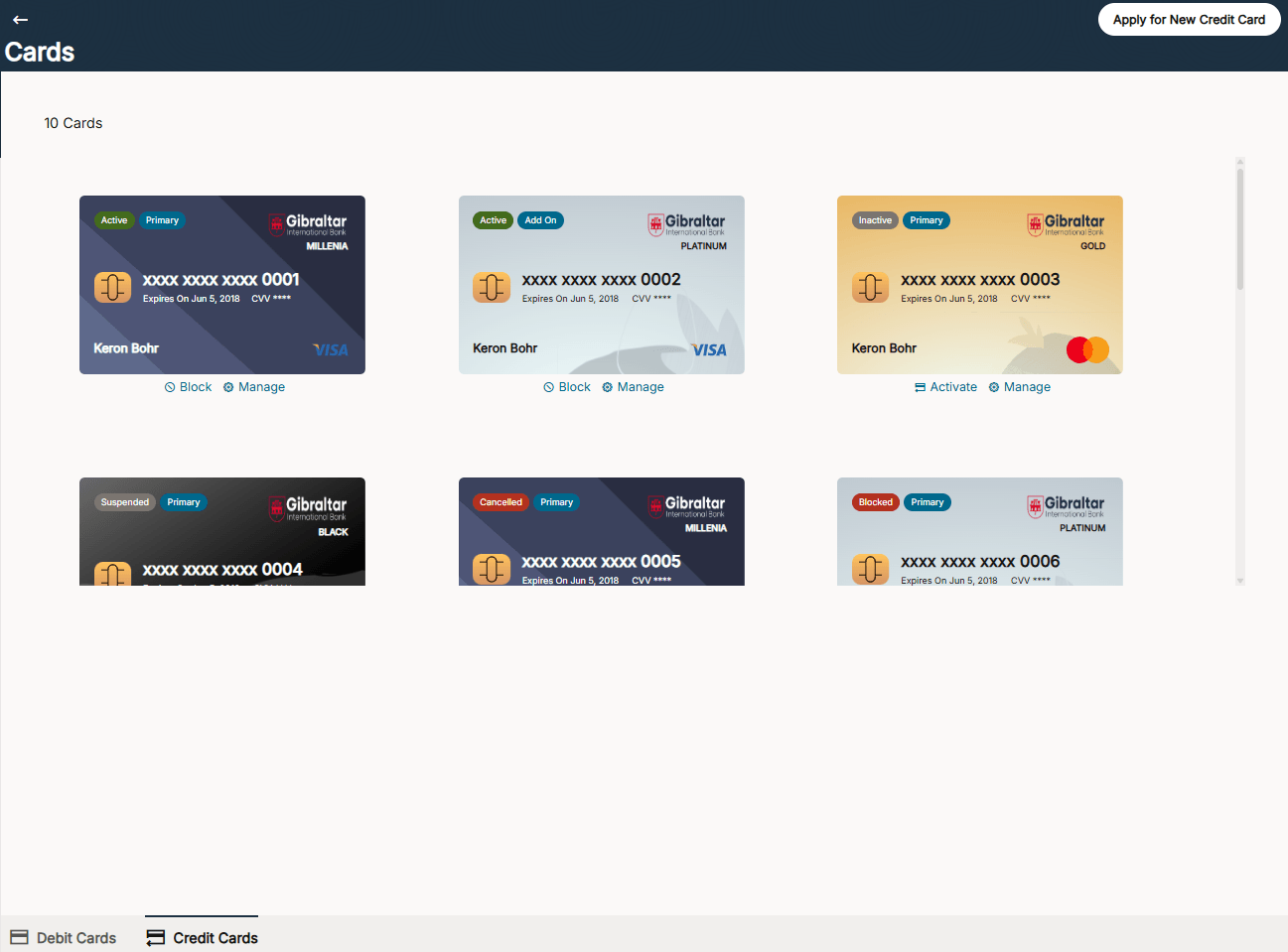
- On Cards screen, Click on the credit card for which you
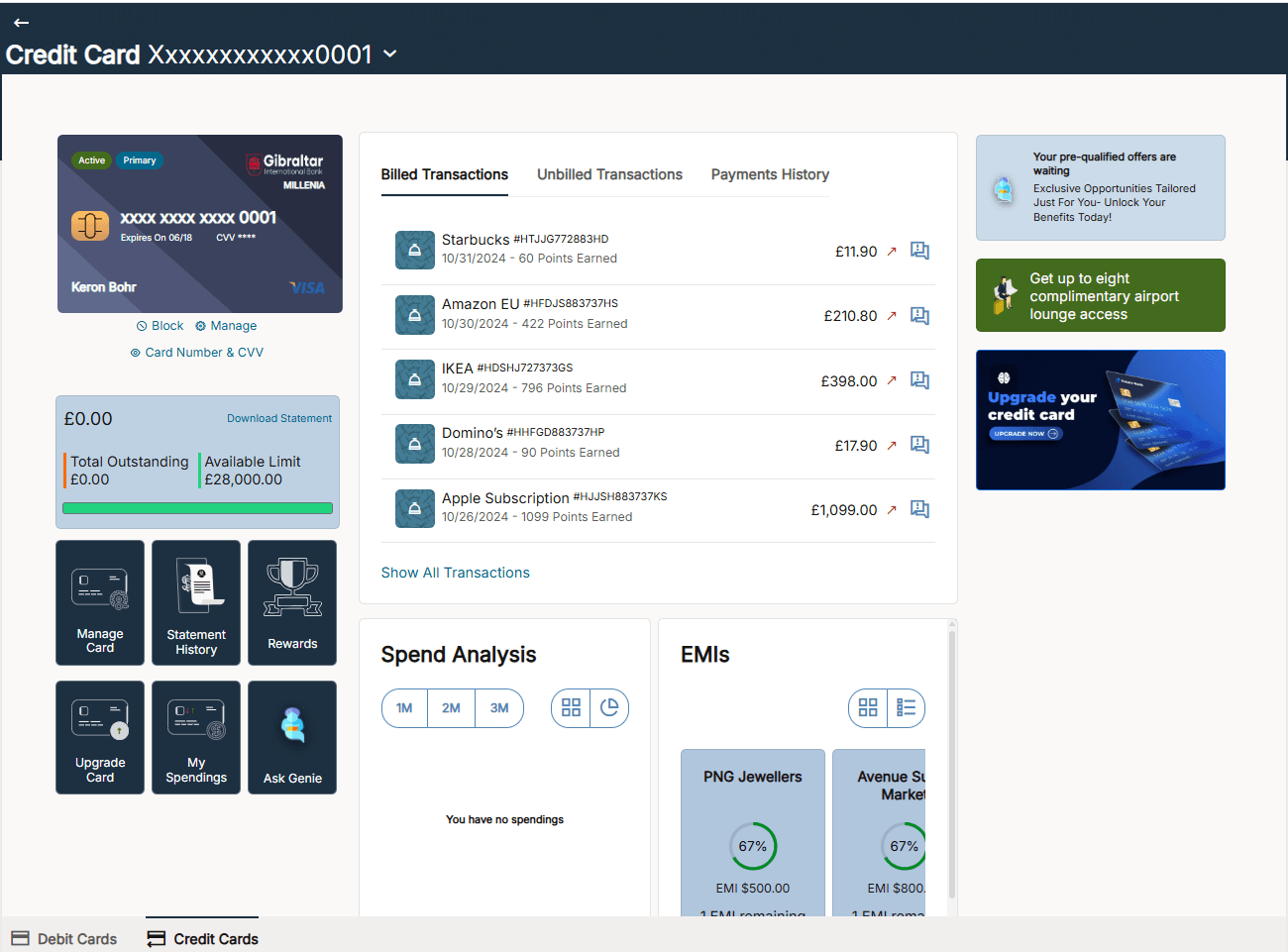
wish to view card number and CVV.The credit card details selected will be displayed.
- Click Card Number & CVV from the selected credit
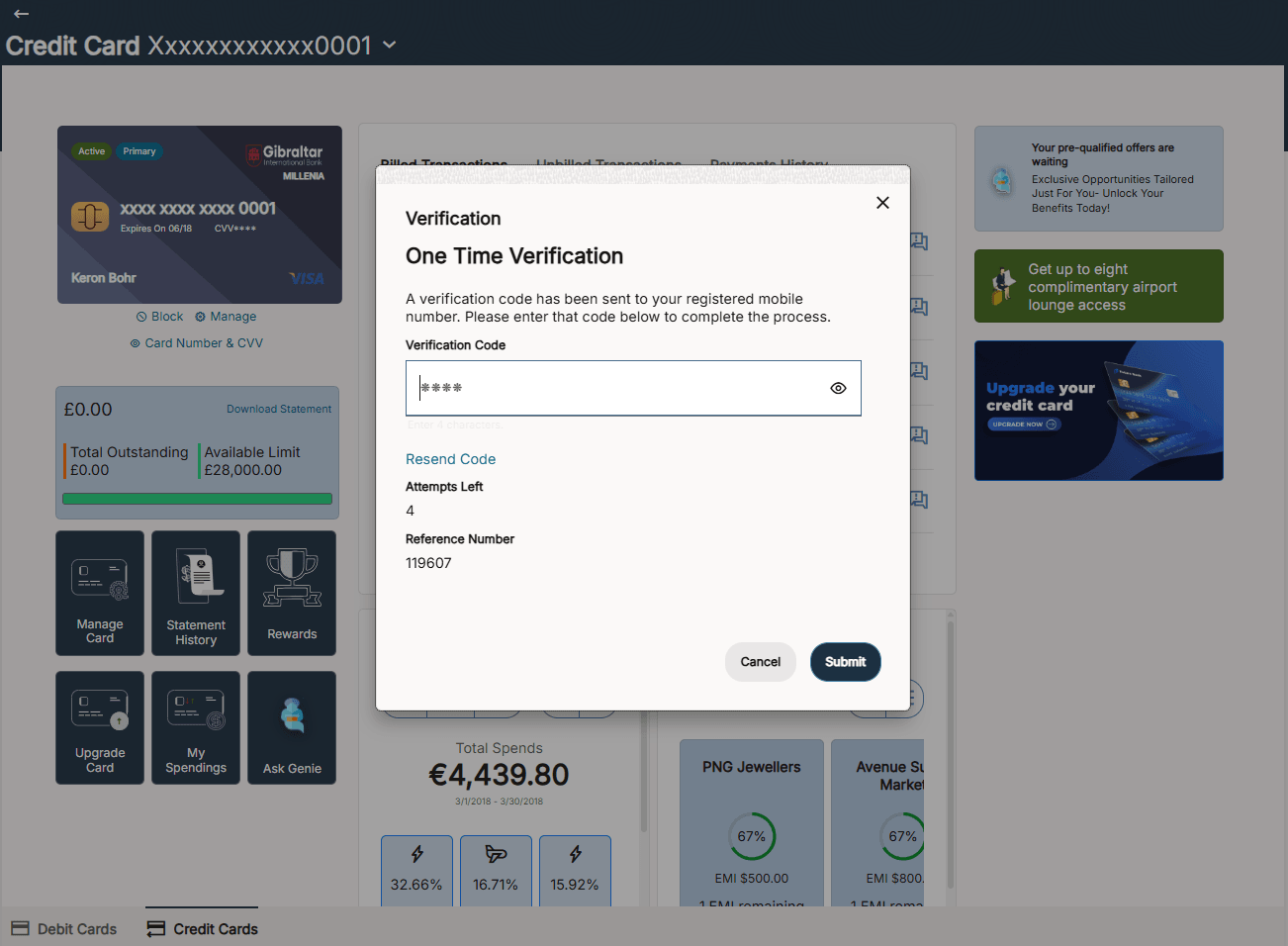
card.The Verification screen is displayed.
Table 4-13 Verification
Field Description One Time Verification Displays the OTP verification screen to authenticate the user before proceeding. Verification Code Specify the OTP received on the registered mobile number. View Icon Click this icon to view or hide the entered OTP. Resend Code Click this to request a new OTP. Attempts Left Displays the number of remaining attempts to enter the correct OTP. Note: The user has a limited number of attempts to enter the correct OTP. The remaining attempts are displayed under Attempts Left.
Reference Number Displays the reference number for the OTP transaction.
Parent topic: Manage My Card