5.5 Bills
This topic provides the systematic instructions to view the Bills raised by the beneficiary in the application.
This tab displays the list of Bills raised by the beneficiary.
To view the bills:
- Navigate to the Bills tab.
Figure 5-8 View Islamic Import Letter Of Credit - Bills tab
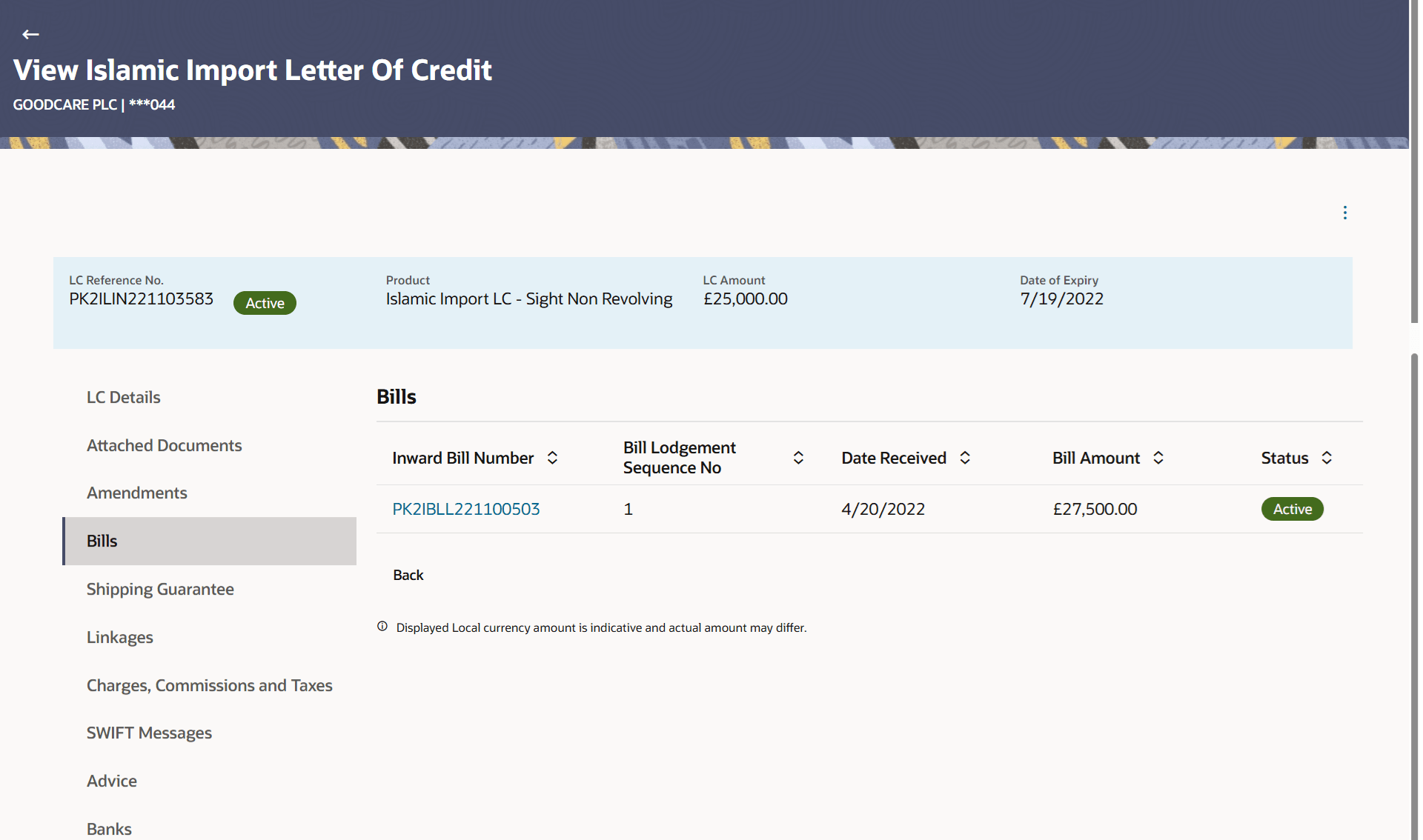
Description of the illustration view-islamic-import-letter-credit-bills.pngFor more information refer to the field description table below:
Table 5-7 View Islamic Import Letter Of Credit - Bills - Field Description
Field Name Description Inward Bill Number Displays the Inward Bill number. Click on Inward Bill Number link to view the Bill details.
Bill Lodgement Sequence No Displays the sequence in which bill was lodged. Date Received Displays the date on which the Bill is received. Bill Amount Displays the bill amount with currency for the LC. Status Displays the status of the bill received.
Parent topic: View Import Letter of Credit - Islamic