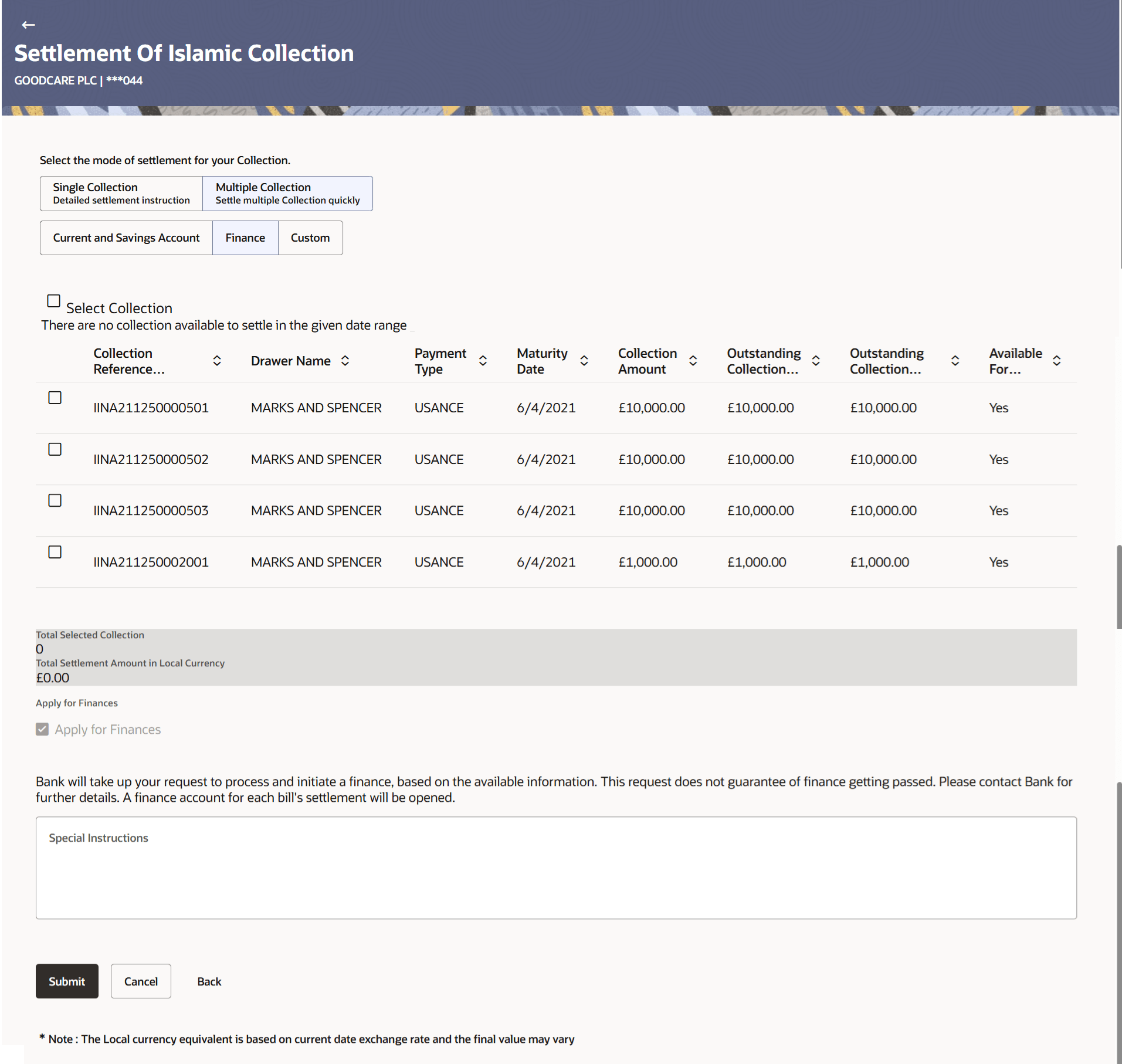
12.6 Settlement of Islamic Collection – Multiple Collection – Finance
This topic provides the systematic instructions to initiate the multiple collection settlement using finance account in the application.
This tab allows the corporate user to settle the collection using loan account.
To settle the Collection using loan account:
- Navigate to Settlement of Islamic Collection – Multiple
Collection screen, click the Finance tab.
Figure 12-9 Settlement of Islamic Collection – Multiple Collection – Finance
For more information refer to the field description table below:
Table 12-8 Settlement of Islamic Collection – Multiple Collection – Finance - Field Description
Field Name Description Select Collection The option to select multiple Collection to apply for the settlement. Check Box (Account Selection) The option against each Collection, to select a Loan Account which he wishes to use. Collection Reference Number Displays import Collection reference number. Drawer Name Displays the name of the Drawer. Payment Type Displays the type of payment associated with the Collection. The options are:
- Sight
- Usance
Maturity Date Displays the date on which the collection will gets matured. Collection Amount Displays the collection amount. Outstanding Collection Amount Displays the outstanding amount for the settlement of Collection. Outstanding Collection Amount in Local Currency Displays the outstanding amount for the settlement of Collection in local currency. Available for Finances Displays whether the collection is available for finance or not. The options are:- Yes
- No
Total Selected Collection Displays the total number of collection selected for settlement. Total Settlement Amount in Local Currency Displays the total settlement amount in local currency. Special Instructions Specify the special remarks.
Parent topic: Settlement of Collection – Islamic