2.1.3 Configure additional properties for the new foreign server
This topic describes the systematic instruction to Configure additional properties for the new foreign server option.
- Services → Messaging →JMS Modules.
- Select HostSystemModule.
- Click on ForeignServer.
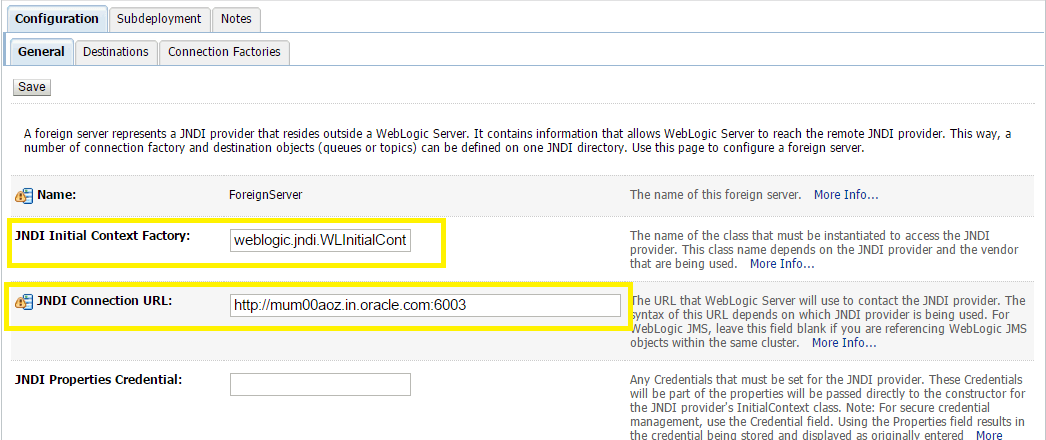
- On the Configuration → General tab.
- Enter Following details.
- JNDI Initial: enter the name of the class that must be instantiated to access the JNDI provider. For example (weblogic.jndi.WLInitialContextFactory)
- JNDI Connection URL: enter the URL that WebLogic Server uses to contact the JNDI provider. (http://IP:port)
- Click Save.
Parent topic: Introduction and Definitions