2.1.5 Create foreign destinations
This topic describes the systematic instruction to Create foreign destinations option.
- Services → Messaging → JMS Modules.
- Select HostSystemModule.
- Click on ForeignServer.
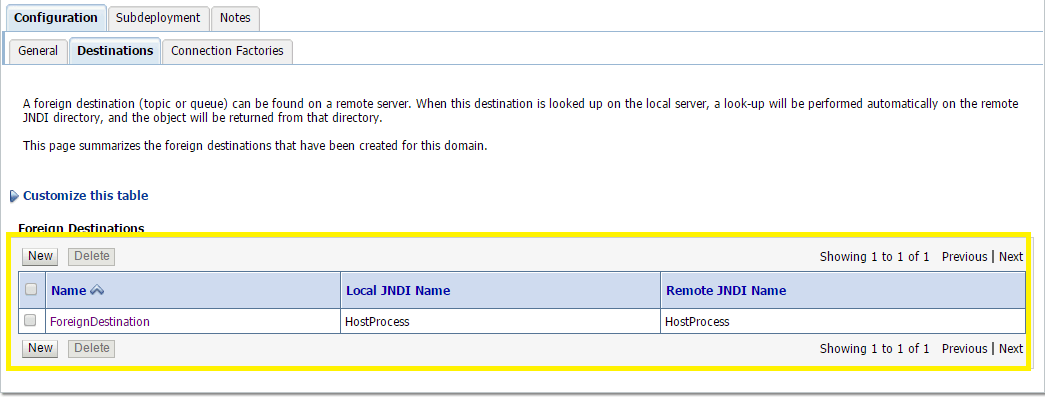
- On the Configuration → Destination tab press New.
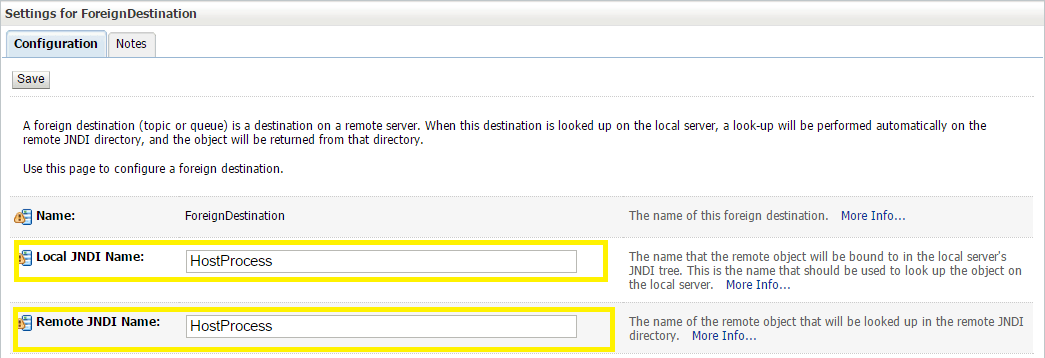
- Enter Following details:
- Name: enter a name for the foreign destination.
- Local JNDI Name: specify the name that the remote object will be bound to in the local server's JNDI tree and is used to look up the object on the local server.
- Remote JNDI Name: specify the name of the remote object that will be looked up in the remote JNDI directory.
- Click Ok.
Parent topic: Introduction and Definitions