4.1.1 Origination specific fields
This topic provides information on Origination specific fields.
To check Origination module specific configuration, select entity.
Origination specific fields
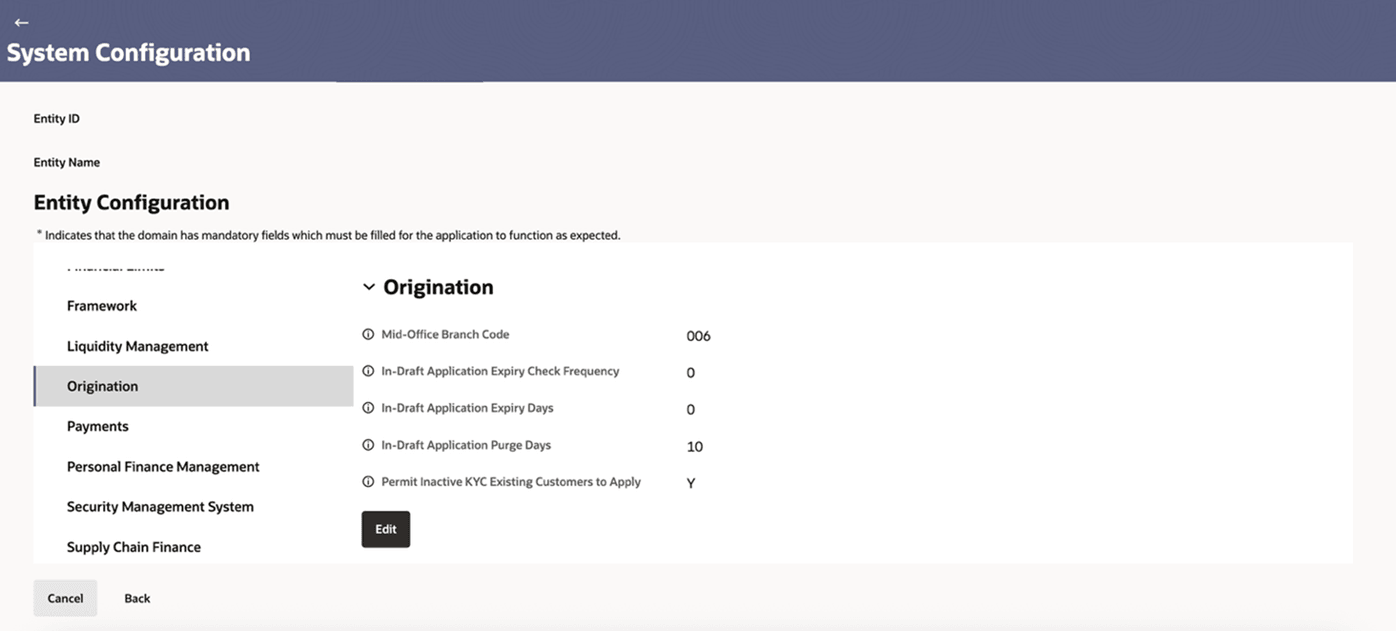
Entity Level Configuration
User need to select a specific entity. The configurations applied here are specific to that selected entity.
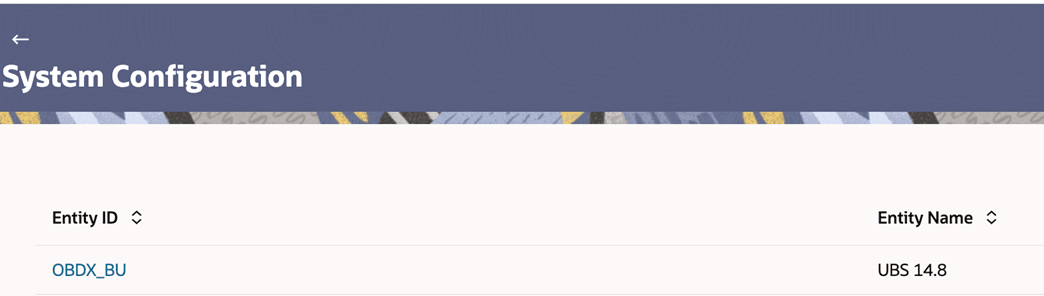
Origination Tab
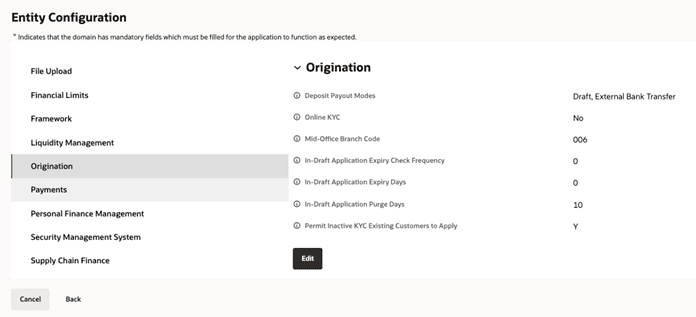
From the Entity Configuration screen, select the Origination tab to enable maintenance and configuration of all dependent parameters in accordance with the bank’s requirements.
Figure 4-2 Origination Tab
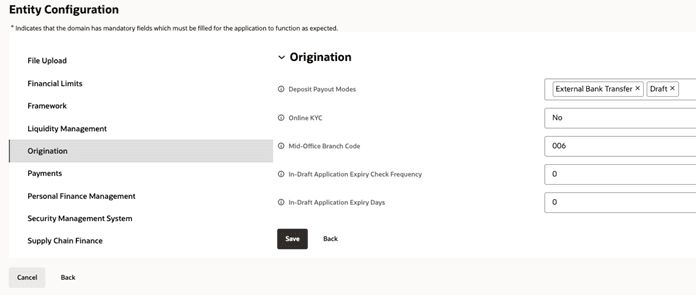
Originations tab - Edit
Click the Edit button to allow the administrator to perform maintenance and update the required configurations.
- DIGX_CFG_CONFIG_ALL_B - This table stores the actual configuration data.
The PROP_ID and PROP_VALUE columns hold the maintained values, and any
maintenance changes are reflected in this table.
INSERT INTO digx_cfg_config_all_b(PROP_ID, PROFILE, PROP_VALUE, ENTITY_SPECIFIC, EDITABLE, MANDATORY_OVERRIDE, PROPERTY_GROUP, CREATED_BY, CREATION_DATE, LAST_UPDATED_BY, LAST_UPDATED_DATE, OBJECT_VERSION_NUMBER, MODULE, SEQUENCE, VALIDATION, IS_ENUMERATED) VALUES ('DayOneConfig.APP_EXPIRE_INTERVAL', 'DEV', '0', 'Y', 'Y', 'N', null, 'SYSTEM', sysdate, 'SYS', sysdate, 1, 'origination', null, '.*', 'N');
- DIGX_FW_RESOURCE_BUNDLE – This table is used for displaying field
descriptions on the UI.
- The field description is maintained using BUNDLE_NAME = 'ConfigDescription' along with the corresponding RESOURCE_NAME.
- When you hover over the information (i) icon, the tooltip displays the underlying property name, which is maintained using BUNDLE_NAME = 'ConfigName' and its respective RESOURCE_NAME.
INSERT INTO DIGX_FW_RESOURCE_BUNDLE (BUNDLE_NAME, USER_LOCALE, RESOURCE_NAME, RESOURCE_VALUE, CREATED_BY, CREATION_DATE, LAST_UPDATED_BY, LAST_UPDATED_DATE, OBJECT_STATUS, OBJECT_VERSION_NUMBER) VALUES ('ConfigName', 'en', 'DayOneConfig.APP_EXPIRE_INTERVAL', 'In-Draft Application Expiry Check Frequency', 'superadmin', SYSDATE, 'superadmin', NULL, 1, 1)
INSERT INTO DIGX_FW_RESOURCE_BUNDLE (BUNDLE_NAME, USER_LOCALE, RESOURCE_NAME, RESOURCE_VALUE, CREATED_BY, CREATION_DATE, LAST_UPDATED_BY, LAST_UPDATED_DATE, OBJECT_STATUS, OBJECT_VERSION_NUMBER) VALUES ('ConfigDescription', 'en', 'DayOneConfig.APP_EXPIRE_INTERVAL', 'In-Draft Application Expiry Check Frequency', 'superadmin', SYSDATE, 'superadmin', NULL, 1, 1);;
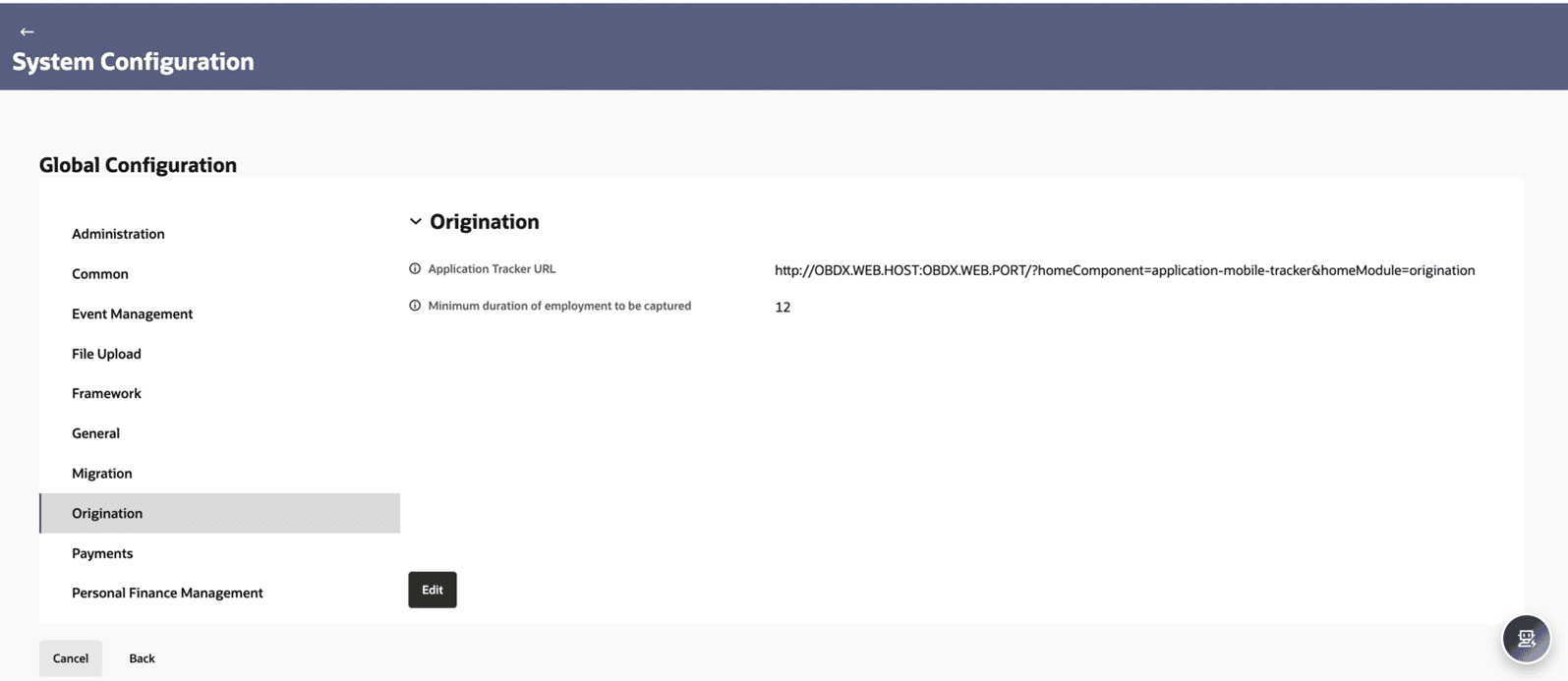
Global Level Configuration
This can be accessed using the “Global Settings” button at the bottom of the page. If multiple entities exist, the configurations defined here are applied across all entities.
Parent topic: System Configuration