2 Exposure Management
This topic describes the systematic instructions of Exposure Management.
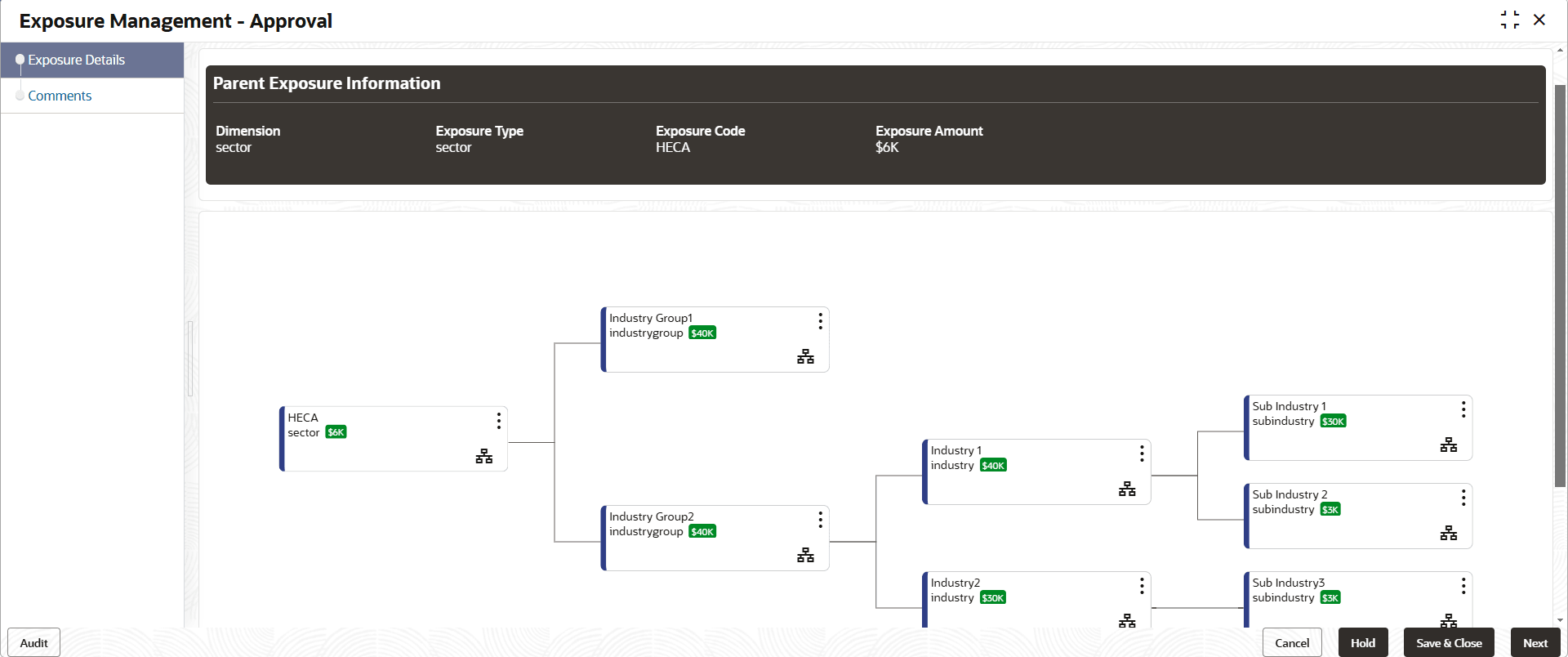
- Click View to view the exposure details.The Parent Exposure Infromation screen displays.
- Click

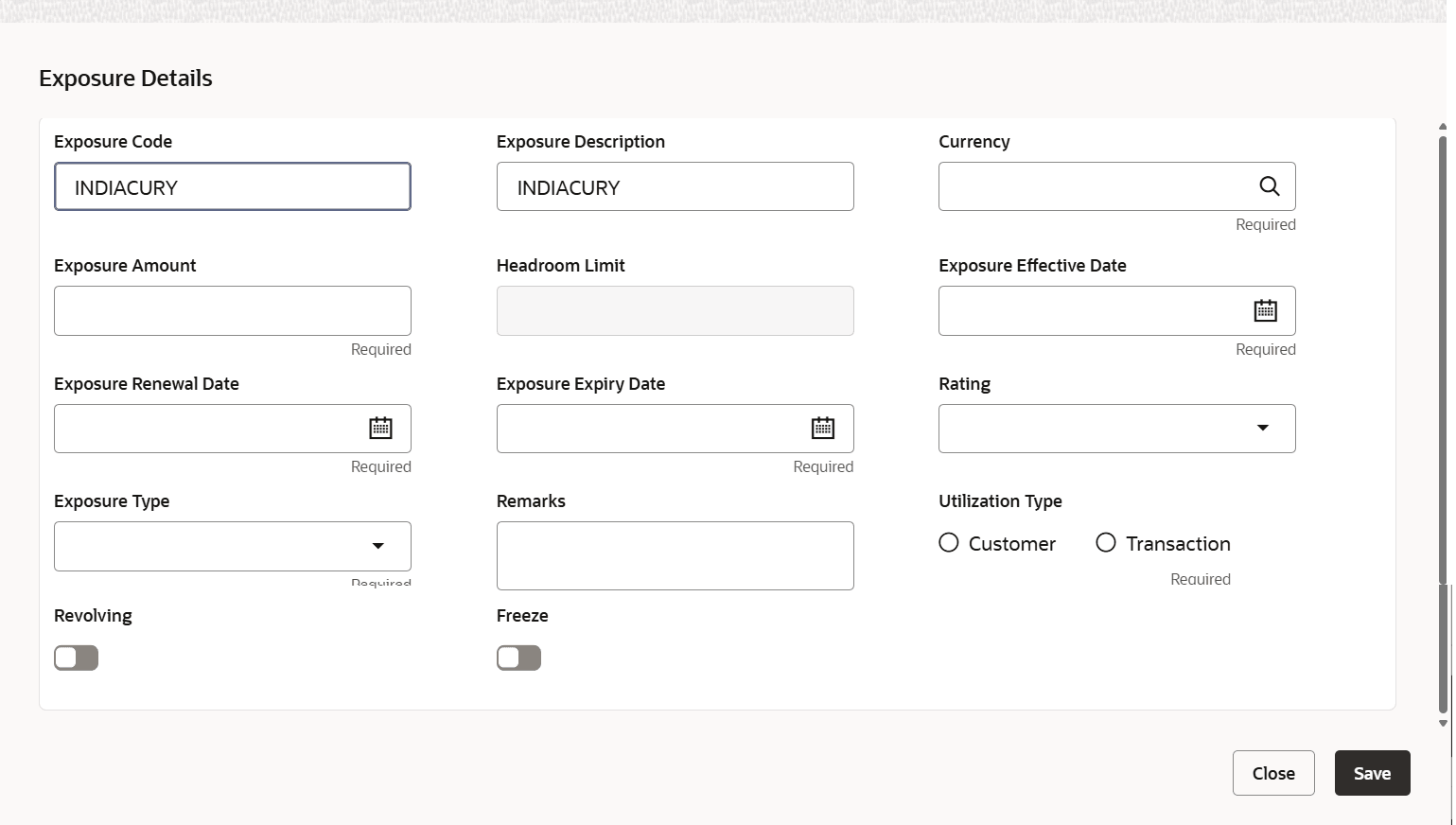
The expsoure details screen displays.For more information on fields, refer to the field description table.Table 2-2 Exposure details
Fields Description Exposure Code Specify the expsoure code. Exposure Description Specify the expsoure description. Currency Click search to select the Country Code and Country Name or click Fetch to select the currency details. Exposure Amount Specify the expsoure amount. Headroom Limit Specify the limit of the borrowing capacity. Exposure Effective Date Select the exposure effective date. Exposure Renewal Date Select the exposure renewal date. Exposure Expiry Date Select the exposure expiry date. Rating Select the rating from the drop-down list. Exposure Type Select the exposure type from the drop-down list. Remarks Specify the remarks. Utilization Type Select the utilization type from the available options. The options are: - Customer
- Transaction
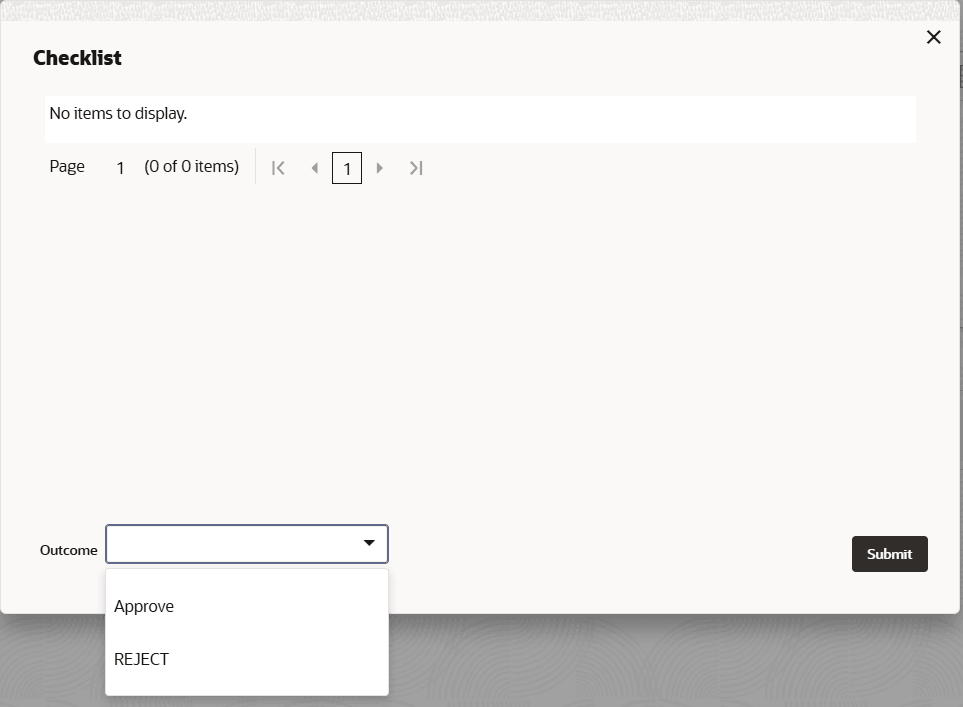
Revolving By default this option is disabled. If the Maximum Limit of the Exposure is reached, the exposure limit will be reset. Freeze By default this option is disabled.If the toggle is set to Yes, exposure utilization is not allowed on the exposure code. - Click Next to save and navigate to the next screen and click Submit.The Checklist screen displays.