14.2 View Collateral Warehouse
This topic describes the systematic instructions to view the collateral warehouse.
- Under Maintenance, select Collateral Warehouse
Maintenance. Under Collateral Warehouse Maintenance, select
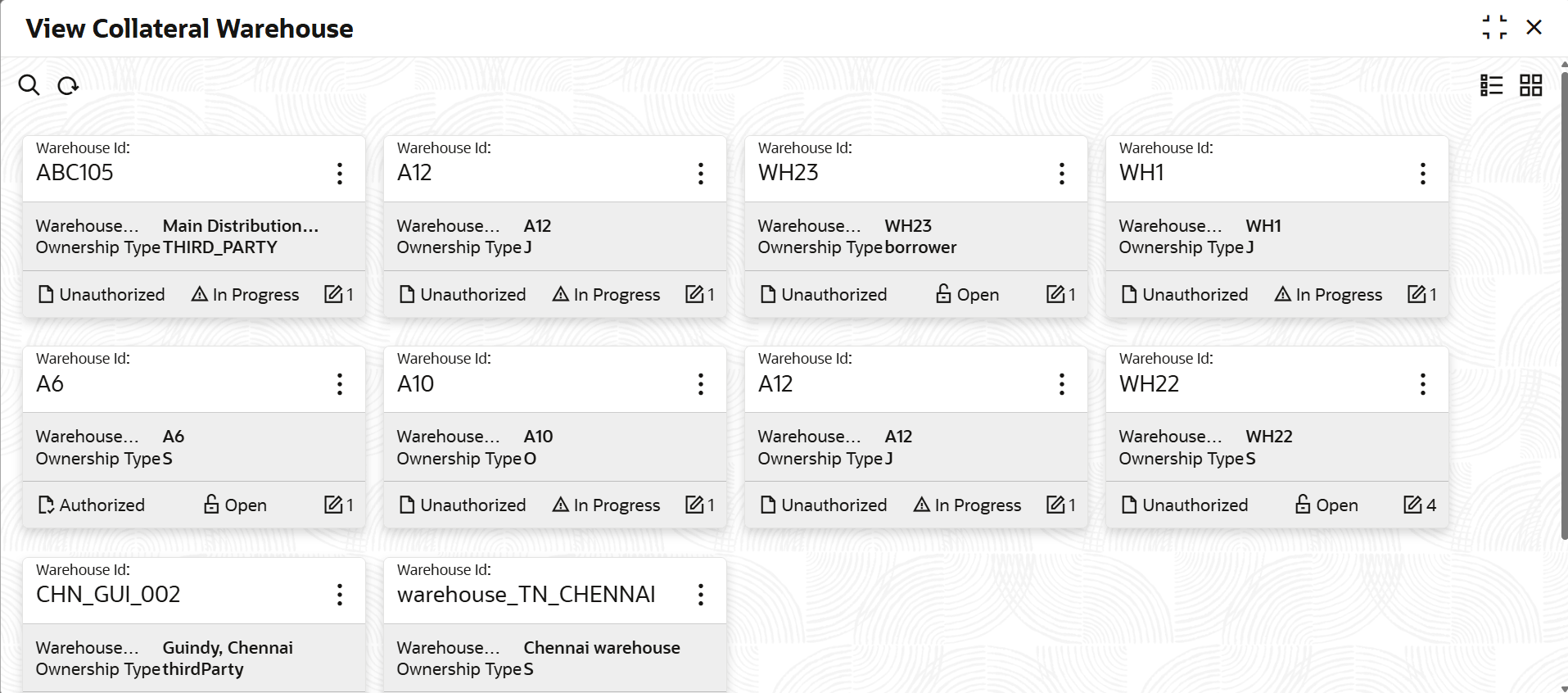
View Collateral Warehouse.The View Collateral Warehouse screen displays.For more information on fields, refer to the field description table.
Table 14-2 View Property
Fields Description Warehouse ID Displays the warehouse ID. Warehouse Name Displays the warehouse name. Ownsership Type Displays the ownership type. Authorization Status Displays the authorization status of the record. The available options are: - Authorized
- Rejected
- Unauthorized
Record Status Displays the status of the record. The available options are: - Open
- Closed
Modification Number Displays the number of modifications performed on the record. - On View screen, select the
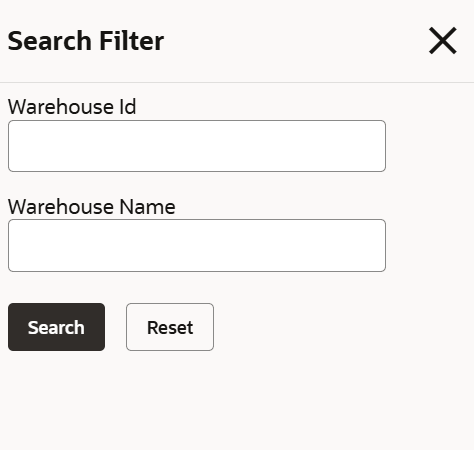
 icon.The View Collateral Warehouse - Search screen displays.
Figure 14-3 Search - View Collateral Warehouse
Parent topic: Collateral Warehouse Maintenance