19.4 Collateral Details
This topic provides systematic instructions about the Collateral Details data segment in Manual Retry stage.
This data segment allows to modify collateral details added in the previous
stages/process. In case there is handoff error in this screen, you must fix it before
proceeding to the next data segment.
Click Next in
the Manual Retry - Basic Info screen, the Collateral Details data segment is
displayed based on the collateral selected for review.
Figure 19-5 Manual Retry - Collateral Details
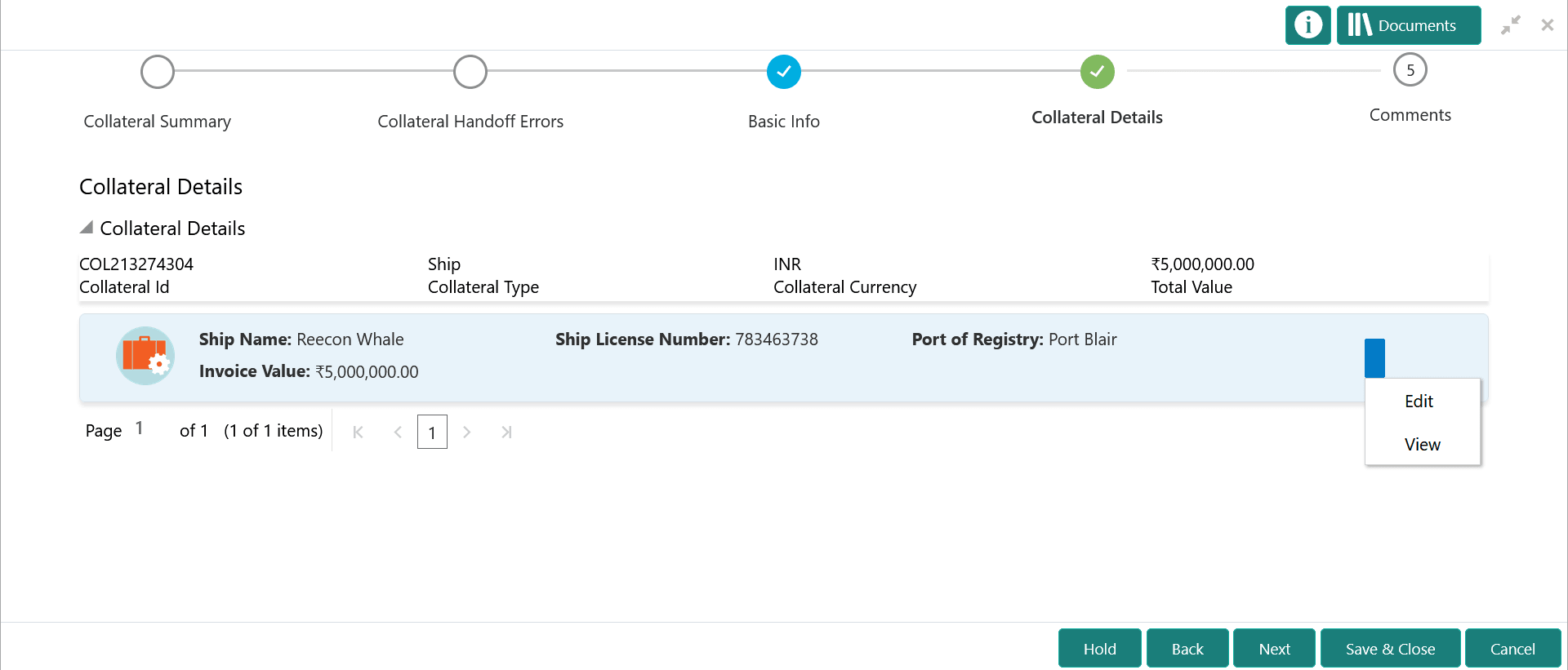
To modify the collateral details, click the action icon in the collateral
record and select Edit.
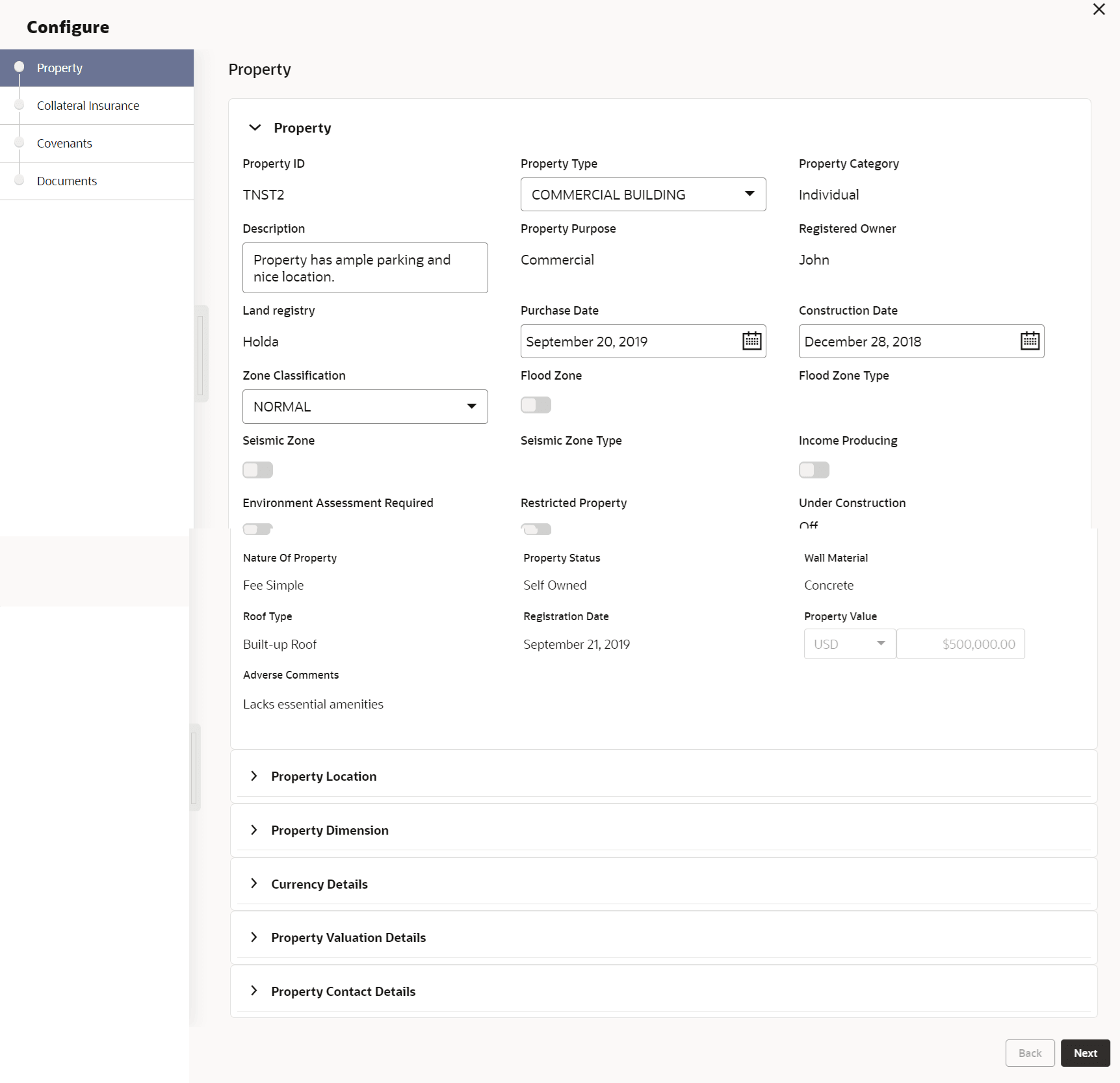
The Enrichment - Configure - Collateral Type screen is
displayed.
Figure 19-6 Enrichment - Configure - Collateral Type
Note:
For detailed information on the left menus, refer Collateral Type section in Collateral Evaluation User Guide.After modifying the collateral details, click Next.
Parent topic: Handoff - Manual Retry