2.8 Rule Based Collateral Allocation
This topic describes about rule based collateral allocation.
Oracle Banking Enterprise Limits and Collateral Management (OBELCM) supports rule-based collateral allocation at the facility level, using a rule engine to dynamically determine how collateral is linked and allocated to individual facilities. This allocation is based on multiple configurable rules and conditions, leveraging detailed information (facts) from both facility and collateral attributes, such as category, code, currency, value, branch, limit amount, haircut, etc. Users can specify rules per collateral category, define whether allocation should be percentage- or amount-based, and even override allocations at the user level when necessary. The system displays when rule-based allocation is active, shows the auto-derived allocation result, and provides for manual adjustment if required.
This enables scalable, policy-driven, and transparent collateral management, reducing operational risk and supporting robust regulatory and business objectives for evolving banking credit portfolios.
- Configuring Rules and Facts: User can
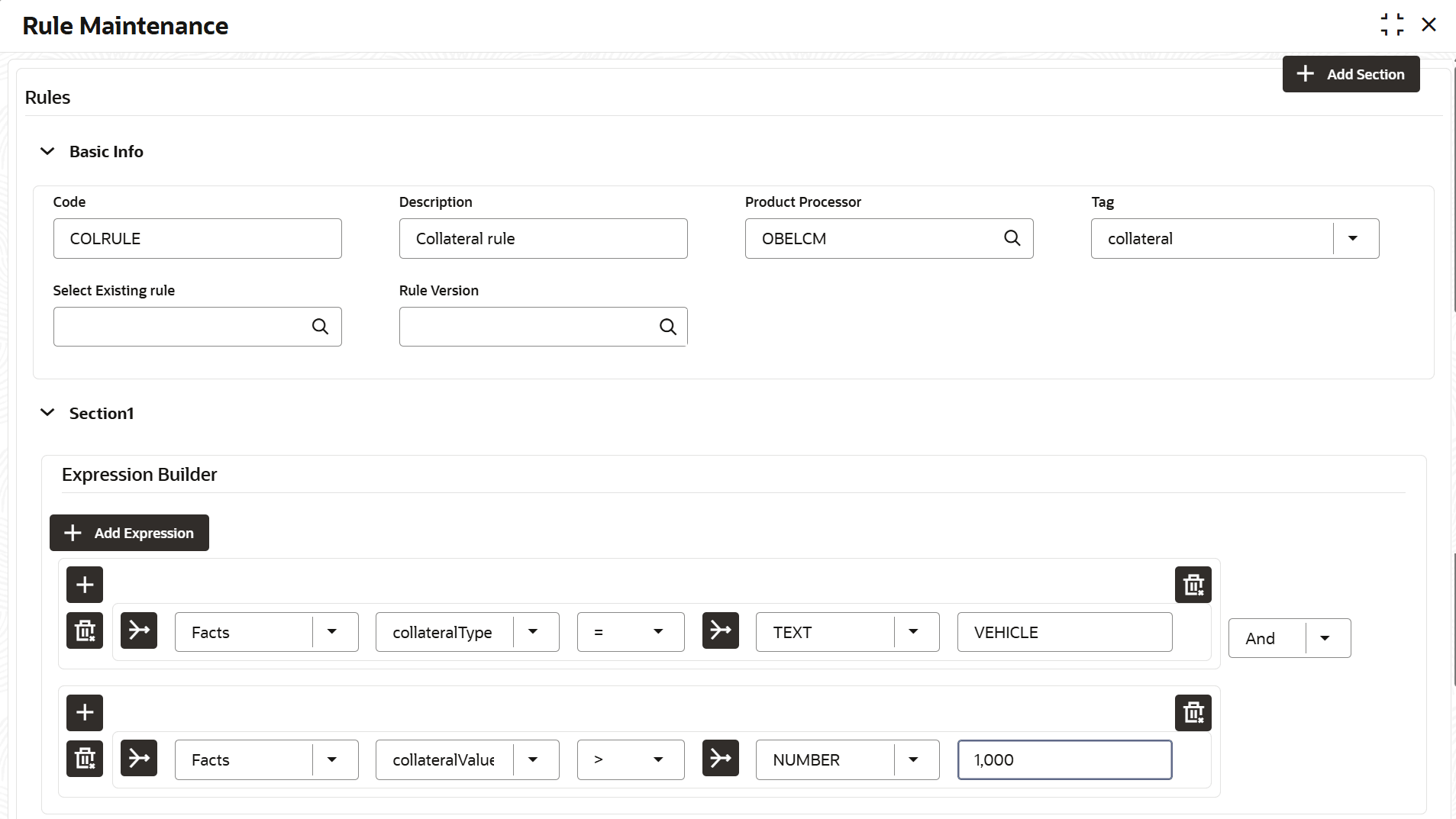
configure collateral allocation rules through the Create Rule Maintenance
screen. This functionality allows you to define rule derivation logic based on
specific attributes (facts) of both collateral and facilities associated with a
given rule code.
- Code: Provide the allocation rule code that helps you to identify it.
- Description: Provide a description as required.
- Product Processor: Select OBELCM.
- Tag: While configuring rule facts, each fact can be tagged to indicate whether it belongs to Collateral or Facility. Leave this unselected if you need to create rule using parameters of both the entities.
List of facts and associated tags:Table 2-66 Fact Name and Tag
Fact Name Tag categoryName Collateral collateralCode Collateral liabNo Facility collateralCurrency Collateral collateralValue Collateral branchCode Collateral brn Facility liabBranch Collateral lineCode Facility lineCurrency Facility revolvingLine Facility limitAmount Facility haircut Collateral limitContribution Collateral collateralType Collateral chargeType Collateral Note:
Multiple facts can be combined using the ‘And’/’Or’ operator.Example: Sample Collateral allocation rule in terms of percentage allocation (25%).Table 2-67 Rule Code
Rule Code: Rule 1 - Facts Operator Type Value Explanation Collateral Type = Text VEHICLE For all collateral type as ‘Vehicle’ AND - Collateral Value > Number 100000 And with collateral value greater than 100000 and less than 500000 AND - Collateral Value < Number 500000 And with collateral value greater than 100000 and less than 500000 AND - haircut >= Number 10 And with haircut greater than equal to 10% AND - limitamount > Number 200000 And when creating a facility with Limit Amount greater than 200000 and less than 500000 AND - limitamount < Number 500000 And when creating a facility with Limit Amount greater than 200000 and less than 500000 Output - Text P25 Applicable collateral (vehicle) allocation at facility will be 25%. Note:
- If you need allocation to be based on amount, the value should be prefixed with ‘A’ instead of ‘P’.
- For more information on rule maintennace, refer section 7.2 Rule in Common Core User Guide.
- Specifying the allocation Rule Code at collateral category level
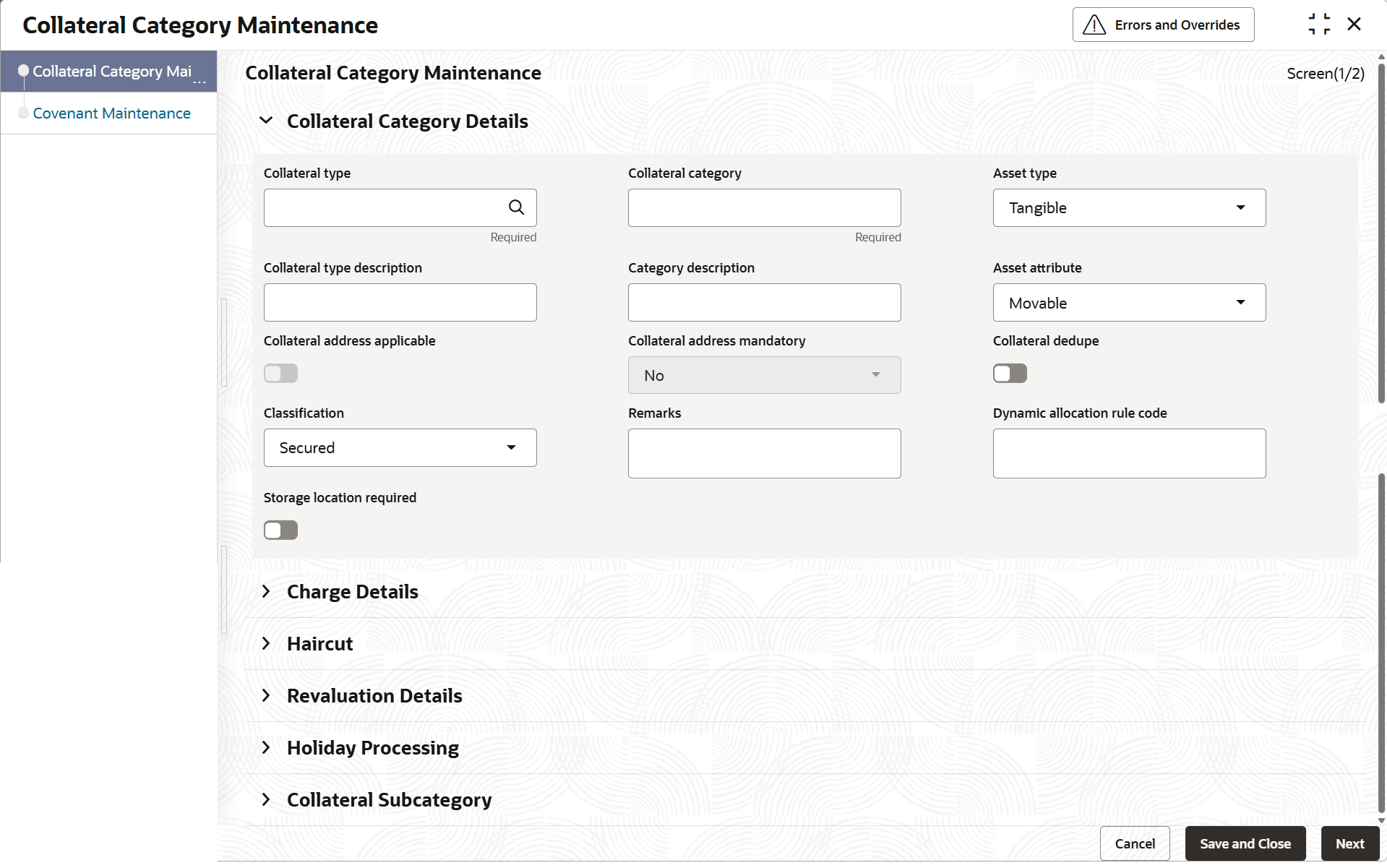
The rule code created above should then be mapped at respective collateral category maintenance. Specify the rule code in ‘Dynamic Allocation Rule Code' field.
Figure 2-84 Collateral Category Maintenance
Example: based on above setup, in collateral category maintenance- Collateral Type = Vehicle
- Collateral category – Goods vehicle
- Dynamic Allocation Rule Code – ‘Rule1’
- Option to enable at collateral level
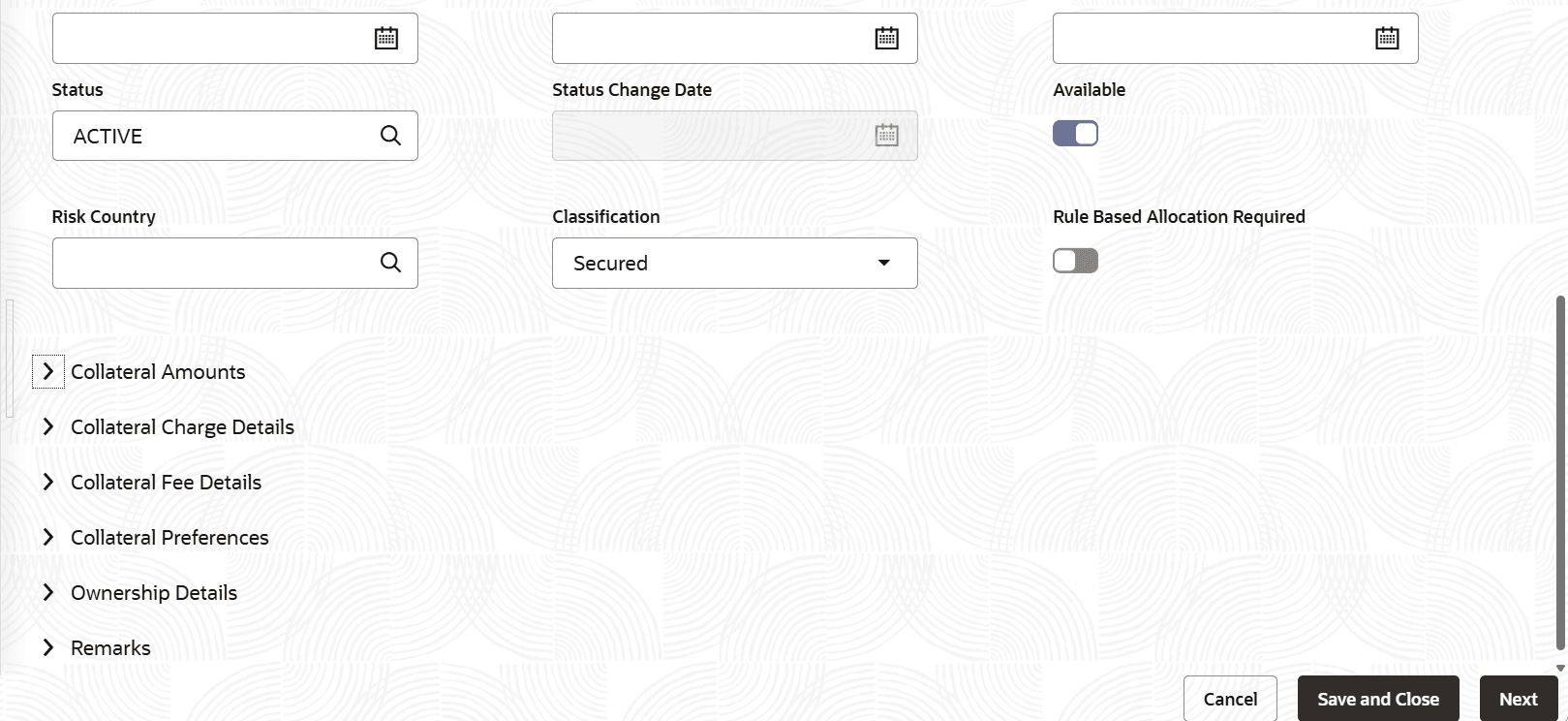
In collateral maintenance,click Basic Details data segment, the “Is Dynamic Allocation Required” option lets the user enable or disable rule-based allocation for the selected collateral type and category.Example: based on above setup,
- Collateral category maintenance
- Collateral Type = Vehicle
- Collateral category = Goods vehicle
- Dynamic Allocation Rule Code – Rule1
- Collateral Maintenance
- Collateral Code = C001
- Collateral Type = Vehicle
- Collateral category = Goods vehicle
- Is Dynamic Allocation Required = ‘Y”
- Collateral category maintenance
- At the facilities maintenance, when selecting a collateral in the
collateral-facility linkage data segment, the system processes the collateral
rule-based allocation as following.
- The system displays a flag indicating whether rule-based allocation is applicable to the selected collateral.
- If rule-based allocation applies, the system shows the calculated allocation percentage or amount based on the configured rule.
- The displayed allocation percentage or amount is defaulted in respective fields (Linked percentage or Linked amount in collateral currency).
- The defaulted allocation values can be modified by the user as needed.
- Example: Based on above setup, selecting
- Collateral Code = C001
- Allocation percentage defaulted = 25%
Parent topic: Limits and Collateral