1.2 Maintenance of Generative AI API Key as Environment Variable
This topic describes instructions to configure the API Key that needs to be configured to use the Generative AI.
This topic describes instructions to configure the API Key that needs to be configured to use the Generative AI.
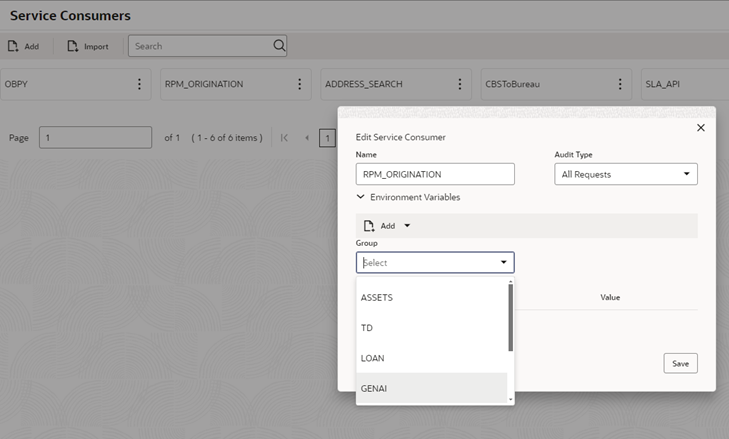
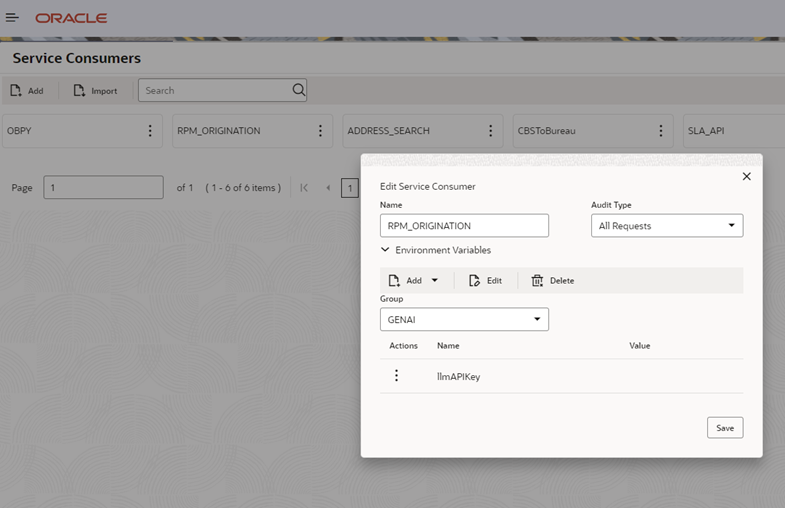
- Find RPM_ORIGINATION and click on Edit.
- Add llmAPIKey as a new variable. Add the API Key obtained in step 1 as the
value.
Parent topic: Integration Guide