1.11.1 Model Definition

This topic describes the systematic instructions for the model definition.

  1. On Homescreen, click Menu, and click Machine Learning.
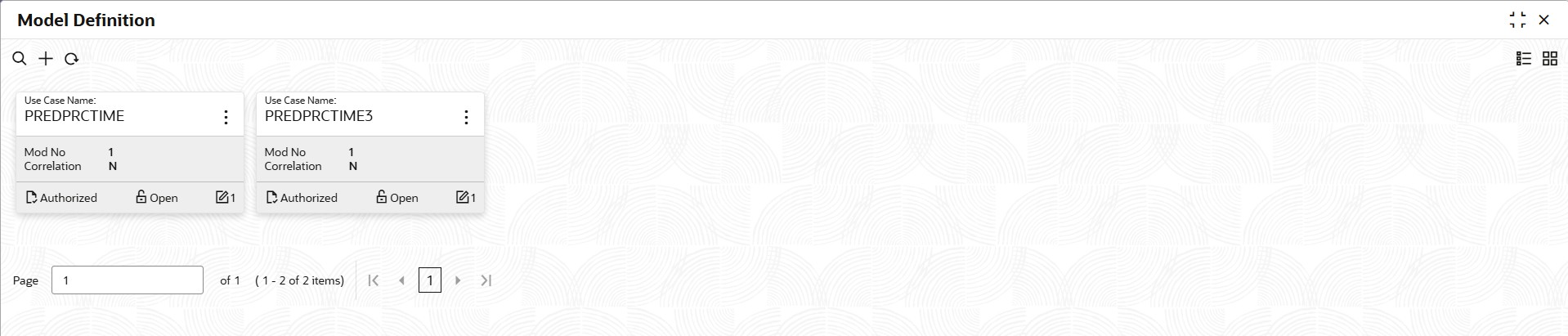
  2. Under Machine Learning, click Model Definition.

    The Model Definition screen displays.

  3. On Model Definition screen, click Add to create new use-case definition.

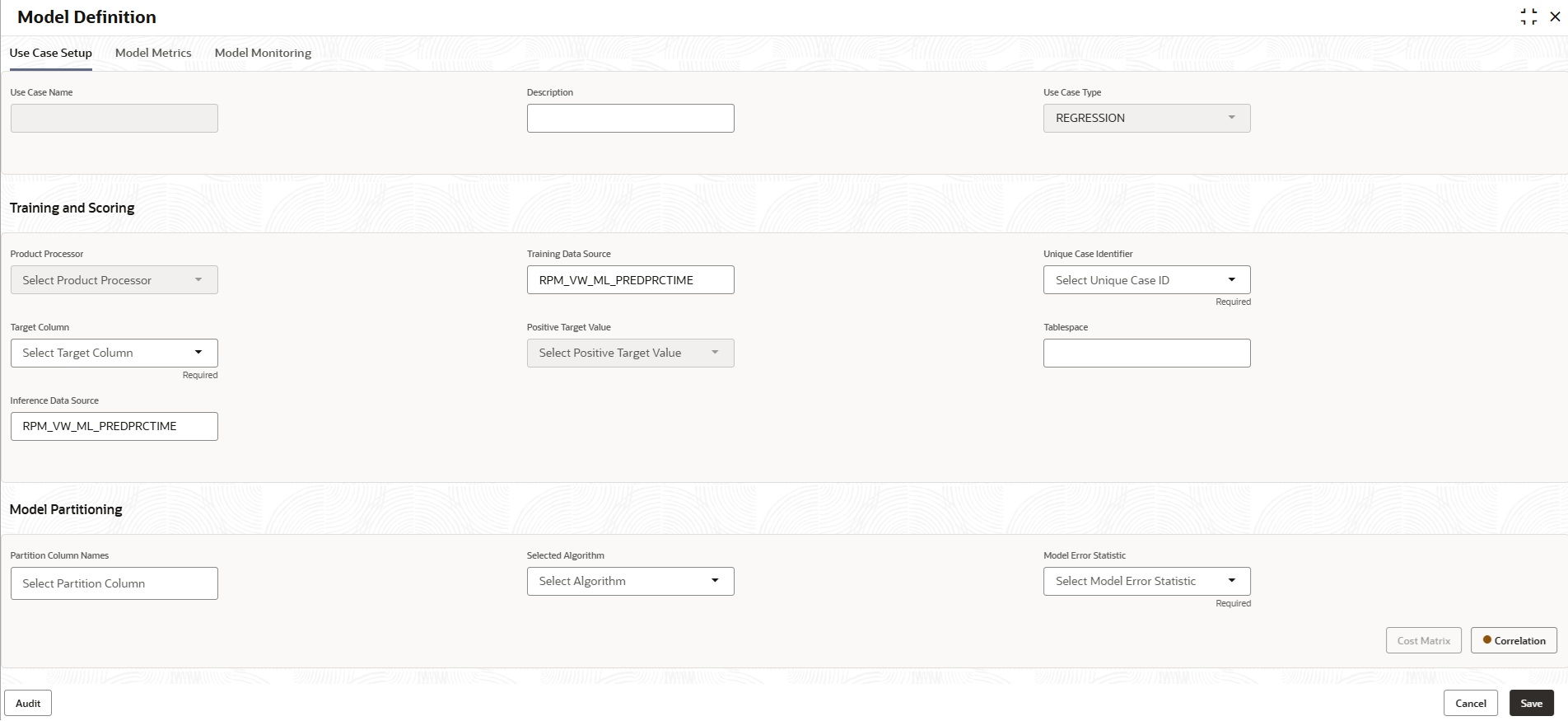
    The Use Case Setup screen displays.

  4. Specify the below listed parameters to create the use-case definition.
    For more information on fields, refer to the field description table below:

    Table 1-109 Use Case Definition Parameters

    Field Parameters
    Use Case Name PREDPRCTIME
    Description Predicting Process Completion Time
    Use Case Type REGRESSION
    Product Processor RPM
    Training Data Source RPM_VW_ML_PREDPRCTIME
    Unique Case Identifier PROCESS_ID
    Target Column TIME_2_COMPLETE
    Positive Target Value PRED_TIME
    Tablespace This field should be left Blank.
    Inference Data Source RPM_VW_ML_PREDPRCTIME
    Partition Column Names This field should be left Blank.
    Selected Algorithm This field should be left Blank.
    Model Error Statistics RMSE
  5. Click Save to save the changes.