1.1 Integration of Decision Service
This topic describes systematic instructions to integrate Oracle Banking Origination.
To integrate Oracle Banking Origination with Decision Service through Oracle Banking Routing Hub.
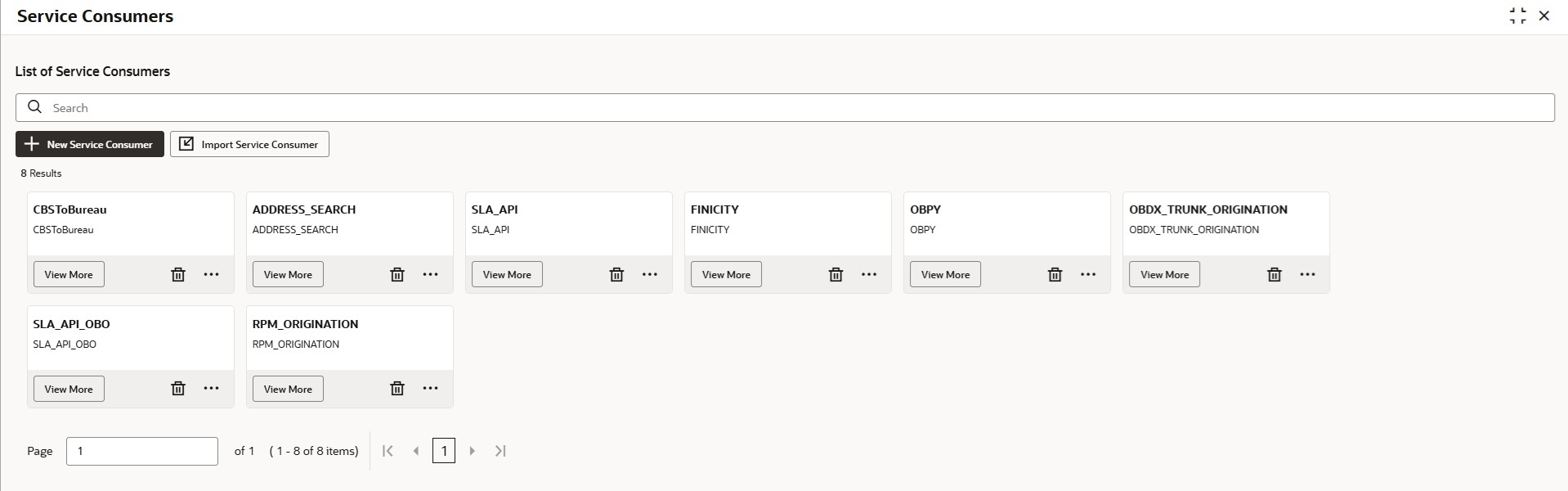
- Under Routing Hub, click Service Consumers.The Service Consumers screen displays.
- Click Import Service Consumer.
Note:
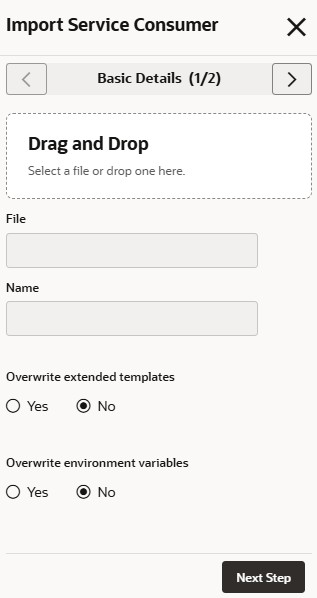
If the user has already imported the OBOConsumer.zip file, skip steps from 3 to 5 to avoid overwriting it.The Import Service Consumer - Basic Details screen displays.Figure 1-2 Import Service Consumer - Basic Details
For more information, refer to the fields description table below.
Table 1-1 Import Service Consumer - Basic Details
Field Description Drag and Drop Click Drag and Drop to upload the OBOConsumer.zip file for the current release. File Displays the uploaded file name. Name Displays the name of provider. Overwrite extended templates Select the overwrite extended templates. The available options are: - Yes
- No
Overwrite environment variables Select the overwrite environment variables. The available options are: - Yes
- No
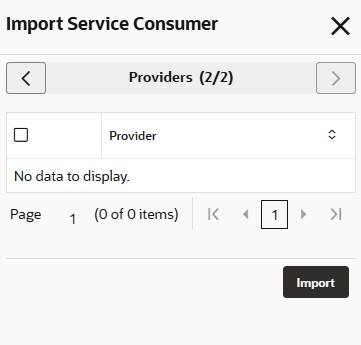
- Click Next Step.The Import Service Consumer - Providers screen displays.
Figure 1-3 Import Service Consumer - Providers
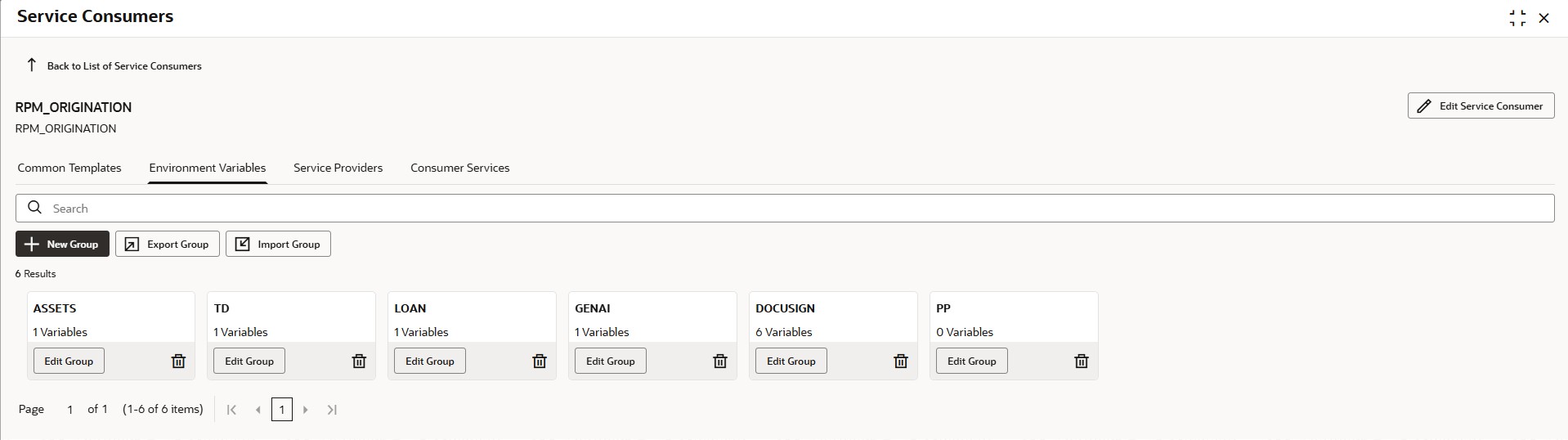
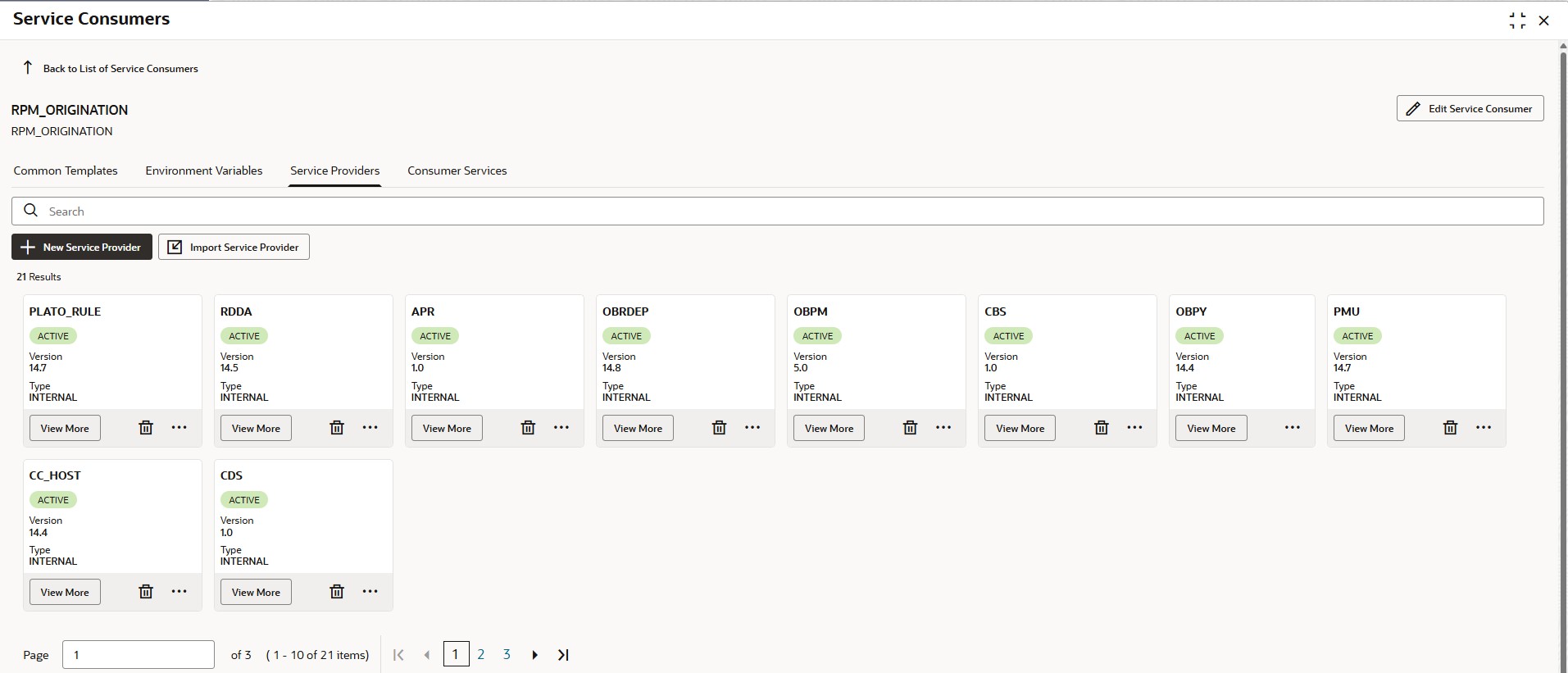
- Click View More on the RPM_ORIGINATION tile.The RPM_ORIGINATION screen displays.
- Click Service Provider tab.The Service Provider tab displays.
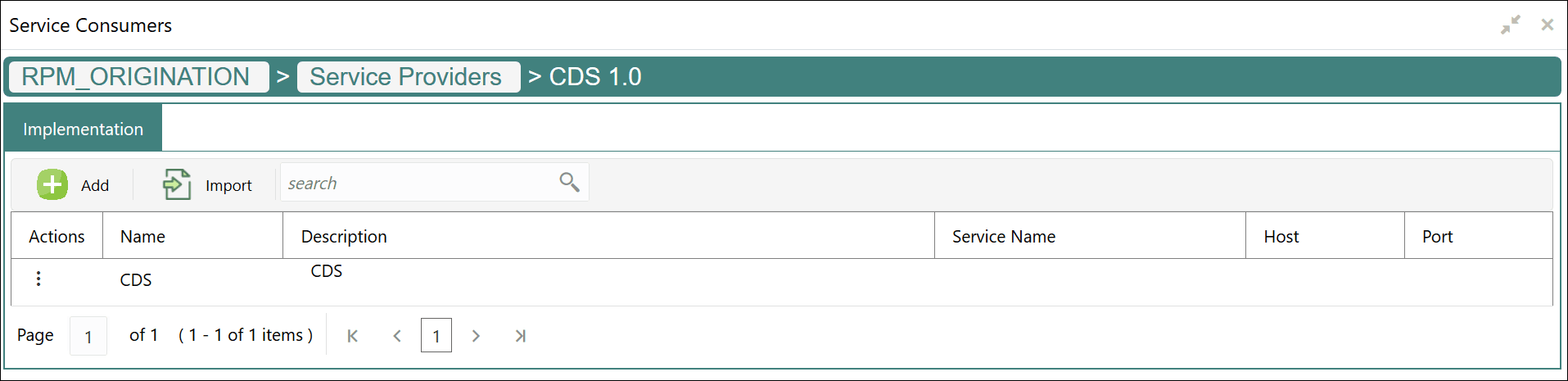
- Click View More on the CDS tile.The CDS screen displays.
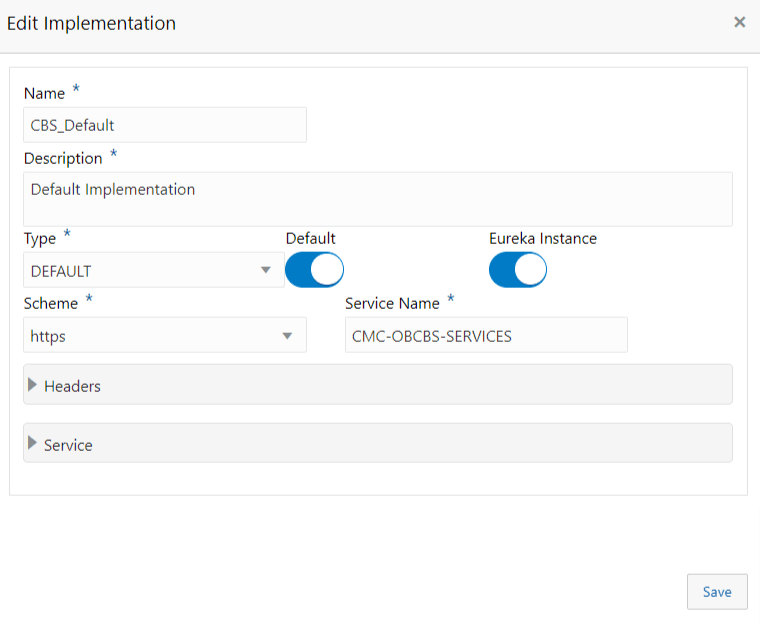
- Click
 on one of the items.The Edit Implementation screen displays.
Parent topic: Decision Service Integration