1.1 Maintenance for Oracle Banking Origination
This topic describes systematic instructions to maintain Oracle Banking Routing Hub configuration in common core for Oracle Banking Payments Integration Service.
To maintain Oracle Banking Routing Hub configuration in common core for the Oracle Banking Payments Integration Service.
To import the services:
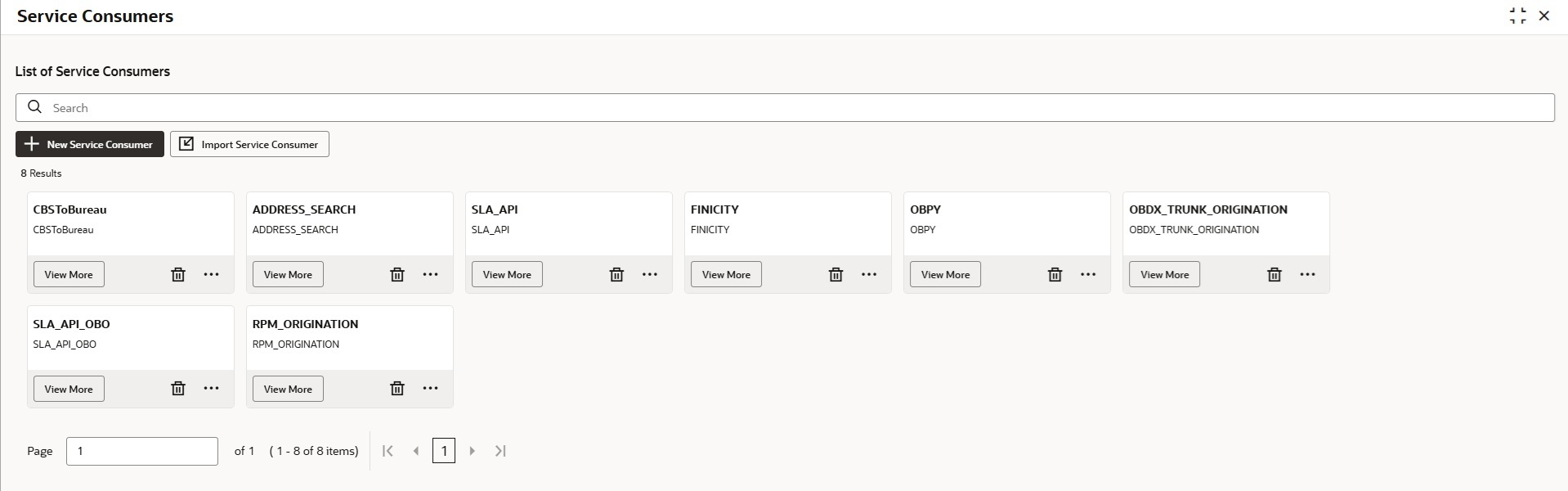
- Under Routing Hub, click Service Consumers.The Service Consumers screen displays.
- Click Import Service Consumer.
Note:
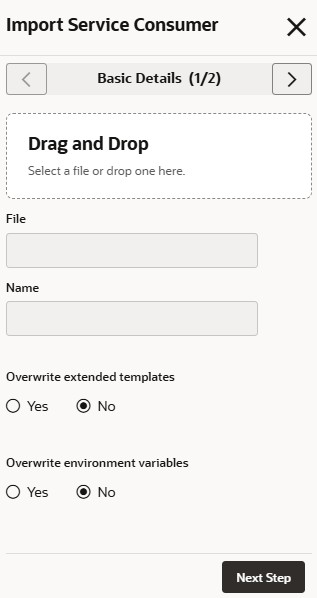
If the user has already imported the OBOConsumer.zip file, skip steps from 3 to 5 to avoid overwriting it.The Import Service Consumer - Basic Details screen displays.Figure 1-2 Import Service Consumer - Basic Details
For more information, refer to the fields description table below.
Table 1-1 Import Service Consumer - Basic Details
Field Description Drag and Drop Click Drag and Drop to upload the OBOConsumer.zip file for the current release. File Displays the uploaded file name. Name Displays the name of provider. Overwrite extended templates Select the overwrite extended templates. The available options are: - Yes
- No
Overwrite environment variables Select the overwrite environment variables. The available options are: - Yes
- No
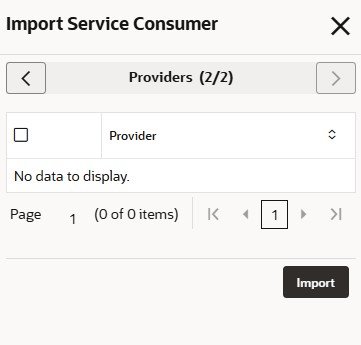
- Click Next Step.The Import Service Consumer - Providers screen displays.
Figure 1-3 Import Service Consumer - Providers
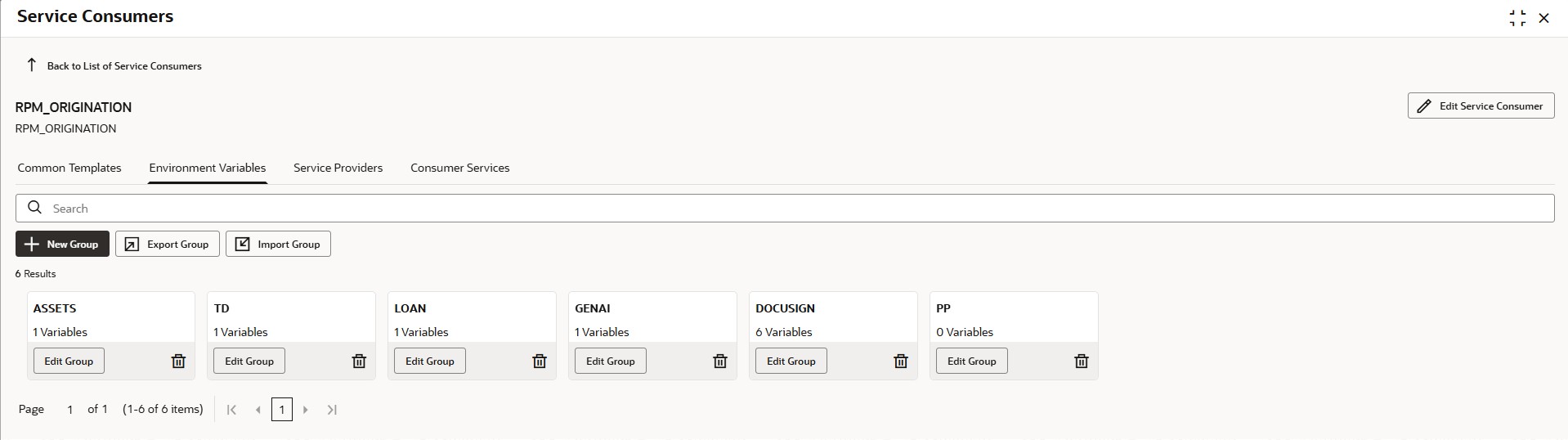
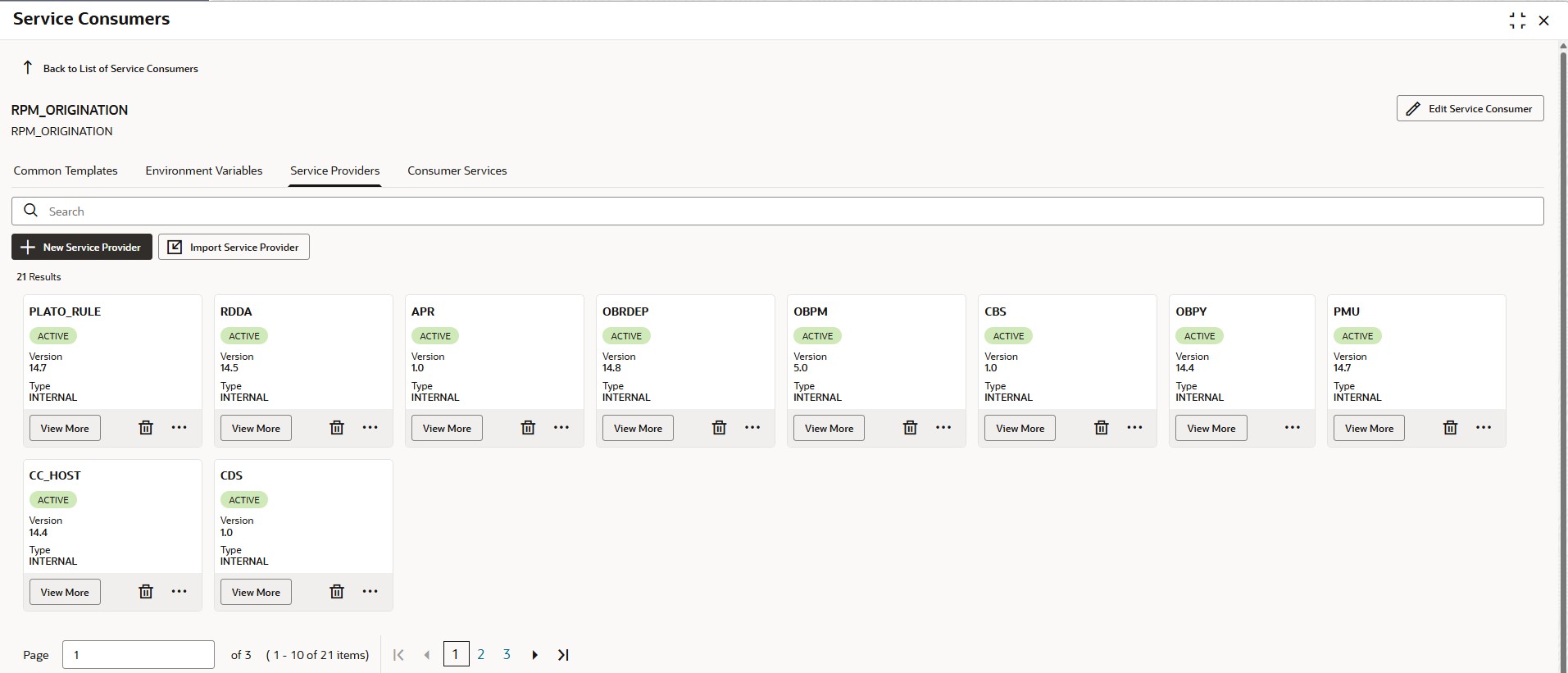
- Click View More on the RPM_ORIGINATION tile.The RPM_ORIGINATION screen displays.
- Click Service Provider tab.The Service Provider tab displays.
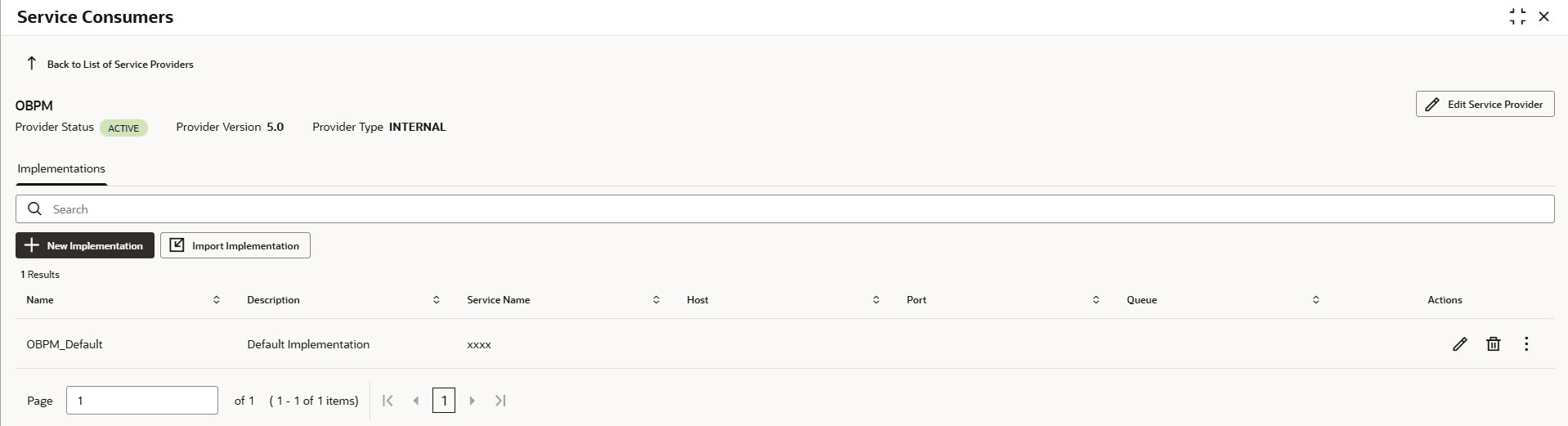
- Click View More on the OBPM tile.The OBPM screen displays.
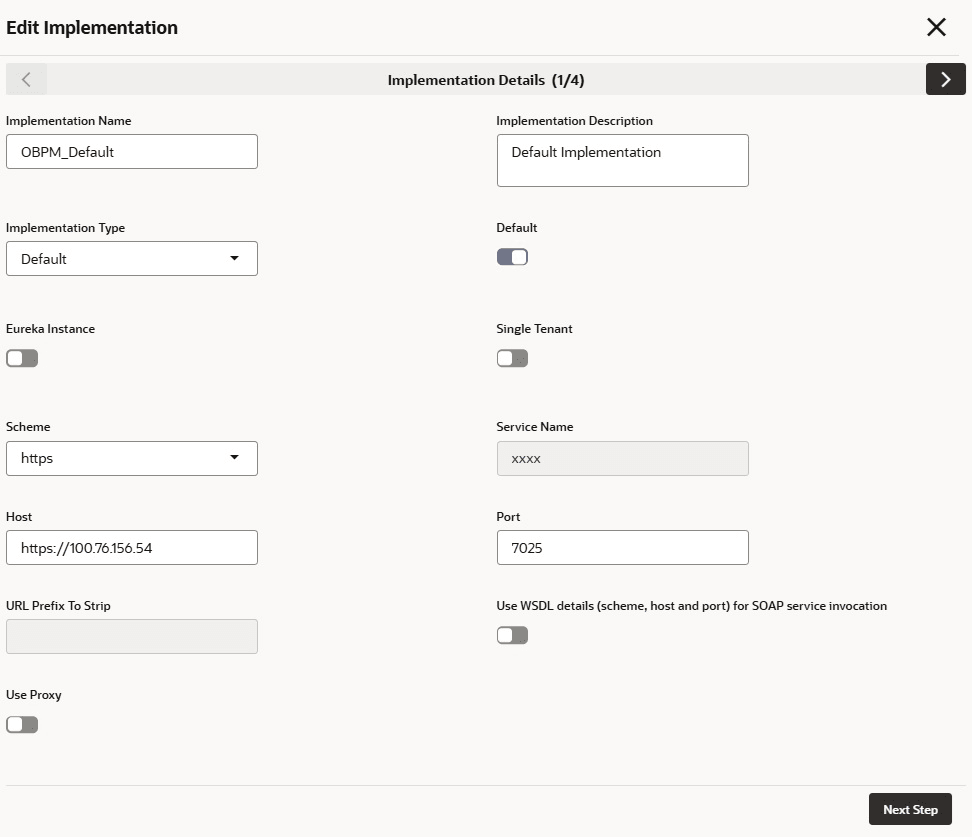
- Click
 on one of the items.The Edit Implementation screen displays.
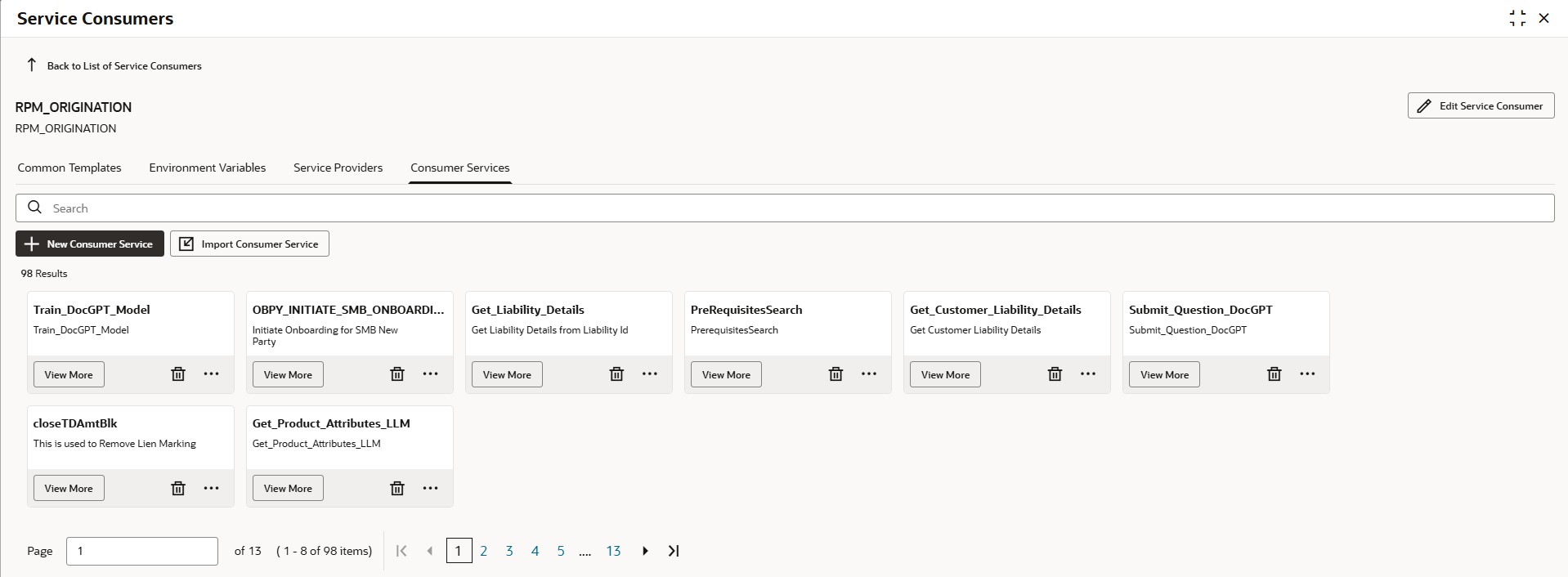
 - Click Consumer Services tab.The Consumer Services tab displays.
The External_Account_Fund_Transfer consumer service is available for Oracle Banking Payments and this allows to transfer funds from the finicity selected account to Oracle Banking Origination newly opened account.
Table 1-2 List of Consumer Services
Service Provider Consumer Services Service RPM_ORIGINATION External_Account_Fund_Transfer DEBITOUTPAY - /achnachadebitoutpay
Parent topic: Integration Guide