2.3.1 Interest and Charges
This topic provides the systematic instructions to view the interest applicable for the account.
The Interest and Charge data segment displays the interest applicable for the account.
- On acquiring the Application Enrichment task, the Interest and Charge data
segment appears.
The Interest and Charge Details screen displays.
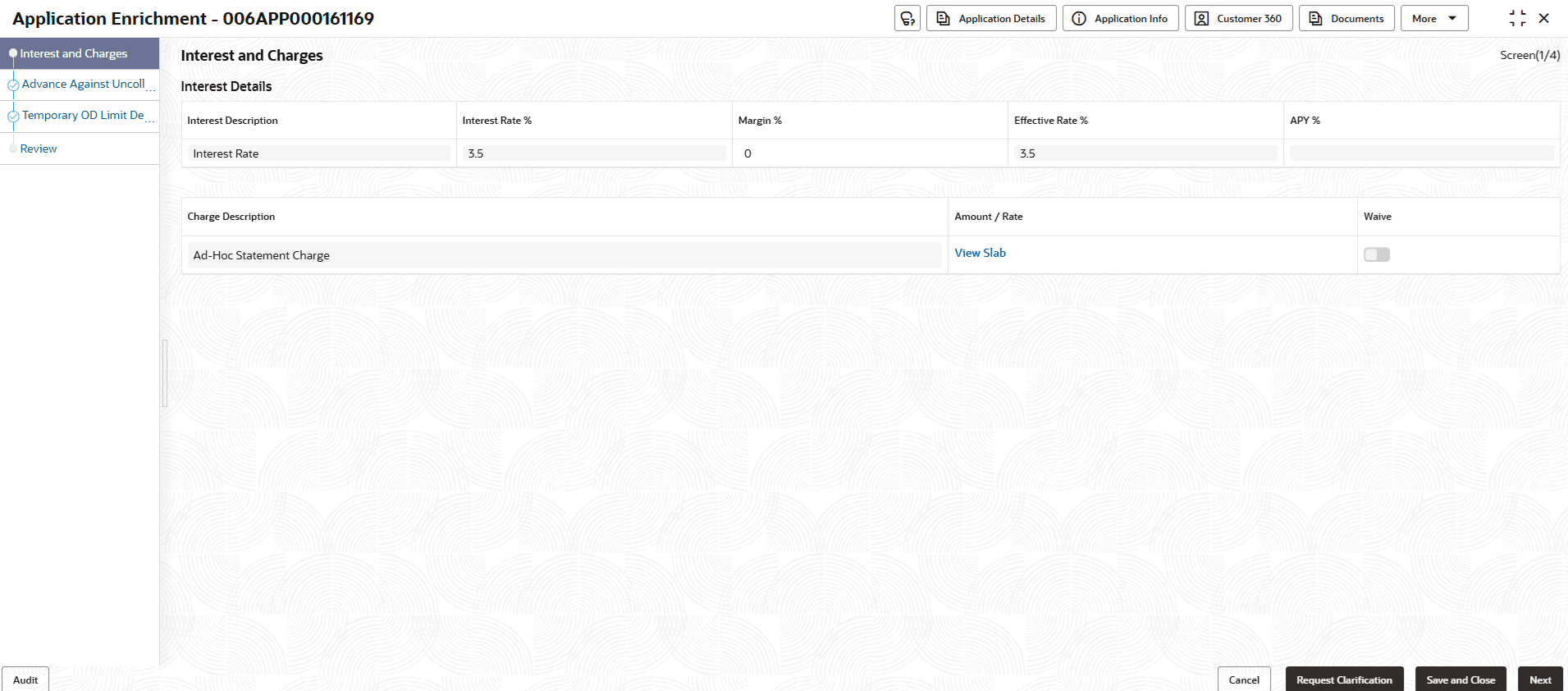
- Specify the details in the relevant data fields.
Note:
The fields marked as Required are mandatory.For more information on fields, refer to the field description table.Table 2-28 Interest Details - Field Description
Field Description Interest Description Displays the interest description attached to the host product linked with the business product. Interest Rate (%) Displays the interest rate applicable for the account. Margin (%) Select the margin in percentage. Effective Rate (%) Displays the effective rate calculated based on the Interest Rate and the Margin specified. APY (in %) or AER (in %) Displays the annual percentage yield or annual equivalent rate value in percentage. Below is the formula to calculate the APY or AER,
Annual Percentage Yield/Annual Equivalent Rate = (1 + Interest Rate รท The number of Compounding in a year) ^ (Number of compounding in a year) – 1
This is applicable for the Credit Interest
Note: The AER or APY value is shown according to the display preferences selected on the Origination Preferences screen.
APR Display the annual percentage rate value.
This is applicable for debit interest.
Charge Description Displays the charge description. Amount/Rate Displays the charge amount. Waive Select the toggle to enable the waiving charges. - Click Next to navigate to the next data segment, after successfully capturing the data. The system will validate all mandatory data segments and data fields. If mandatory details are not provided, the system displays an error message for the user to take action. User will not be able to proceed to the next data segment, without capturing the mandatory data.
Parent topic: Application Enrichment Stage
