2.6.3 Customer 360
This topic provide systematic instructions to view the list of customers involved in the application.
User can click the relevant customer tile to view the 360-degree details for that customer. The separate tiles for all customers involved in the application appear.
- Click Customer 360 to view the list of customer involved in the application.
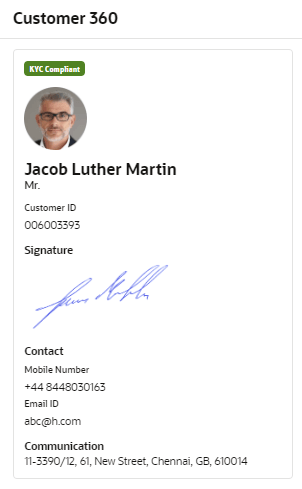
The Customer 360 screen displays.
The customer tile comprises of below details:- <Applicant Role>
- <KYC Status>
- <Applicant Image>
- <First Name, Middle Name, Last Name>
- <Title>
- Customer ID
- Signature
- Contact
- Communication
Parent topic: Global Actions