2.2.17.7 Fedwire ISO Inbound Drawdown Request View Summary

This topic provides the instructions to view the details of the selected records.

  1. On Homepage, specify PSSIFWDV in the text box, and click next arrow.
    The Fedwire ISO Inbound Drawdown Request View Summary screen is displayed.

    Figure 2-72 Fedwire ISO Inbound Drawdown Request View Summary
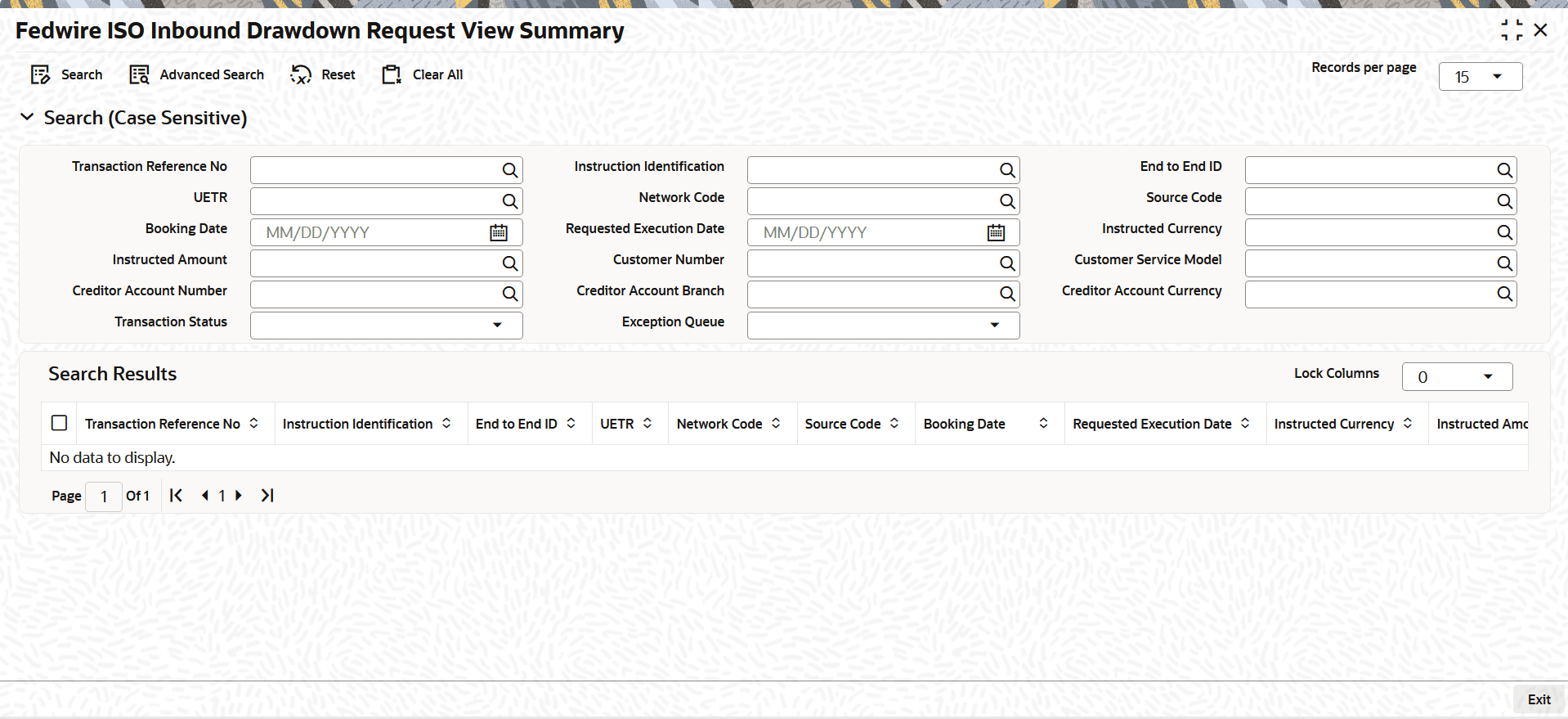


  2. On the Fedwire ISO Inbound Drawdown Request View Summary screen, search using one or more of the following parameters.
    • Transaction Reference Number
    • Instruction Identification
    • End to End Identification
    • UETR
    • Network Code
    • Source Code
    • Booking Date
    • Requested Execution Date
    • Instructed Currency
    • Instructed Amount
    • Customer Number
    • Customer Service Model
    • Creditor Account Number
    • Creditor Account Branch
    • Creditor Account Currency
    • Transaction Status
    • Exception Queue
  3. Once you specified the parameters, click the Search button.
    The system displays the records that match the search criteria.