2.2.14.4 Process Parties and Agents Tab

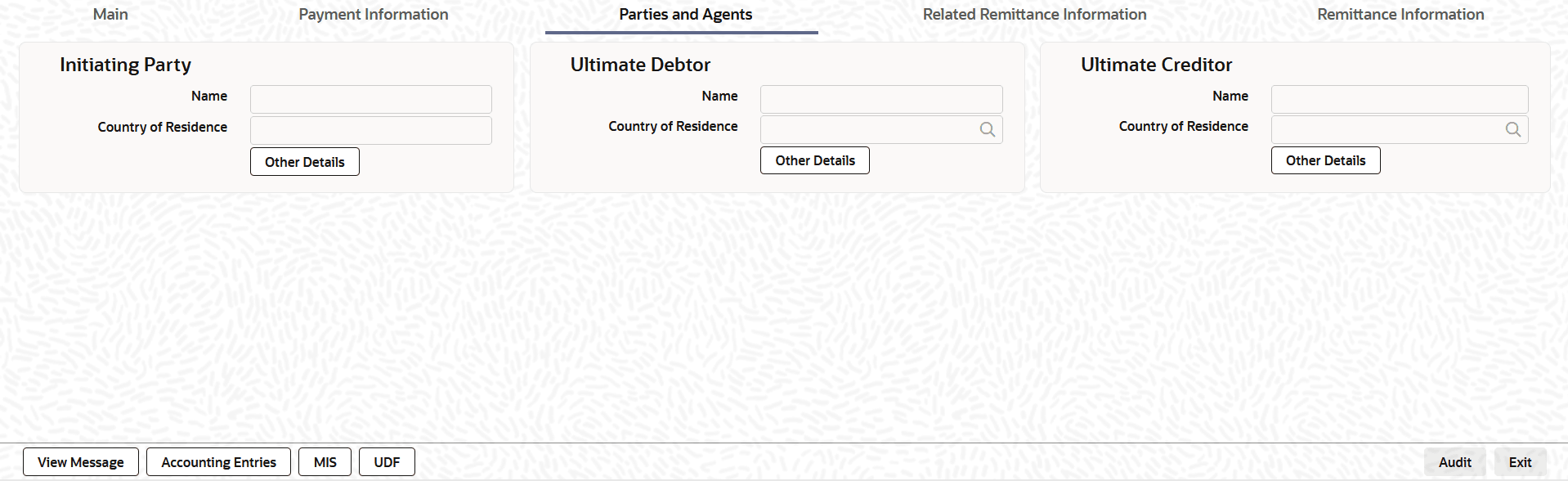
This topic explains the Parties and Agents tab of the Fedwire ISO Outbound Drawdown Request Detailed screen.

  1. From the main screen, select the Parties and Agents tab.
    The Parties and Agents details are displayed.

    Figure 2-33 Fedwire ISO Outbound Drawdown Request Detailed_Parties and Agents Tab


  2. On Parties and Agents tab, specify the fields.
    For more information about the fields, refer to field description table.

    Table 2-28 Fedwire ISO Outbound Drawdown Request Detailed_Parties and Agents Tab - Field Description

    Field Description
    Initiating Party This section displays the following fields.
    Name Specify the name of the initiating party.
    Country of Residence

    Specify the country of initiating party from the list of values.

    Note: Specify Country of Residence (where the party physically lives) only if it is different from postal address or country.

    Other Details Button

    Click the Other Details button on Parties and Agents tab under Initiating Party header to open the sub-screen. This screen displays the Initiating Party details.

    For more details, refer to the topic Parties and Agents Tab - Other Details Button.

    Ultimate Debtor This section displays the following fields.
    Name Specify the name of the ultimate debtor.
    Country of Residence

    Specify the country of ultimate debtor from the list of values.

    Note: Specify Country of Residence (where the party physically lives) only if it differs from postal address or country.

    Other Details Button

    Click the Other Details button in the Parties and Agents tab under Ultimate Debtor header to process the sub-screen. This screen shows the Ultimate Debtor Details.

    For more details, refer to the topic Parties and Agents Tab - Other Details Button.

    Ultimate Creditor This section displays the following fields.
    Name Specify the name of the ultimate creditor.
    Country of Residence

    Specify the country of ultimate creditor from the list of values.

    Note: Specify the Country of Residence (where the party physically lives) only if it differs from postal address or country.

    Other Details Button

    Click the Other Details button on Parties and Agents tab under Ultimate Creditor header to process the sub-screen. This screen shows the Ultimate Creditor Details.

    For more details, refer to the topic Parties and Agents Tab - Other Details Button.

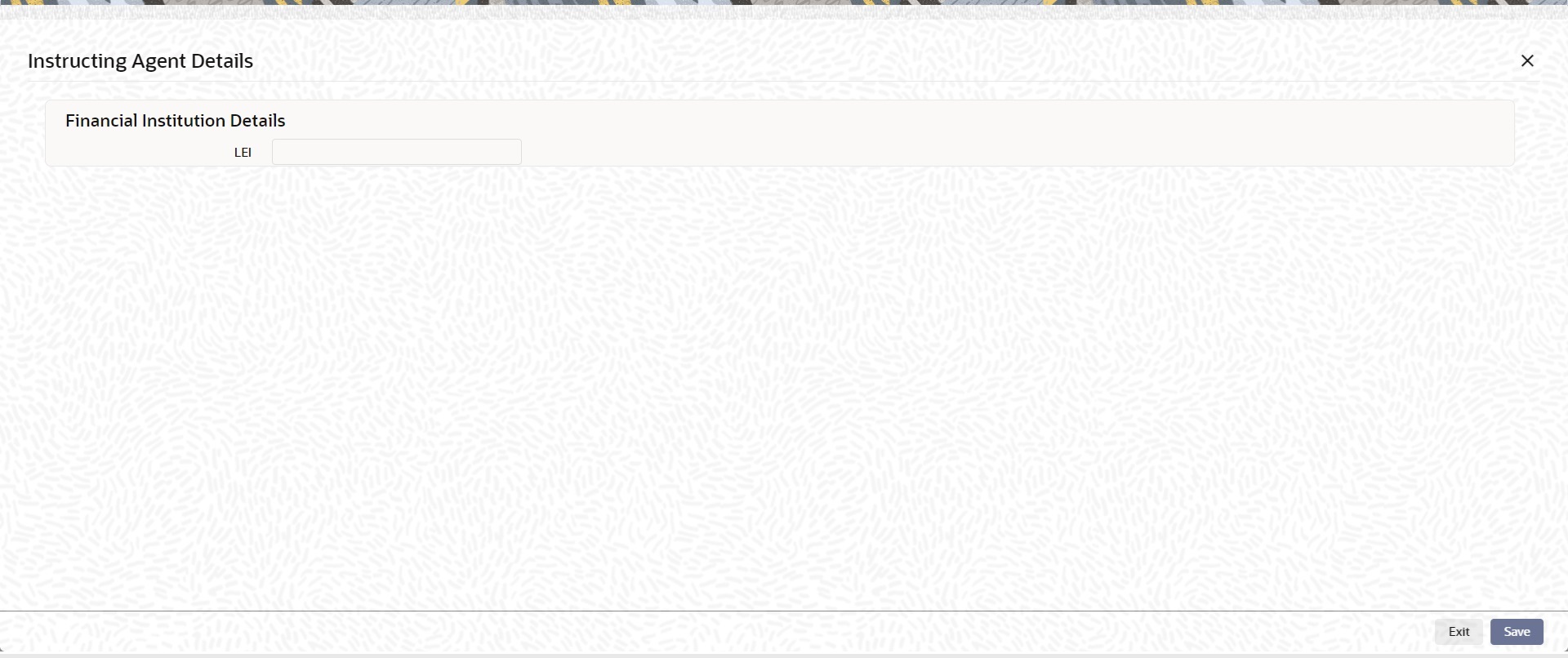
  3. Click the Other Details button on Parties and Agents tab under Instructing Agent header to process the sub-screen.
    The Instructing Agent Details sub-screen is displayed.

    Figure 2-34 Other Details - Instructing Agent Details
    Description of Figure 2-34 follows
    Description of "Figure 2-34 Other Details - Instructing Agent Details "