1.18.3 External Pricing System Mapping

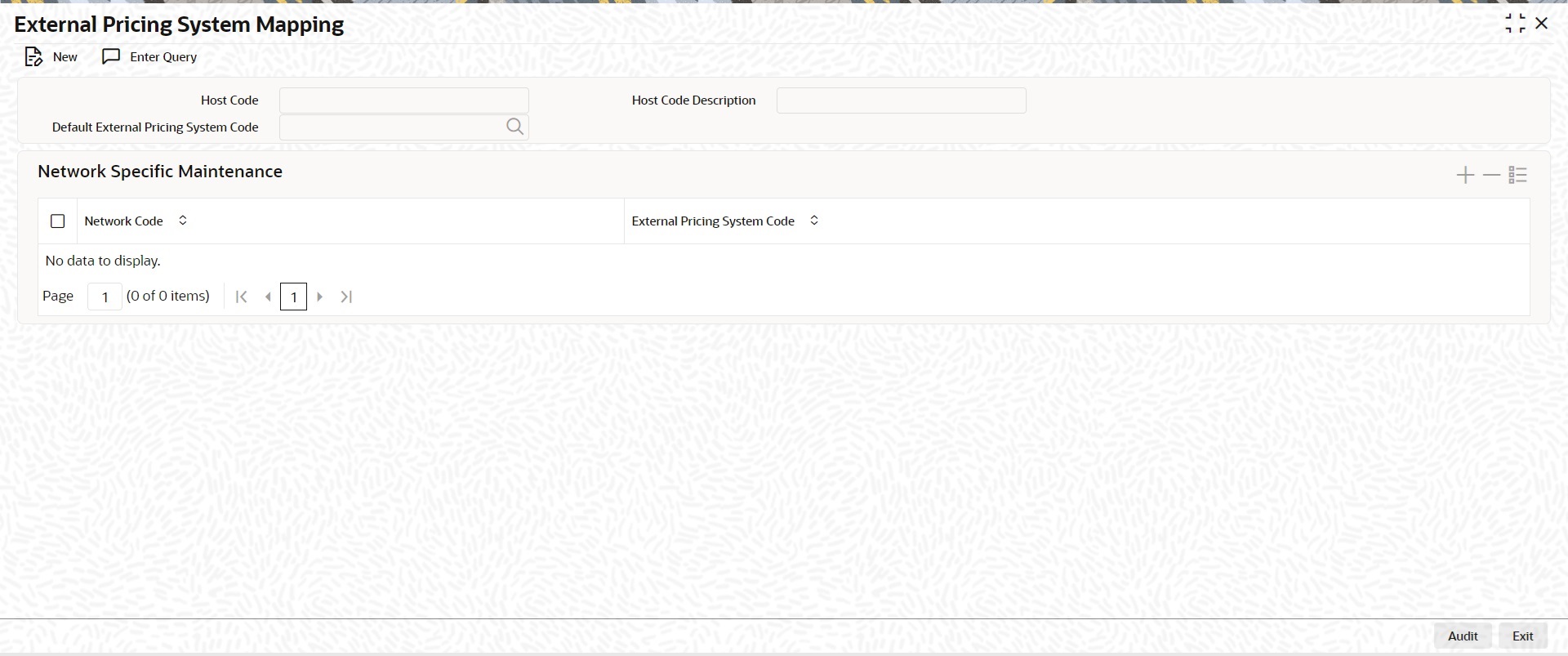
The External Pricing System Mapping screen allows users to configure external pricing system specific to network of a host.

  1. On Homepage, specify PMDEPMAP in the text box, and click next arrow.
    External Pricing System Mapping screen is displayed.

    Figure 1-346 External Pricing System Mapping
    Description of Figure 1-346 follows
    Description of "Figure 1-346 External Pricing System Mapping"
  2. On External Pricing System Mapping screen, click New to specify the fields.
    For more information about the fields, refer to field description below:

    Table 1-184 External Pricing System Mapping - Field Description

    Field Description
    Host Code System defaults the Host Code of transaction branch on clicking ‘New’.
    Default External Pricing System Code

    Specify the Default External Pricing System Code from the list of values. All valid external pricing system codes are listed here.

    If there is no External Pricing System Code mapped to a specific Network, system automatically picks the External Pricing System Code defined.

    Network Specific Maintenance

    This section displays the Network Specific Maintenance.

    Network Code Specify a Network Code from the list of values. All valid network codes are listed. Network code selected is mapped to the respective External Pricing system.
    External Pricing System Code Specify a External Pricing System Code from the list of values. All valid external pricing system codes are listed.