2.1.2 File Upload Status Notification Maintenance
Use the File Upload Status Notification Maintenance screen to manage file upload status notification details.
- On Homepage, specify PMDFLNTF in the text box, and click
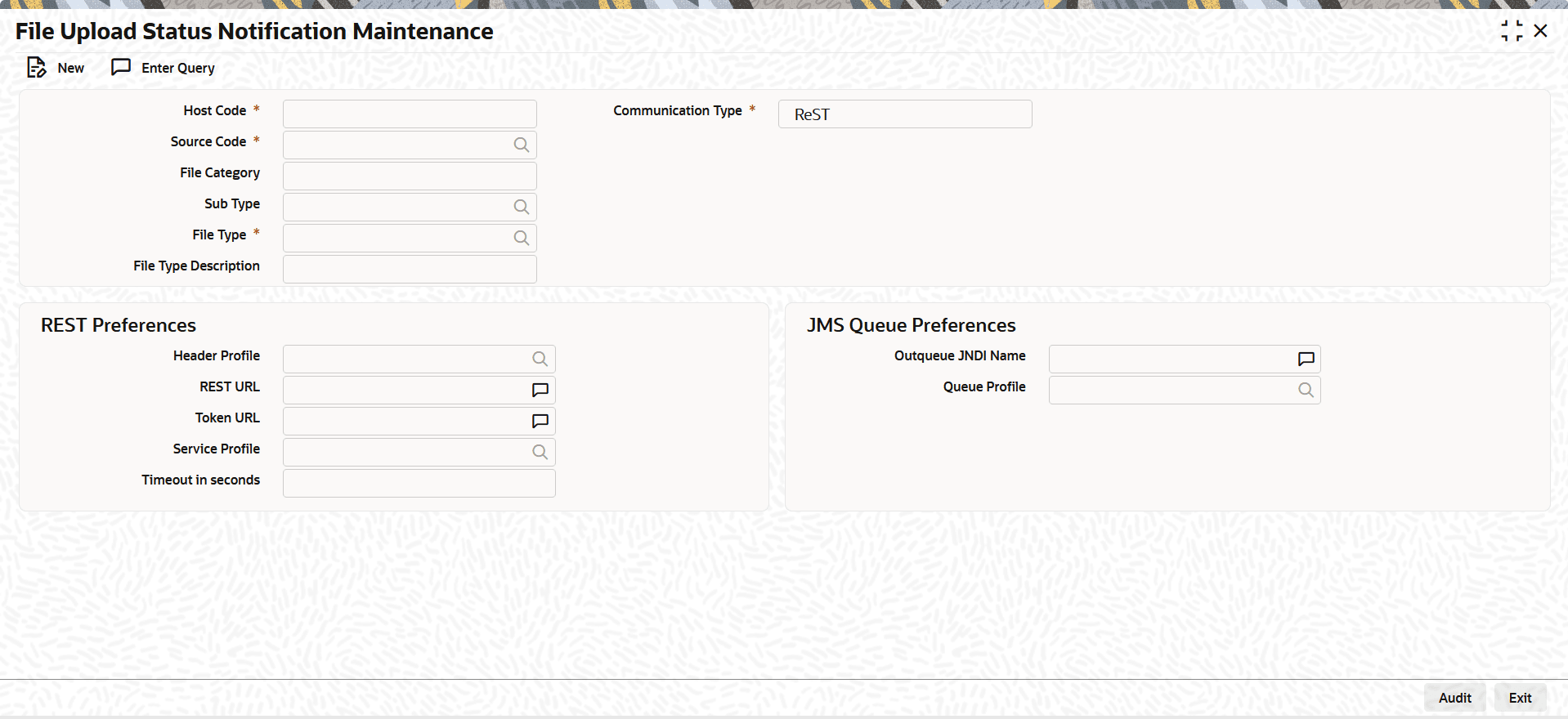
next arrow.The File Upload Status Notification Maintenance screen is displayed.
Figure 2-4 File Upload Status Notification Maintenance
- On File Upload Status Notification Maintenance screen,
click New to specify the fields.For more information about the fields, refer to field description table.
Table 2-1 File Upload Status Notification Maintenance - Field Description
Field Description Host Code System defaults the Host Code of transaction branch when the user clicks the New button. Communication Type Select the Communication Type from the drop-down list. The available options are:- ReST (Default)
- JMS Queue
Source Code Select the Source Code from the list of values.
File Category Select the File Category from the drop-down list.
The system displays values from the File Envelope screen (Function ID: PMDFLEVP).
The system adds file types that support file upload status notifications, along with their file category and sub type.
Sub Type Select the Sub Type from the list of values.
The system displays values from the File Envelope screen (Function ID: PMDFLEVP).
File Type Select the File Type from the list of values.
The system displays values from the File Envelope screen (Function ID: PMDFLEVP).
File Type Description System defaults the file type description. REST Preferences If you select ReST as the communication method, the system enables these preference fields.
Header Profile Specify the Header Profile from the list of values.
The system displays all valid values maintained in the HTTP Header Parameters screen (Function ID: MSDHPROF).
REST URL Enter the REST URL that the system calls to send the notification. Token URL Enter the token URL in this field, if applicable. Service Profile If the Token URL applies, select a service profile for the URL.
The system lists all valid REST service profiles maintained in Service Profile Maintenance (Function ID: PMDSPROF).
Timeout in seconds Enter the timeout value in seconds in this field. JMS Queue Preferences If you select JMS Queue as the communication method, the system enables these preference fields.
Outqueue JNDI Name Specify the Outqueue JNDI Name. Queue Profile Specify the Queue Profile from the list of values.
The system lists all valid queue profiles maintained in Queue Connection Profile Maintenance (Function ID: PMDQPROF).
- File Upload Status Notification Summary
The File Upload Status Notification Summary screen allows users to inquire and view the file upload status notification details.
Parent topic: File Envelope