1.20.1 Payee Pre-validation System Maintenance

This topic explains the Payee Pre-validation System Maintenance screen.

  1. On Homepage, specify PMDPYVAL in the text box, and click next arrow.
    Payee Pre-validation System Maintenance screen is displayed.

    Figure 1-352 Payee Pre-validation System Maintenance
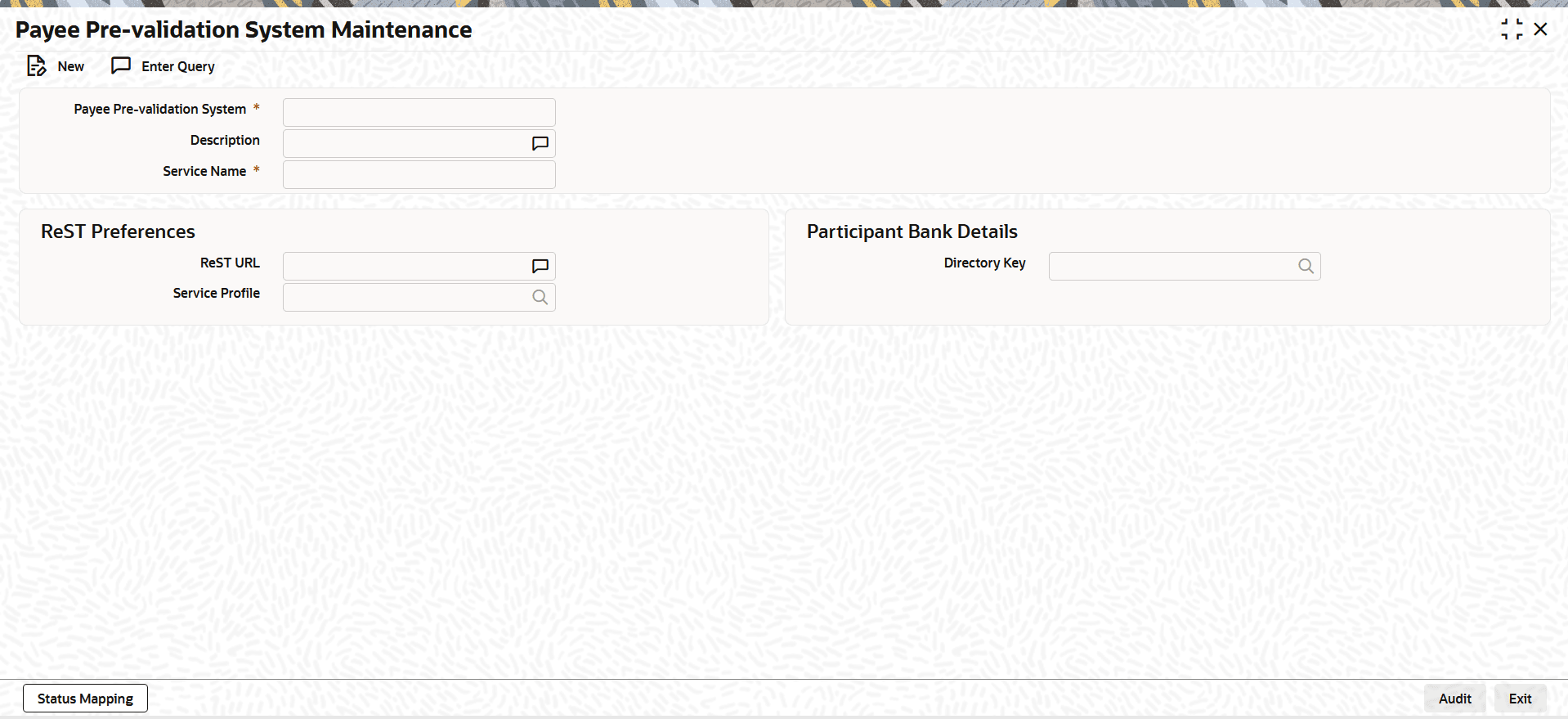


  2. On Payee Pre-validation System Maintenance screen, click New to specify the fields.

    Table 1-187 Payee Pre-validation System Maintenance - Field Description

    Field Description
    Payee Pre-validation System Specify the field where the system code for the Pre-validation System is to be assigned.
    Description Specify the Description of the system code.
    Service Name

    Specify the service name as supported for the maintained Pre-validation system.

    Note: Only one service is supported for a pre-validation system maintained.

    ReST Preferences This section displays the ReST Preferences.
    ReST URL Specify the REST URL to reach the Pre-validation System. For SCT and SCT Inst payments Rest URL maintenance is not applicable.
    Service Profile Specify the Service Profile from the list of values. This field lists all valid Rest service profiles maintained.
    Response Mode
    Select the Response Mode from the drop-down list. The available options are:
    • Synchronous (Default)
    • Asynchronous
    Response Fetch

    Select the Response Fetch from the drop-down list. This field is enabled only when Response Mode is set to Asynchronous.

    The available options are:
    • Push (when webhook is applicable)
    • Pull (when the response API call is applicable)
    Notification URL

    This field is enabled when Response Fetch is set to Push. The URL entered here is included in the request sent to the external system.

    Response URL

    This field is enabled when Response Fetch is set to Pull. OBPM uses this URL to send the API request to retrieve the payee validation result.

    Participant Bank Details This section displays the Participant Bank Details.
    Directory Key Specify the Director Key from the list of values. This field is mandatory to be maintained as EDS for SCT and SCT Inst payments.