Underlying Customer Credit Transfer Button - Other Details
This topic explains the Underlying Customer Credit Transfer - Other Details button of the Cross Border Inbound FI Credit Transfer Input Detailed screen.
- Click the Underlying Customer Credit Transfer button in
the Cross Border Inbound FI Credit Transfer Input
Detailed screen and select the Other
Details tab.The Underlying Customer Credit Transfer Details - Other Details screen is displayed.
Figure 4-64 Cross Border Inbound FI Credit Transfer Input Detailed_Underlying Customer Credit Transfer - Other Details
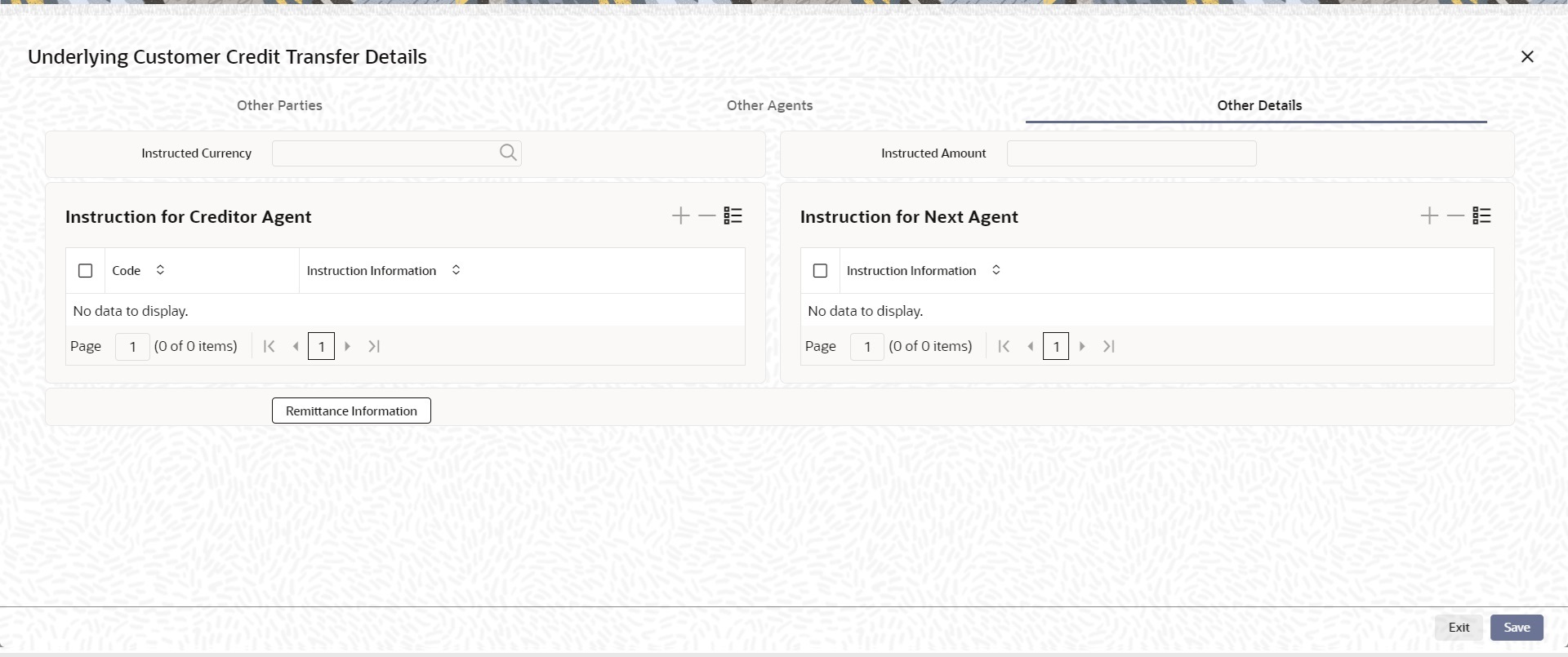
Description of "Figure 4-64 Cross Border Inbound FI Credit Transfer Input Detailed_Underlying Customer Credit Transfer - Other Details" - On the Other Details tab of the Underlying Customer Credit
Transfer Details, specify the fields.
Table 4-61 Cross Border Inbound FI Credit Transfer Input Detailed_Underlying Customer Credit Transfer_Other Details - Field Description
Field Description Instructed Currency Select the Instructed Currency from the list of values. Instructed Amount Specify the Instructed Amount. Instruction for Creditor Agent This section displays the Instruction for Creditor Agent details. Instruction Information Specify the instruction information. Instruction for Next Agent This section displays the Instruction for Next Agent details. Instruction Information Specify the instruction information to be given to the next agent in the payment chain.