Cross Border Inbound FI Credit Transfer View Summary
- On Homepage, specify PSSICNVW in the text box, and click next
arrow.Cross Border Inbound FI Credit Transfer View Summary screen is displayed.
Figure 4-102 Cross Border Inbound FI Credit Transfer View Summary
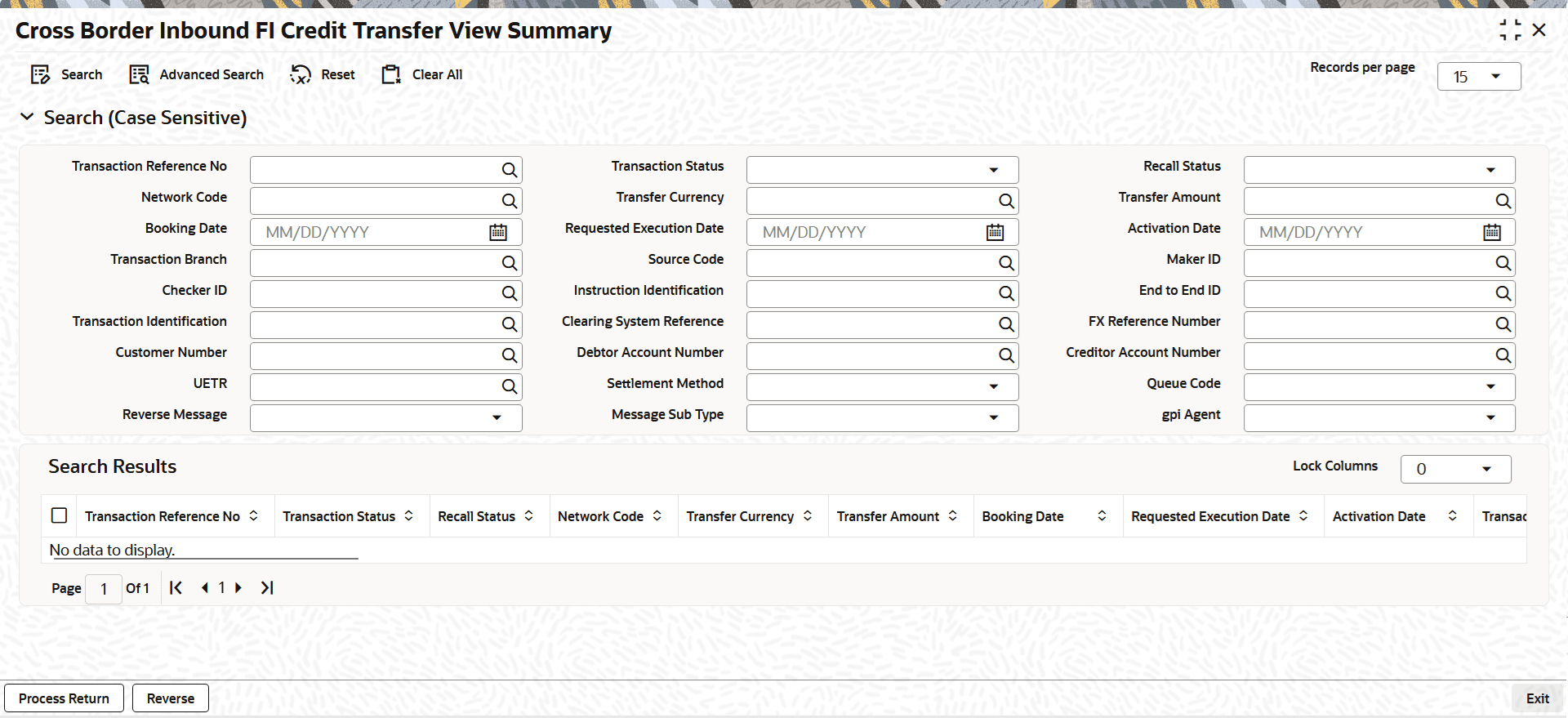
Description of "Figure 4-102 Cross Border Inbound FI Credit Transfer View Summary" - On the Cross Border Inbound FI Credit Transfer View Summary screen,
search using one or more of the following parameters:
- Transaction Reference Number
- Transaction Status
- Recall Status
- Network Code
- Transfer Currency
- Transfer Amount
- Booking Date
- Requested Execution Date
- Activation Date
- Transaction Branch
- Source Code
- Maker ID
- Checker ID
- Instruction Identification
- End to End ID
- Transaction Identification
- Clearing System Reference
- FX Reference Number
- Customer Number
- Debtor Account Number
- Creditor Account Number
- UETR
- Settlement Method
- Queue Code
- Reverse Message
- Message Sub Type
- gpi Agent
- Once you specified the parameters, click the Search button.System displays the records that match the search criteria.
- Perform the following actions:
Table 4-80 Cross Border Inbound FI Credit Transfer View Summary - Action
Action Description Process Return Click the Process Return button at the bottom of the screen to open the Generic Wires ISO Outbound Payment Return Input Detailed (PSDOCBRT) screen when the following conditions are met: - User must have the required access rights for this action (either at the role level or user level).
- The transaction status is Processed.
Reverse Click the Reverse button at the bottom of the screen to open the Generic Wires ISO Outbound Payment Return Input Detailed (PSDOCBRT) screen when the following condition is met:
The transaction status is Processed.