Cross Border Inbound FI to FI Customer Credit Transfer Input Summary
- On Homepage, specify PSSICBCT in the text box, and click next
arrow.Cross Border Inbound FI to FI Customer Credit Transfer Input Summary screen is displayed.
Figure 4-35 Cross Border Inbound FI to FI Customer Credit Transfer Input Summary
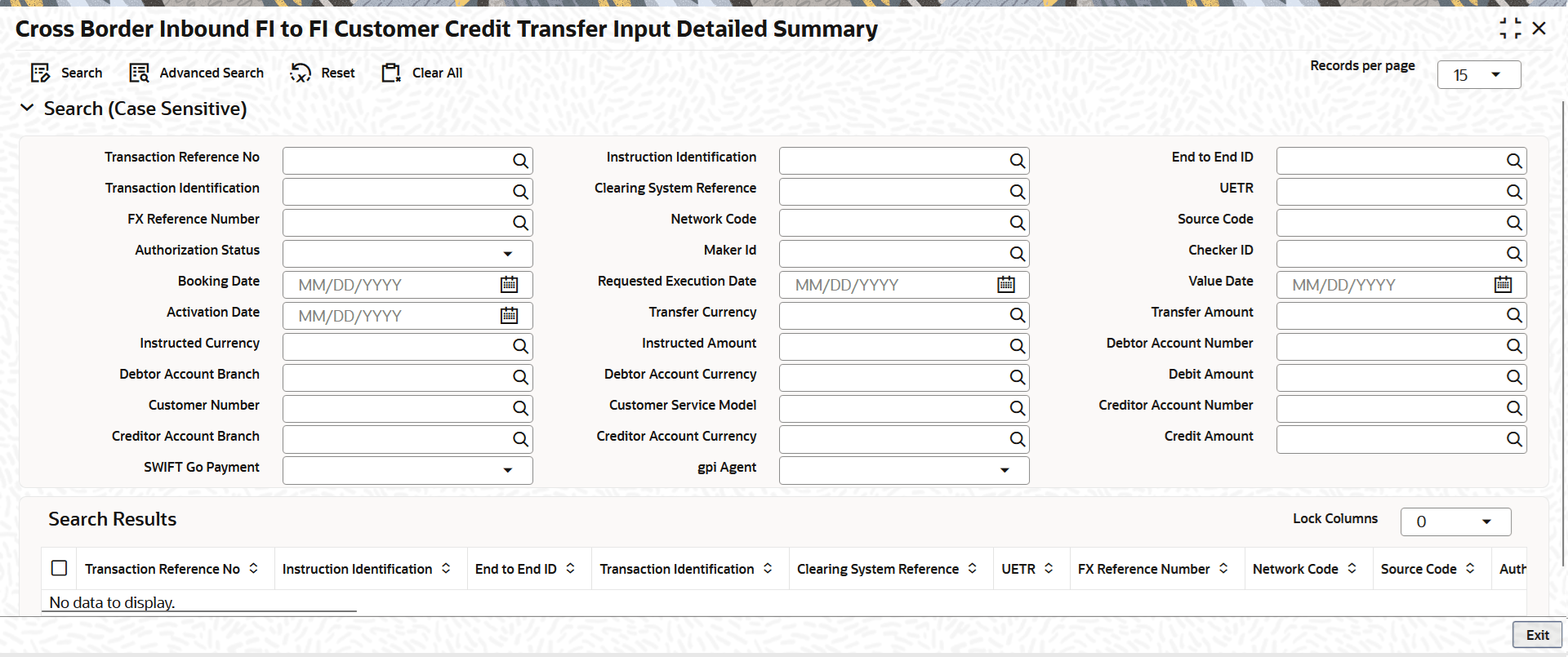
Description of "Figure 4-35 Cross Border Inbound FI to FI Customer Credit Transfer Input Summary" - On the Cross Border Inbound FI to FI Customer Credit Transfer Input
Summary screen, search using one or more of the following
parameters:
- Transaction Reference Number
- Instruction Identification
- End to End ID
- Transaction Identification
- Clearing System Reference
- UETR
- FX Reference Number
- Network Code
- Source Code
- Authorization Status
- Maker Id
- Checker ID
- Booking Date
- Requested Execution Date
- Value Date
- Activation Date
- Transfer Currency
- Transfer Amount
- Instructed Currency
- Instructed Amount
- Debtor Account Number
- Debtor Account Branch
- Debtor Account Currency
- Debit Amount
- Customer Number
- Customer Service Model
- Creditor Account Number
- Creditor Account Branch
- Creditor Account Currency
- Credit Amount
- SWIFT Go Payment
- gpi Agent
- Once you specified the parameters, click the Search button.The system displays the records that match the search criteria.