Process Generic Wires ISO Inbound Cancellation Response View
This topic provides a systematic instructions to process the Generic Wires ISO Inbound Cancellation Response View screen.
User can view the Inbound Resolution of Investigation (camt.029).
- On Homepage, specify PSDIGCNR in the text box, and click
Next Arrow.The Generic Wires ISO Inbound Cancellation Response View screen is displayed.
Figure 9-15 Generic Wires ISO Inbound Cancellation Response View
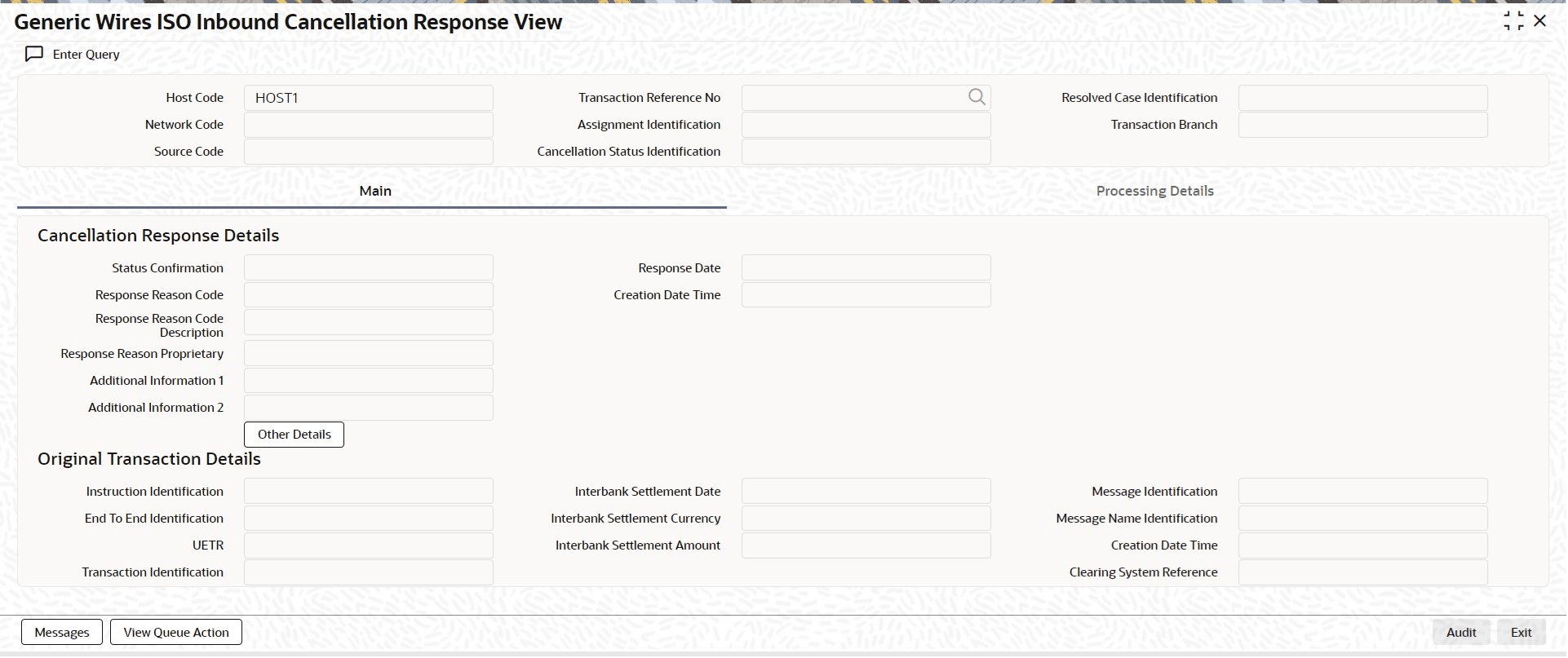
Description of "Figure 9-15 Generic Wires ISO Inbound Cancellation Response View" - On Generic Wires ISO Inbound Cancellation Response View
screen, click New, and specify the fields.For more information about the fields, refer to field description below:
Table 9-16 Generic Wires ISO Inbound Cancellation Response View - Field Description
Field Description Transaction Reference Number Select the Transaction Reference Number from the list of values. Network Code Displays the Network Code based on the selected Original Transaction Reference Number. Host Code Displays the Host Code of transaction branch on clicking the New button. Source Code Displays the Source Code derived for Incoming transaction. Assignment Identification Displays the Assignment Identification. Cancellation Status Identification Displays the Cancellation Status Identification. Resolved Case Identification Displays the Resolved Case Identification. Transaction Branch Displays the Transaction Branch of the user’s logged in branch.