Process Generic Wires ISO Outbound Payment Return Input Detailed
This topic provides the systematic instructions to process the Generic Wires ISO Outbound Payment Return Input Detailed screen.
This screen refers to specific input or message used to handle the detailed return
of an outbound wire payment that has been processed under the ISO 20022 messaging
standard.
- On Homepage, specify PSDOCBRT in the text box, and click
Next Arrow.The Generic Wires ISO Outbound Payment Return Input Detailed screen is displayed.
Figure 6-1 Generic Wires ISO Outbound Payment Return Input Detailed
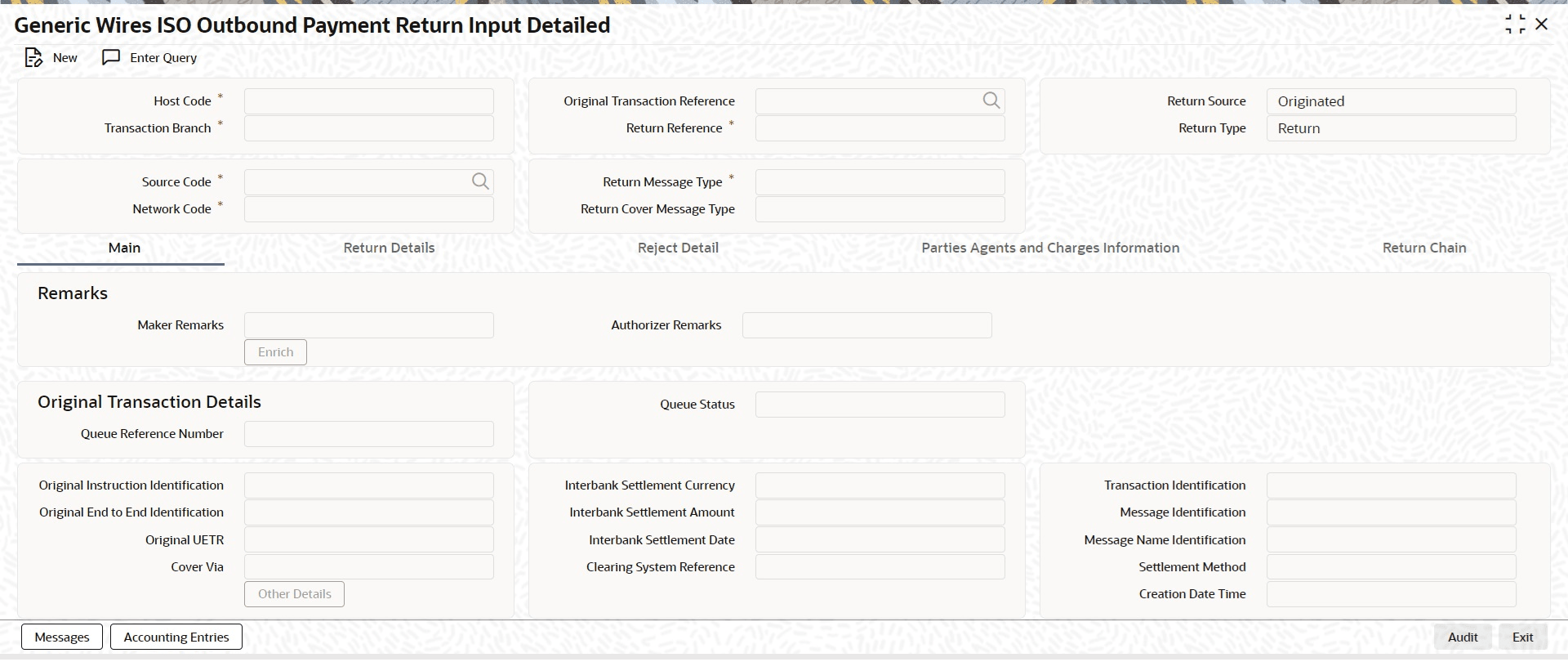
Description of "Figure 6-1 Generic Wires ISO Outbound Payment Return Input Detailed" - On the Generic Wires ISO Outbound Payment Return Input
Detailed screen, click New to specify the
fields. For more information about the fields, refer to field description
below:
Table 6-1 Generic Wires ISO Outbound Payment Return Input Detailed - Field Description
Field Description Host Code By default, the system displays the host code of transaction branch as the user clicks the New button. Original Transaction Reference Specify the original transaction reference number from the list of values. The list displays all the Inbound transactions, both FI to FI Customer Credit Transfer (pacs.008) and FI to FI Credit Transfer (pacs.009) that are processed. Return Source Select the return source. The options are: - Originated (Default)
- Non Originated
- Recalled
Transaction Branch By default, the system displays the transaction branch as the user clicks the New button. Return Reference By default, the system defaults the return reference number as the users click the New button. Source Code Specify the source code from the list of values. Return Message Type Select the type of return message. The options are: - FI To FI Payment Status Report
- Payment Return
Network Code Specify the network code from the list of values. The list of values contains all the open or authorized Cross border MX and EU-TARGET2 network codes defined in the host. Return Cover Message Type Select the type of return cover message. The options are: - FI To FI Payment Status Report
- Payment Return
- Click Process Return on PSSICBVW,
PSSICNVW, PSSIT2CV,
PSSIT2BV screen to display the Generic
Wires ISO Outbound Payment Return Input Detailed (PSDOCBRT)
screen.The system defaults the following fields with respective values:
- Return Message Type field with Payment Return.
- Return Cover Message Type field remains blank.
- Return Source field with Originated.