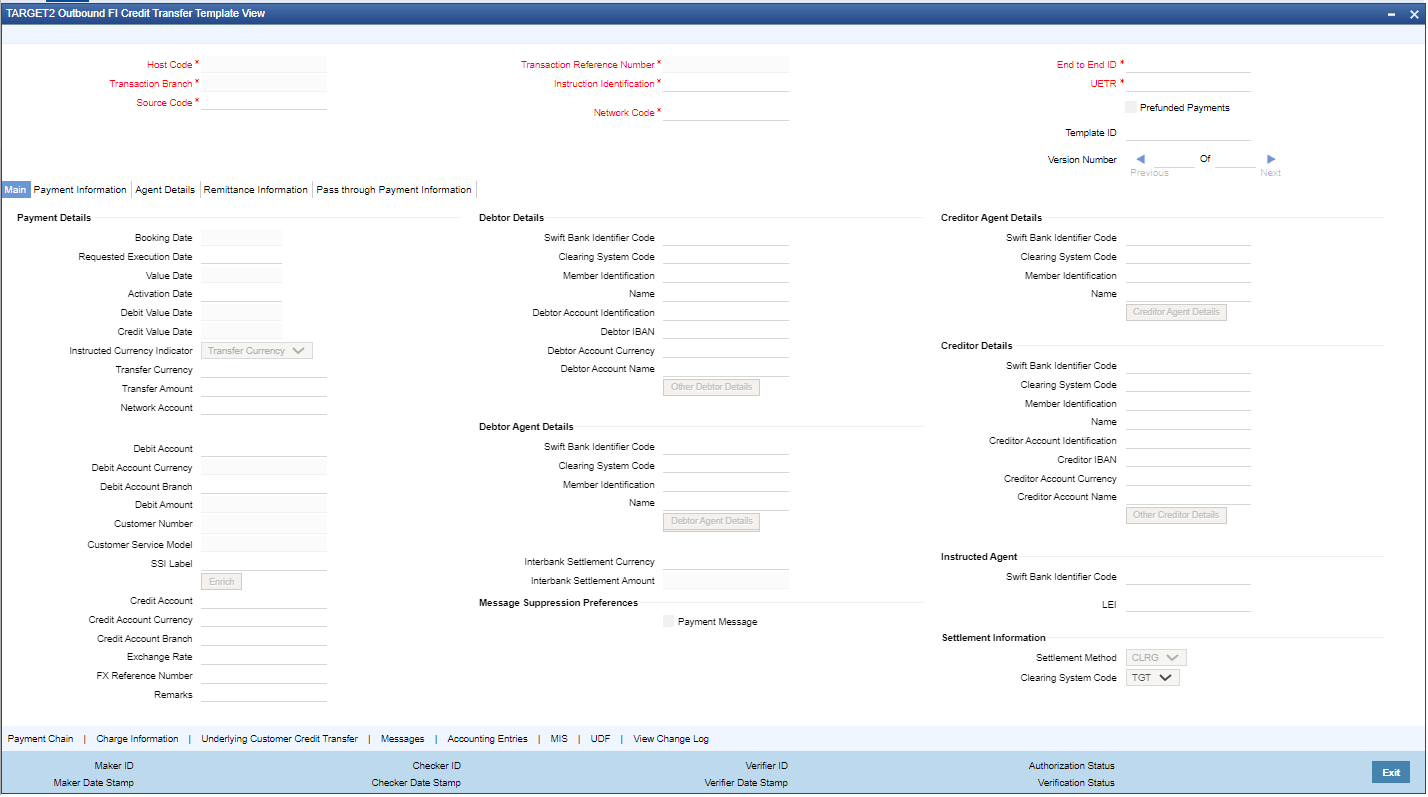
Process RTGS ISO Outbound FI Credit Transfer Template View This topic explains the RTGS ISO Outbound FI Credit Transfer Template View screen. On Homepage, specify PSDOTTBV in the text box, and click next arrow.The RTGS ISO Outbound FI Credit Transfer Template View screen is displayed. Figure 3-241 RTGS ISO Outbound FI Credit Transfer Template ViewDescription of "Figure 3-241 RTGS ISO Outbound FI Credit Transfer Template View" Click the Enter Query button on this screen.The Transaction Reference Number field is enabled for the user to enter the Reference Number. Click the Execute Query button to populate the details of the transaction in the RTGS ISO Outbound FI Credit Transfer Template View screen. The system displays all the fields in the tabs mentioned below based on the selected transaction reference number. Main Payment Information Agents Details Remittance Information Pass through Payment Information For more details on the Main, Payment Information, Agents Details, Remittance Information, and Pass through Payment Information tabs, refer to Cross Border Outbound FI Credit Transfer Template Input Detailed screen details.