Process Regulatory Reporting Tab
This topic explains the Regulatory Reporting tab of the RTGS ISO Outbound FI to FI Customer Credit Transfer Input Detailed screen.
- Click the Regulatory Reporting tab in the
RTGS ISO Outbound FI to FI Customer Credit Transfer Input
Detailed screen.The Regulatory Reporting details are displayed.
Figure 4-148 RTGS ISO Outbound FI to FI Customer Credit Transfer Input - Regulatory Reporting Tab
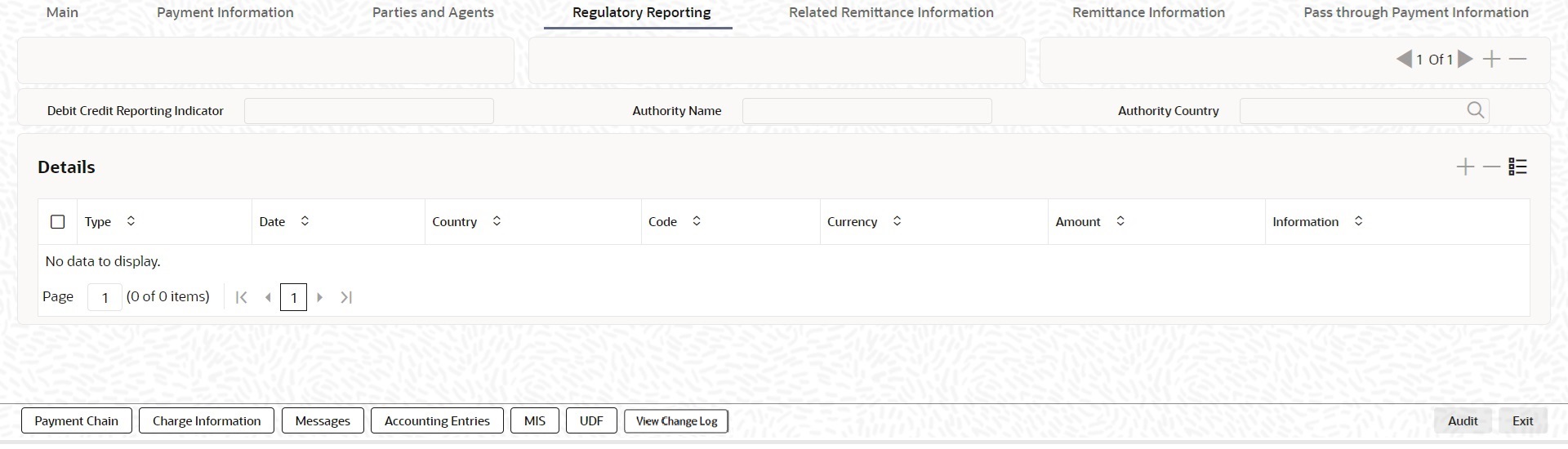
Description of "Figure 4-148 RTGS ISO Outbound FI to FI Customer Credit Transfer Input - Regulatory Reporting Tab" - On the Regulatory Reporting tab, specify the
fields.
Table 4-125 RTGS ISO Outbound FI to FI Customer Credit Transfer Input_Regulatory Reporting Tab - Field Description
Field Description Debit Credit Reporting Indicator Select the Debit Credit Reporting Indicator from the drop-down list. The list displays the following values: - BOTH
- CRED
- DEBT
Authority Name Specify the name of the authority. Authority Country Specify the country code of the authority. Details This section displays the following fields. Type Specify the type of the regulatory reporting. Date Specify the date of the regulatory reporting. Country Specify the country of the regulatory reporting from the list of values. Code Specify the code of the regulatory reporting. Currency Specify the currency of the regulatory reporting from the list of values. Amount Specify the amount of the regulatory reporting. Information Click the Information button. Specify the additional information of the regulatory reporting.