1.2.1 UPI Payment Preference Detailed
The UPI Payment Preference Detailed screen allows users to maintain the preference parameters configured for the UPI payment system.
- On Homepage, specify PVDNWOPF in the text box, and click
next arrow.The UPI Payment Preference Detailed screen is displayed.
Figure 1-1 UPI Payment Preference Detailed
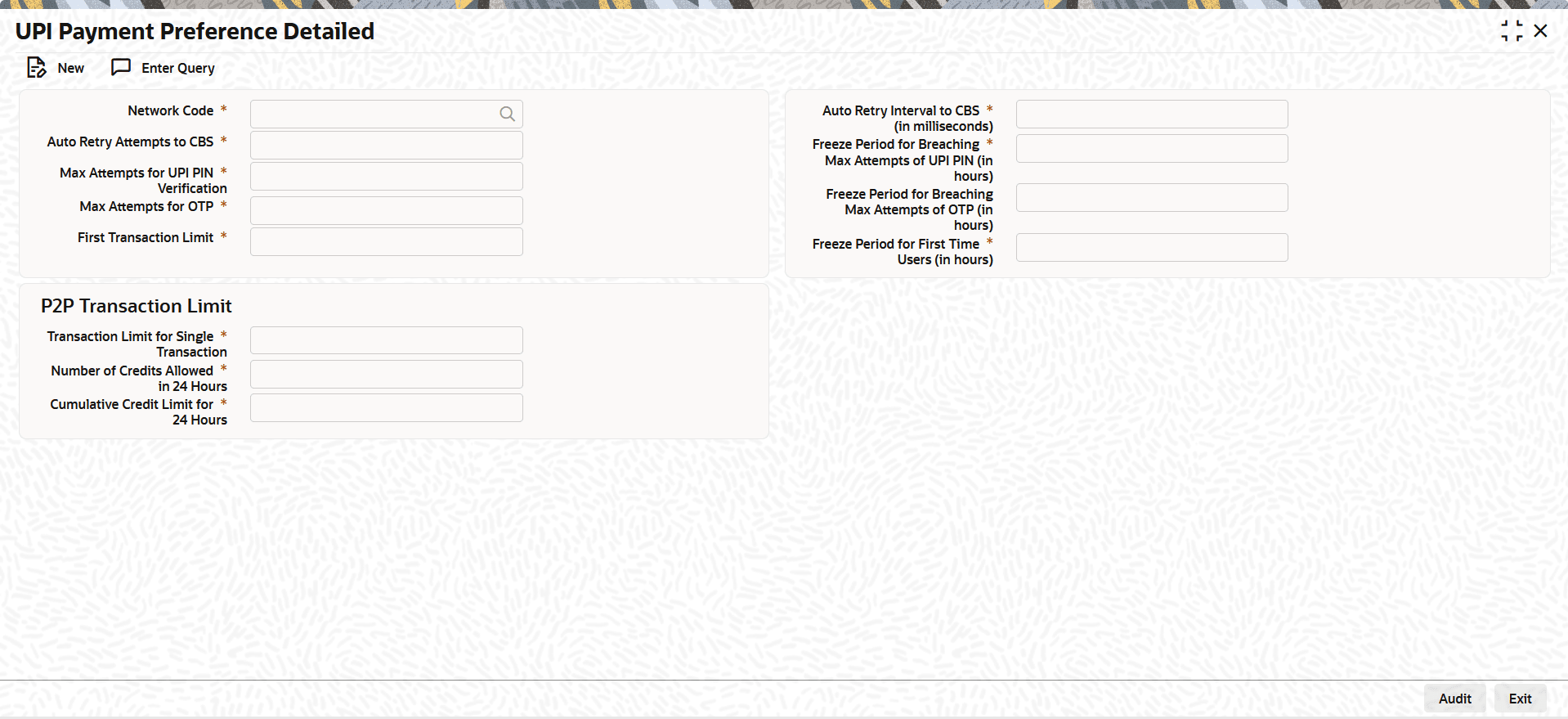
- On the UPI Payment Preference Detailed screen, click
New to specify the fields.For more information about the fields, refer to field description table.
Table 1-9 UPI Payment Preference Detailed - Field Description
Field Description Network Code Select the Network Code from the values maintained in the Network Code Detailed screen (Function ID: PMDNWCOD) with Type Code set to IN-UPI. Auto-Retry Attempts To CBS Specify the maximum number of retry attempts the system makes to connect to CBS for downstream processing. Auto-Retry Interval To CBS (in milliseconds) Specify the time interval (in milliseconds) the system waits between consecutive retries to CBS. Max Attempts for UPI PIN Verification Specify the maximum number of UPI PIN attempts allowed when the user enters an incorrect PIN. Freeze Period For Breaching Max Attempts Of UPI PIN (in hours) Specify the number of hours the system blocks further account activities when the user exceeds the maximum UPI PIN attempts. Max Attempts For OTP Specify the maximum number of OTP attempts allowed when the user enters an incorrect OTP. Freeze Period For Breaching Max Attempts Of OTP (in hours) Specify the number of hours the system blocks further account activities when the user exceeds the maximum OTP attempts. Freeze Period For First Time User (in hours) Specify the number of hours the system applies a freeze after the first transaction approval. The system declines any transactions during this freeze period.
Parent topic: Unified Payments Interface (UPI) Maintenances
