1.1.3 US ACH Credit Preferences
This topic explains the US ACH Credit Preferences screen.
- On Homepage, specify PNDCRPRF in the text box, and click next
arrow.The US ACH Credit Preferences screen is displayed.
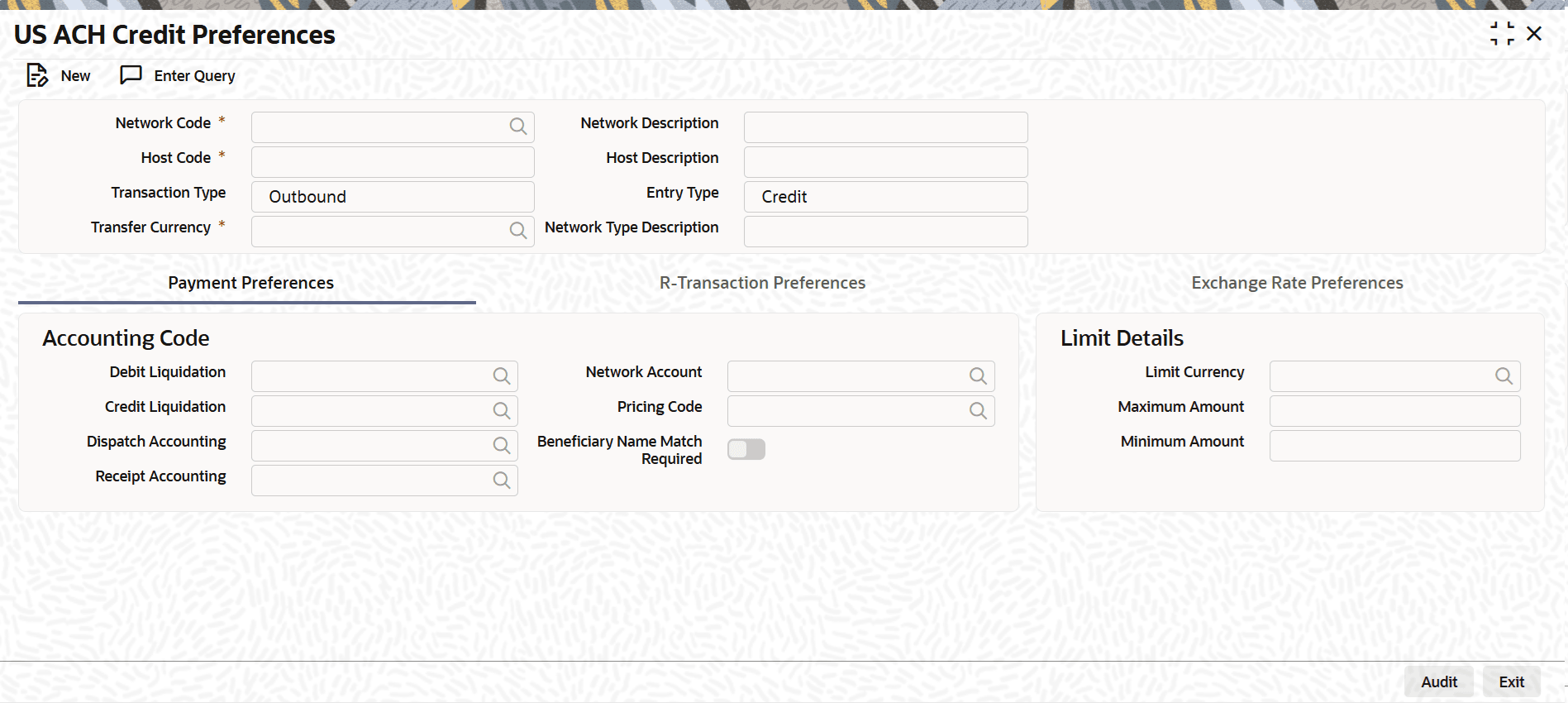
- Payment Preferences Tab
This topic explains the Payment Preferences tab of the US ACH Credit Preferences screen. - R-Transaction Preferences Tab
This topic explains the R-Transaction Preferences tab of the US ACH Credit Preferences screen. - Exchange Rate Preferences Tab
This topic explains the Exchange Rate Preferences tab of the US ACH Credit Preferences screen. - US ACH Credit Preference Summary
The US ACH Credit Preference Summary screen allows users to inquire and view US ACH credit preferences.
Parent topic: US ACH Maintenance