1.1.5.3 Exchange Rate Preferences Tab
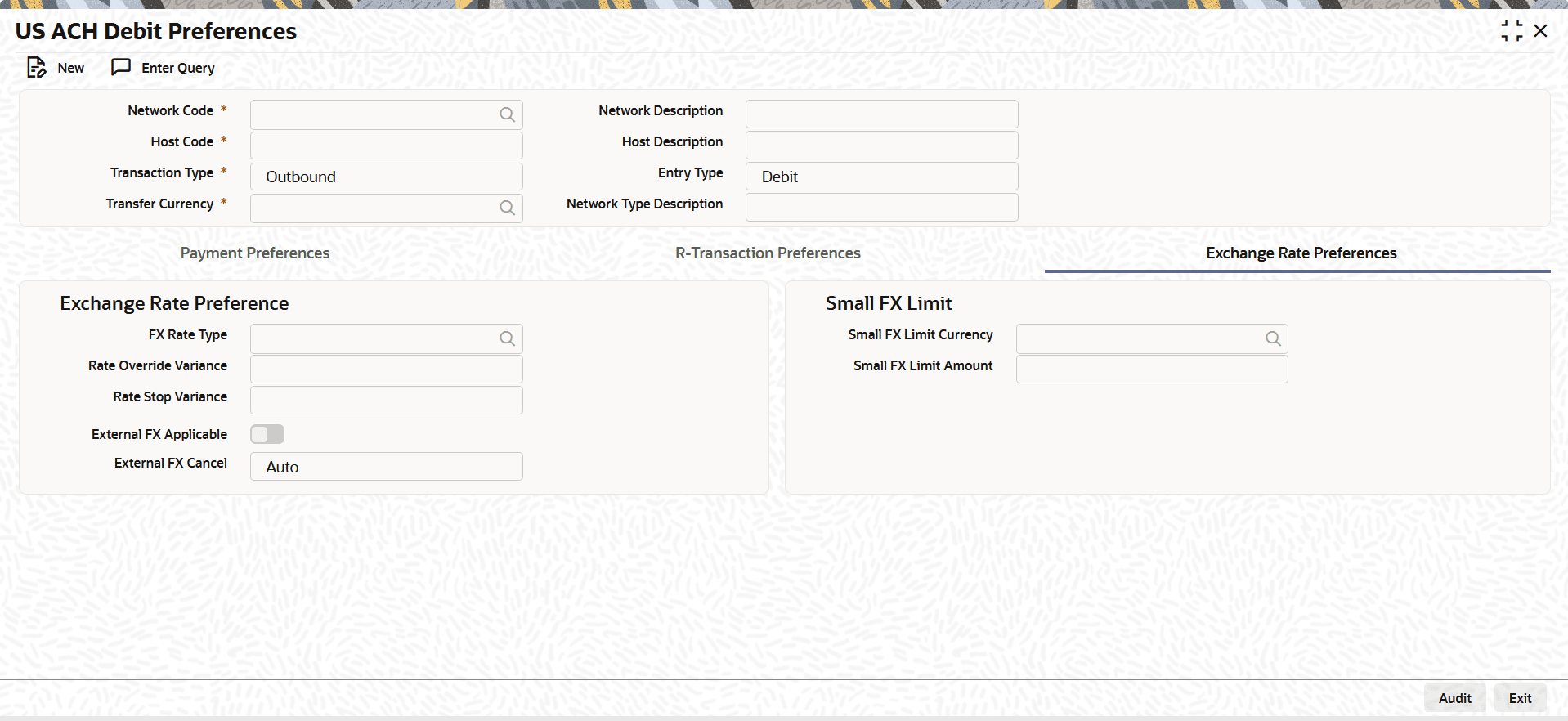
This topic explains the Exchange Rate Preferences tab of the US ACH Debit Preferences screen.
- Select the Exchange Rate Preferences tab in the main
screen.The Exchange Rate Preferences details are displayed.
Figure 1-11 US ACH Debit Preferences_Exchange Rate Preferences Tab
- On Exchange Rate Preferences tab, specify the
fields.For more information about the fields, refer to field description table.
Table 1-14 US ACH Debit Preferences_Exchange Rate Preferences - Field Description
Field Description FX Rate Type Specify the FX rate type. Alternatively, you can select the FX rate type from the list of values. The list displays all open and authorized exchange rate types maintained in the system.
Rate Override Variance Specify the rate override variance. If the variance between the exchange rate manually provided for a payment with internal rate exceeds the override limit specified, then the system displays a message and the transaction is saved. Rate Stop Variance Specify the rate stop variance. The system displays an error message if the exchange rate variance exceeds the stop limit. External FX Applicable Select this flag to use an external foreign exchange (FX) rate source or provider for currency conversion. External FX Cancel Select the External FX Cancel from the drop-down list. The available options are:- Auto
- Manual
Note:- On cancellation of queue or rollover of a transaction which has completed external FX processing, a reversal request is handed off to FX system automatically, when Auto option is selected.
- On queue cancellation or rollover of a cross-currency transaction with External FX reference, the transaction is moved to a FX Unwind Queue before processing the action, when the External FX Cancel mode is chosen as Manual.
Small FX Limit This section displays the Small FX Limit details. Small FX Limit Currency Specify the small FX limit currency code. Alternatively, you can select the currency code from the option list. The list displays all valid currency codes maintained in the system. Small FX Limit Amount Specify the Small FX Limit Amount.
Parent topic: US ACH Debit Preferences