1.4.2.7.1 View US ACH Acknowledgment File
This procedure describes how to view batch-level ACH acknowledgment files and details in the system.
- Select a record and click View Batch Details on the
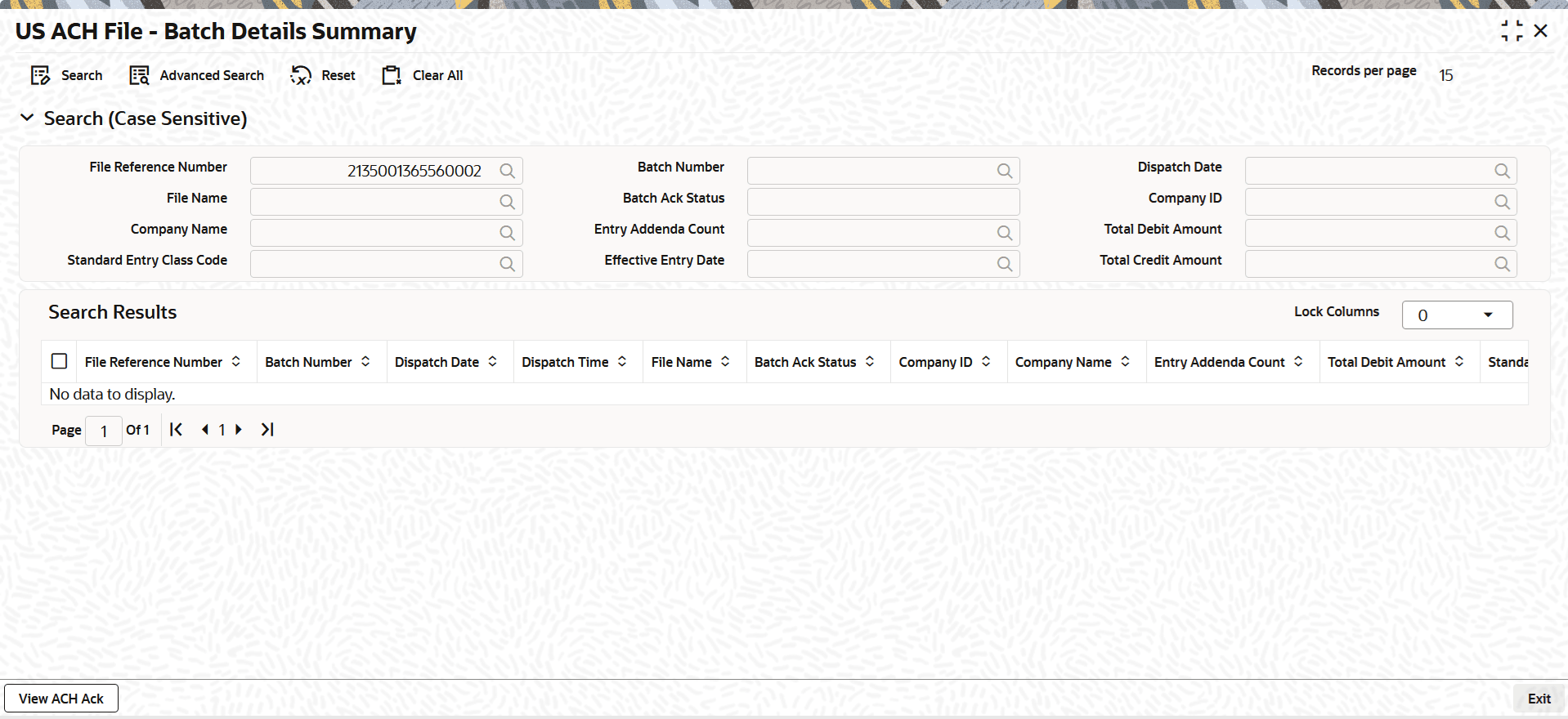
US ACH Dispatch File log summary screen.The US ACH File - Batch Details Summary screen is displayed.
Figure 1-139 US ACH Dispatch File Log Summary_View Batch Details
- In the US ACH File - Batch Details Summary screen,
select a batch number, and click the View ACH Ack
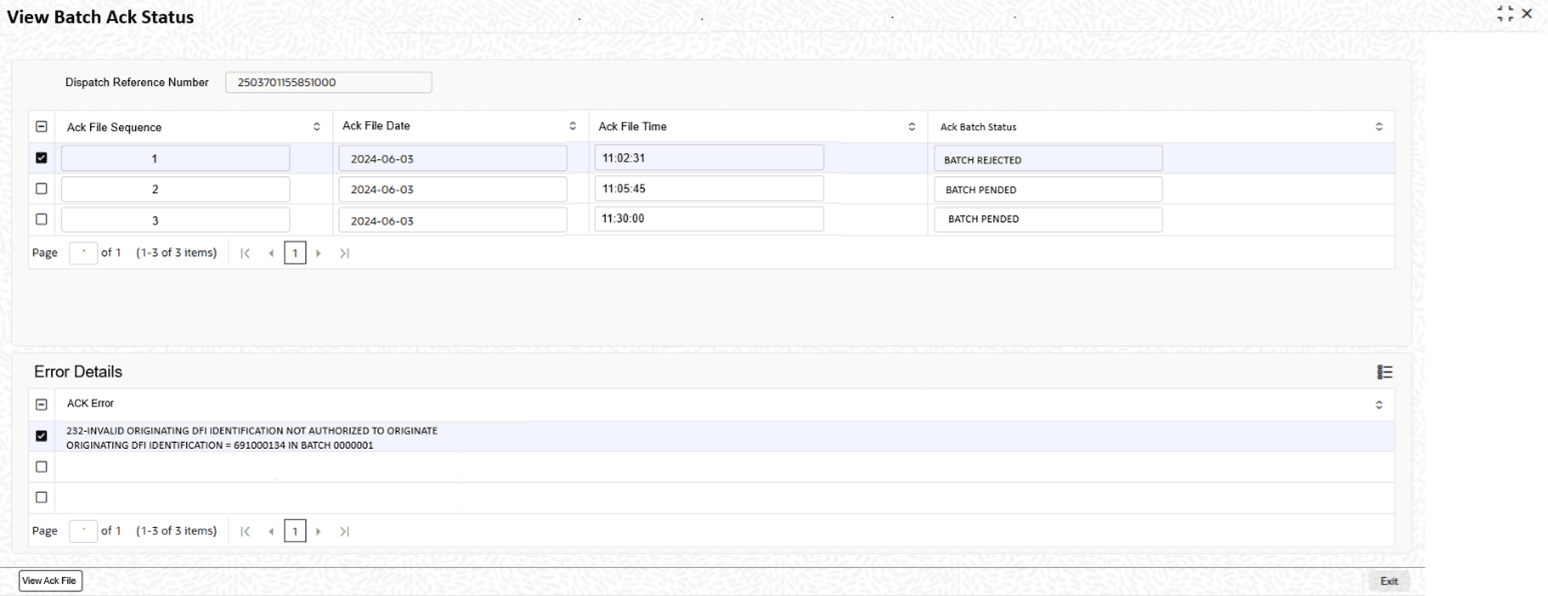
option.The system opens the View Batch Ack Status screen, displaying batch-level acknowledgment details such as batch status and any associated error information for the selected batch.
Figure 1-140 US ACH File - Batch Details Summary_View ACH Ack
- On the View Batch Ack Status screen, click the
View Ack File option to view the ACH Ack file
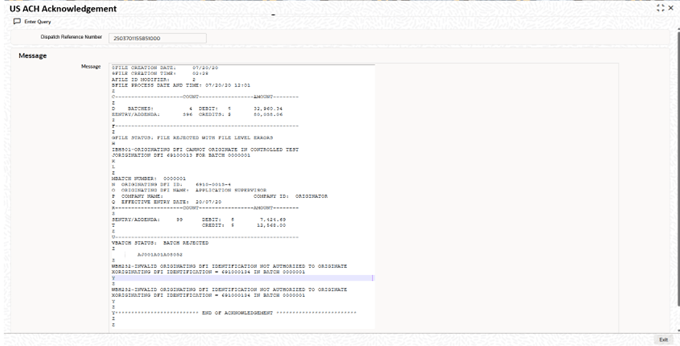
received from the operator.The acknowledgment file may include information for multiple batches, and a single batch can have multiple associated statuses.The system opens the View ACH Acknowledgement screen, displaying batch-level acknowledgment statuses and error details.
Figure 1-141 View Batch Ack Status_View Ack File
Parent topic: View Batch Entries