3.8.3.1.1.2 Paying by Close Account Option

You can make payment by repaying the entire outstanding loan amount and close the loan account.

To pay by closing account:

  1. From the Select Activity field, select Close Account option.
    The fields related to Close Account option are displayed.
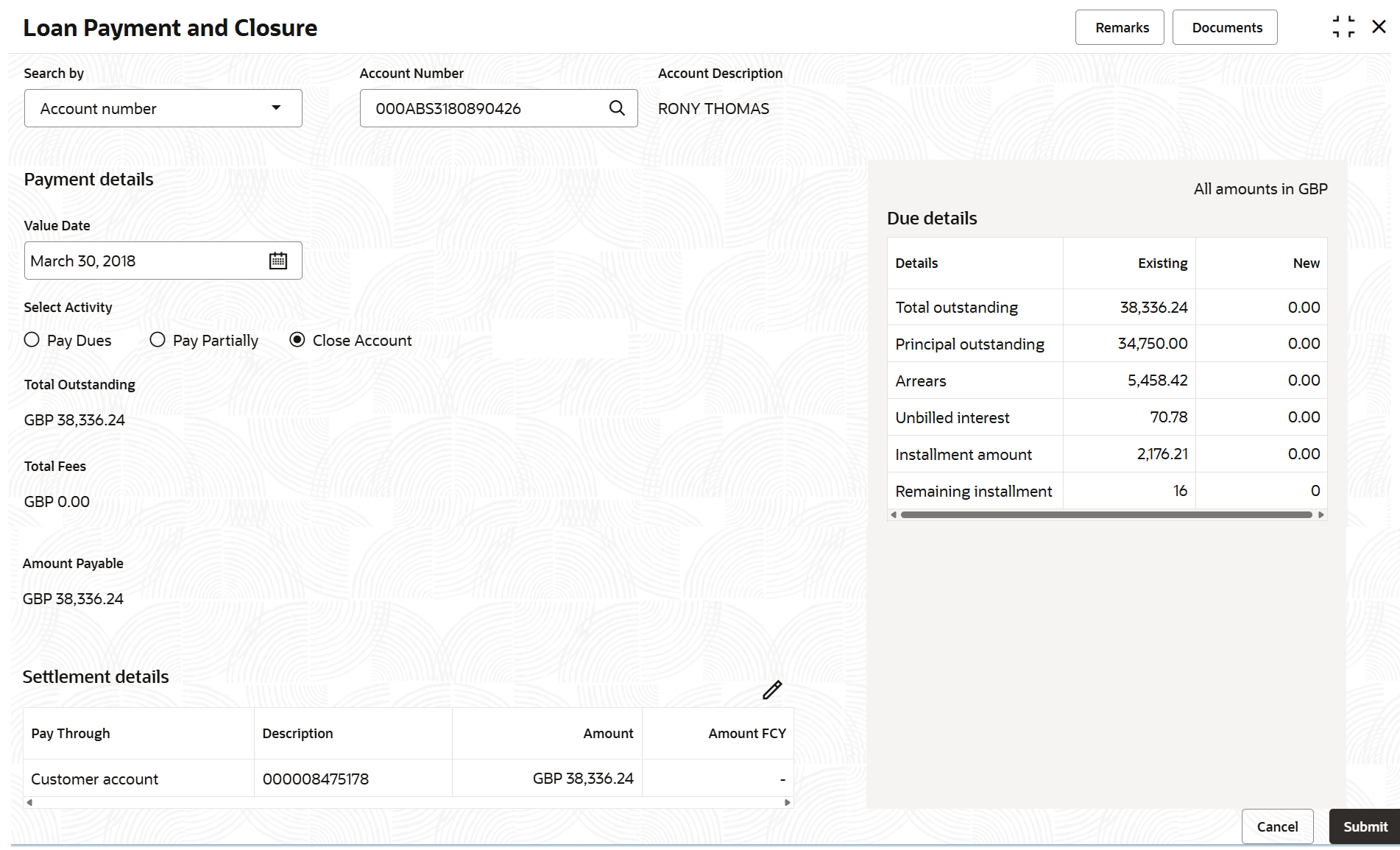
  2. Select the appropriate option from the Search by field.
  3. Perform the required action, based on the option selected from the Search by field.

    Table 3-79 Close Account - Field Description

    Field Description
    Payment Nature Select the Close Account for paying the payment.

    Note:

    For information on other options, refer Paying by Pay Due Option and Paying by Pay Partially Option.
    Total Outstanding Displays the total outstanding amount to be paid.
    Total Fees Displays the total fees amount to be paid.
    Amount Payable Displays the total payment loan amount.
  4. Click Submit.
    The screen is successfully submitted for authorization.