1.4.5 Executing User Actions
Oracle Banking Trade Finance Cloud
Service allows to execute certain
user actions from the Application Browser. Hover over the user name displayed on the
Application toolbar. The following drop-down lists are available: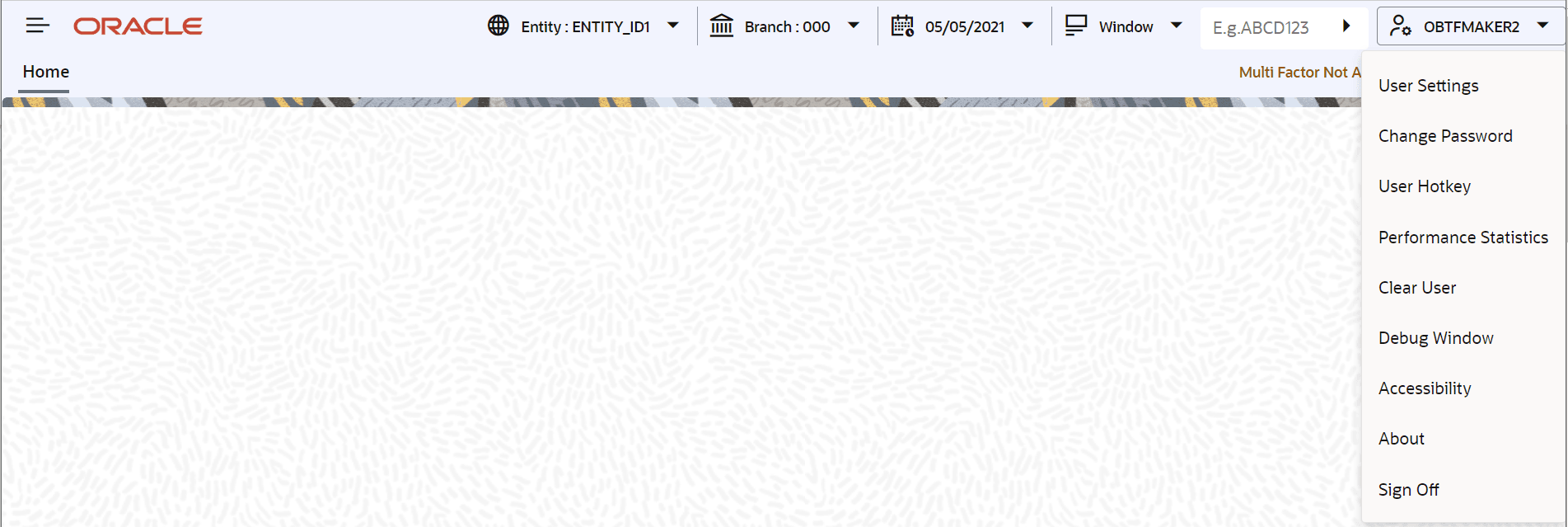
Description of the illustration 2.4.5_executing-user-actions.png
Perform the following user actions:
- User Settings
- Change Password
- User Hotkey
- Performance Statistics
- Clear User
- Debug Window
- Accesibilty
- About
- Sign Off
- Setting User Hotkeys (Custom Shortcuts)
This topic provides the systematic instructions to setting user hotkeys (custom shortcuts). - User Settings
This topic provides the systematic instructions to load user settings. - Changing Password
- Unlocking Screen Lockout
- View Performance Statistics
This topic provides the systematic instructions to view performance statistics. - Debug Window
- Clearing Users
This topic provides the systematic instructions to clear users.
Parent topic: Application Toolbar