1.4.1.2 Upload Source Preference Maintenance
This topic provides the systematic instructions to perform upload source preference maintenance.
The maintenance for the OBTR source system must be done in the below modules:
Table 1-9 Modules with Post Upload Status
| Function ID | Service Name |
|---|---|
| ST | Authorized |
| CA | Authorized |
| IF | Authorized |
Note:
All the fields with the asterisk (*) symbol are mandatory.- On Home page, enter the CODUPLDM
in the text box and click Next.The Upload Source Preference Maintenance screen displays.
Figure 1-7 Upload Source Preference Maintenance
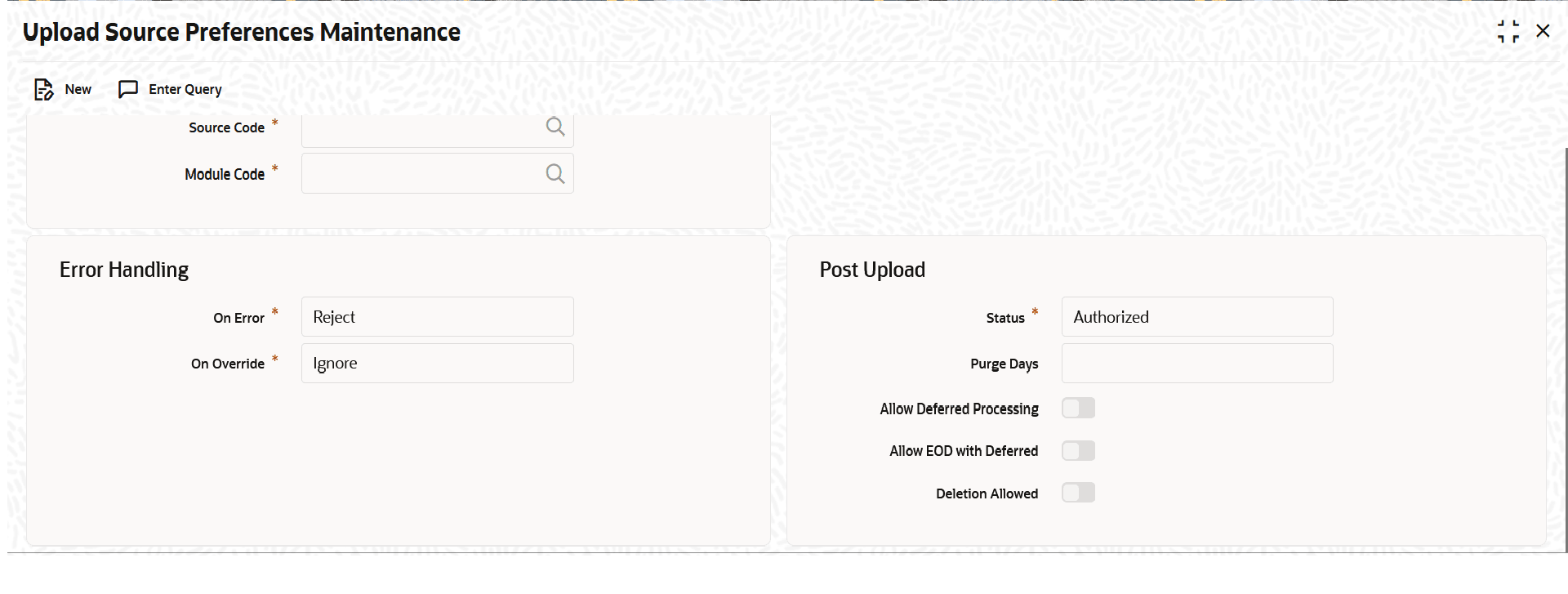
Description of "Figure 1-7 Upload Source Preference Maintenance"
Parent topic: Maintenance Required for FATCA processing
Parent topic: External system Maintenance for Gateway