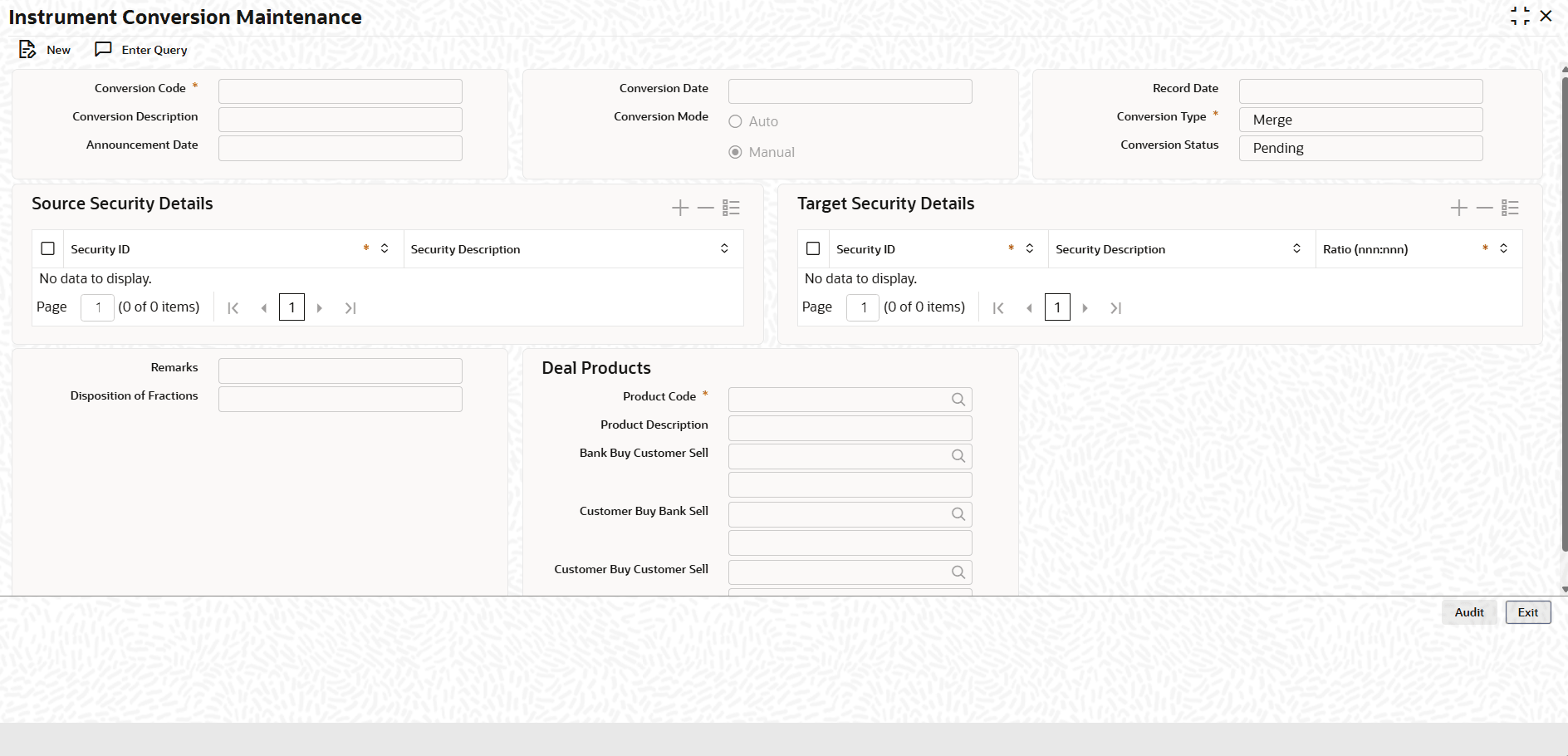
| Conversion Code |
Enter the unique Id of the security
conversion. |
| Conversion Description |
Enter the description for
conversion. |
| Conversion Date |
Enter the effective date of securities
conversion. |
| Record date |
Select the record date which indicates the
date on which the company identifies the eligible
shareholders. |
| Announcement Date |
Select the date on which securities
conversion is announced. |
| Conversion Mode |
It indicates how the instrument conversion
deal input record will be booked. |
| Conversion type |
Select the type of the conversion from the
drop-down list. It indicates if the maintenance is for
security split or merger. |
| Conversion Status |
Displays the status of the
conversion. |
| Security ID |
Displays the source security ID. |
| Security
Description |
Displays the source security
description. |
| Security ID |
Displays the target source security
ID. |
| Security Description
|
Displays the target security
description. |
| Ratio
(nnn:nnn) |
Displays the split/merger ration. |
| Remarks |
Enter the remarks if any. |
| Disposition of
Fractions |
Enter the rounding fraction, it will indicate
how the fractional entitlements will be handled. |
| Product Code |
Enter the conversion product code. |
| Product
Description |
Enter the product description. |
| Bank Buy Customer
Sell |
Enter the product code and product
description for the bank buy customer sell. |
| Customer Buy Bank
Sell |
Enter the product code and product
description for the customer buy bank sell. |
| Customer Buy Customer
Sell |
Enter the product code and product
description for the customer buy customer sell. |