Generating Database Table Rows and Writing the Document Files
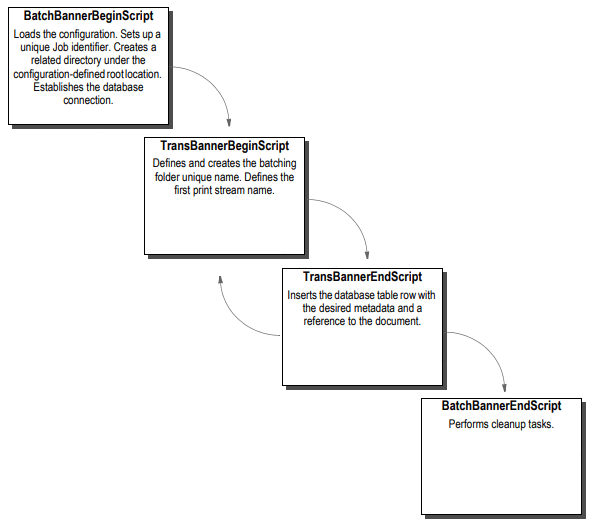
You must create a database table and configure Documaker Server to both create the uniquely named recipient batch output print streams and to insert a row in the table with the name and location of the each output file. Each table row also contains the metadata fields needed for content management ingestion. The Batch Banner and Transaction Banner processing DAL scripts are used to write the output documents and to insert the database table rows referencing these documents.
Note:
You can find examples of these scripts and other configuration files in Sample Applications and Files section.Batch Banner and Transaction Banner DAL processing each have a Begin and End phase with a separate script for each phase. The phases and scripts are run in this sequence: