4.5.2 Amortized Balances
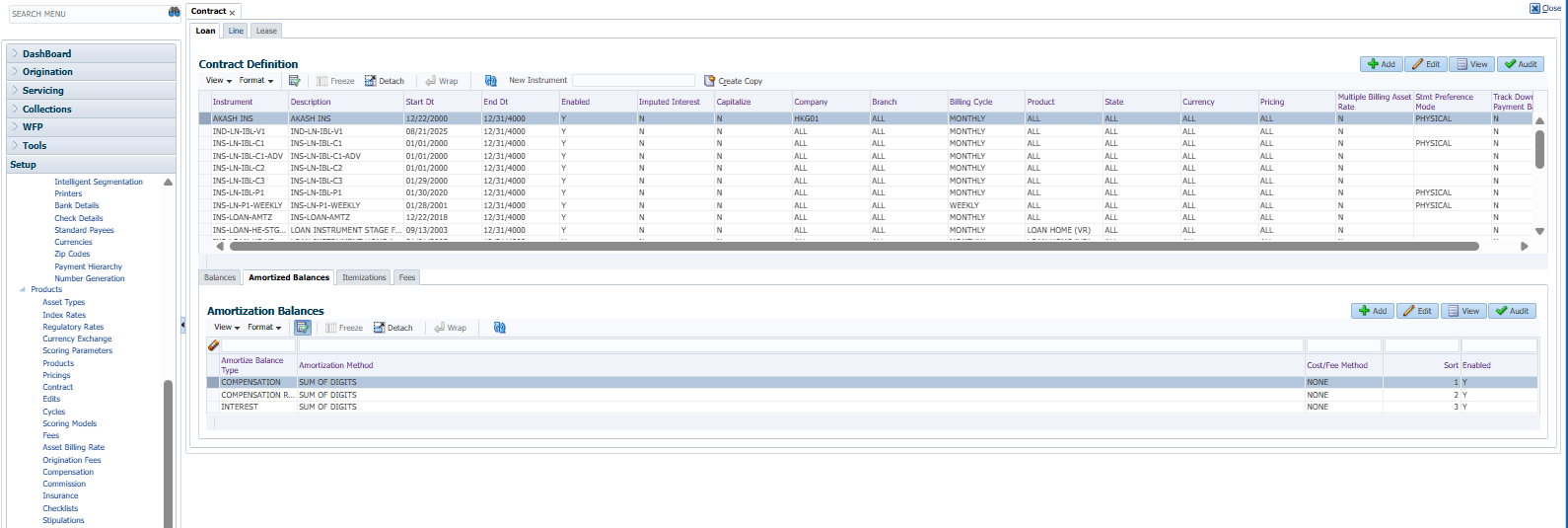
With the Amortize Balances sub screen, user can select one or more balances to be amortized over the life of the Loan. User can also define the amortization method.
- On the Setup, click Setup. Under Setup, click Administration. Under Administration, click User.
- Under User, click Products. Under
Products, click Contract.
Under Contract, click Loan. Under Loan, click Amortized
Balances.
The Amortized Balances screen displays.
- In the Amortization Balances section, perform any of the Basic Operations mentioned in Navigation chapter.
A brief description of the fields is given below:
Table 4-17 Amortization Balances
Field Description Amortize Balance Type Select the amortize transaction type from the drop-down list. The available options are:- Prepaid Fees
- Producer Fees
- Interest
- Compensation
- Rent
- Depreciation
- Compensation Remaining
- Commission Insurance
- Commission Extended Service Contract
- Subvention
Amortization Method Select the amortization method used to calculate the net amortization amount from the drop-down list. Cost/Fee Method Select the amortization cost/fee method. If the Cost method is selected, it generally results in a marginally reduced rate, which is reflected as the FASB Effective Rate.
If the Fee method is selected, it generally results in a marginally increased rate, which is reflected as the FASB Effective Rate.
Sort Specify the sort sequence to define the order of the amortize balances. Enabled Check this box to enable the amortize balance to be created when the account is booked and funded. - Perform any of the Basic Actions mentioned in Navigation chapter.
This section consists of the following topics:
Parent topic: Contract