7.7 Request Tab

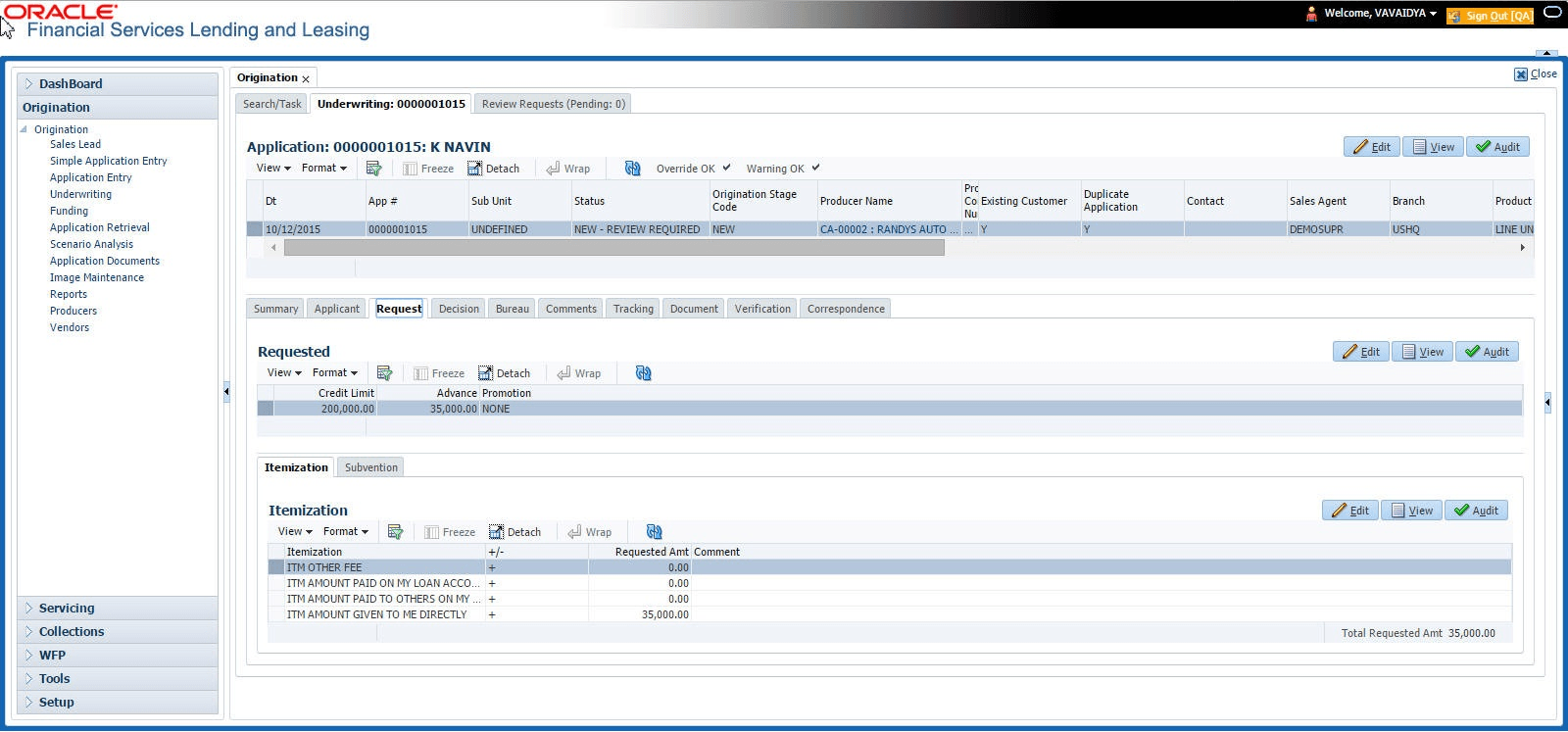
In the Request tab you can define the required LoanLine of creditLease parameters and calculate Payment, Interest Rate, Term and Loan Lease Amount using the quick calculator. By default, system calculates for monthly repayment term basis. The payment frequency can be changed only in the Underwriting tab during decisioning.

To complete Request section:
  1. On the Application Entry tab, click Request tab.
  2. Perform any of the Basic Operations mentioned in Navigation chapter.

    A brief description of the fields are given below:

    Table 7-22 Request

    Field Do this
    Requested Advance Amt Specify the requested advance amount
    Pmt Amt Specify the requested payment amount.
    Term Specify the requested term (number of payments).
    Requested Rate Specify the requested rate of interest.
    Down Pmt% Specify the down payment percentage
    Down Pmt Specify the down payment amount
    Approx Prc Specify the approximate cash price
    Promotion Select the promotion type from the drop-down list.
    Balloon Amt Specify the balloon amount.
    Signing Dt Specify the signing date
    Probable Delivery Dt Specify the probable delivery date.

    Table 7-23 Request

    Field Do this
    Credit Limit Specify the value of the credit limit.
    Advance Specify the value of advance amount paid.
    Promotion Select the promotion type from the drop-down list.

    Table 7-24 Request

    Field Do this
    Gross Capitalized Cost Specify the value of gross capitalized cost.
    Capitalized Cost Reduction (-) Specify the value of capitalized cost reduction which is the advance amount.
    Adjusted Cap Cost (=) View the adjusted capitalized cost which is calculated as Gross Capitalized Cost - Capitalized Cost Reduction.
    Pmt Amt Specify the requested payment amount.
    Term Specify the requested term (number of payments).
    Rate Specify the requested Rate.
    Balloon Amt

    Specify the balloon amount (if exist).

    Note: This field is displayed only if the lease calculation method is Interest Rate.

    Signing Dt Specify the signing date
    Probable Delivery Dt Specify the probable delivery date.
    Promotion

    Select the promotion type from the drop-down list.

    Note: This field is displayed only if the lease calculation method is Interest Rate.

  3. Perform any of the Basic Actions mentioned in Navigation chapter.
  4. In the Requested section, there is a drop-down list adjacent to the Calculate button with following options to auto calculate different LoanLease parameters based on the data provided. Select the record you want to work with and from the drop-down option, select the option you want system to calculate:

    Table 7-25 Lease parameters

    Lease Type Calculate Option
    Rent Factor

    Calculate Payment

    Calculate Gross Capitalized Cost

    Interest Rate

    Calculate Payment

    Calculate Interest Rate

    Calculate Term

    Calculate Lease Amount

    • CALCULATE PAYMENT
    • CALCULATE INTEREST RATE
    • CALCULATE TERM
    • CALCULATE LOAN AMOUNT
  5. Click Calculate. The system displays the requested calculation in the respective field.