E.2.2.1 Calculate Tax in Decision/Contract Tab
This topic provides information about calculating the applicable tax during the decision or contract stage.
- On the Origination, click
Origination. Under Origination,
click Underwriting/Funding. Under
Underwriting/Funding, click
Decision/Contract
screen.
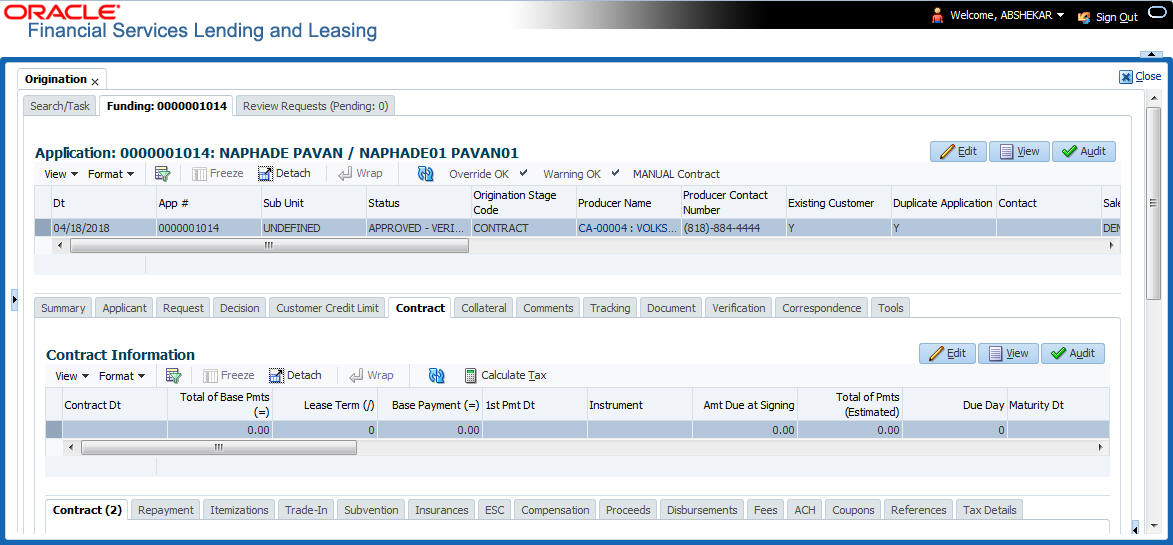
The Decision/Contract screen displays.
Figure E-5 Calculate Tax in Decision/Contract tab
- Click Calculate Tax button. Based on the setup details, system calculates the sales tax for Upfront and Stream category in the following way:
- If Tax Mode and Tax Method is UPFRONT/PURCHASE_PRICE, the Sales and Usage Tax is calculated and updated into the itemization Cash Sale tax (ITM_CSH_SALES_TAX). On Funding, the tax amount calculated during origination will be part of Lease Receivable based on itemization adjustments.
- If Sales Tax Mode and Tax Method is CYCLE/ PAYMENT_STREAM, the Sales and Usage Tax is calculated and updated into the Contract fields - Estimated Tax and Tax to record the estimated tax amount and percentage. However, this data is not propagated to Account.
Parent topic: Sales Tax Calculation at Origination