11.1.2 Generating Scenario Analysis
This topic provides information on generating scenario analysis.
To generate a scenario analysis
- On the Origination, click
Origination. Under
Origination, click Scenario
Analysis.
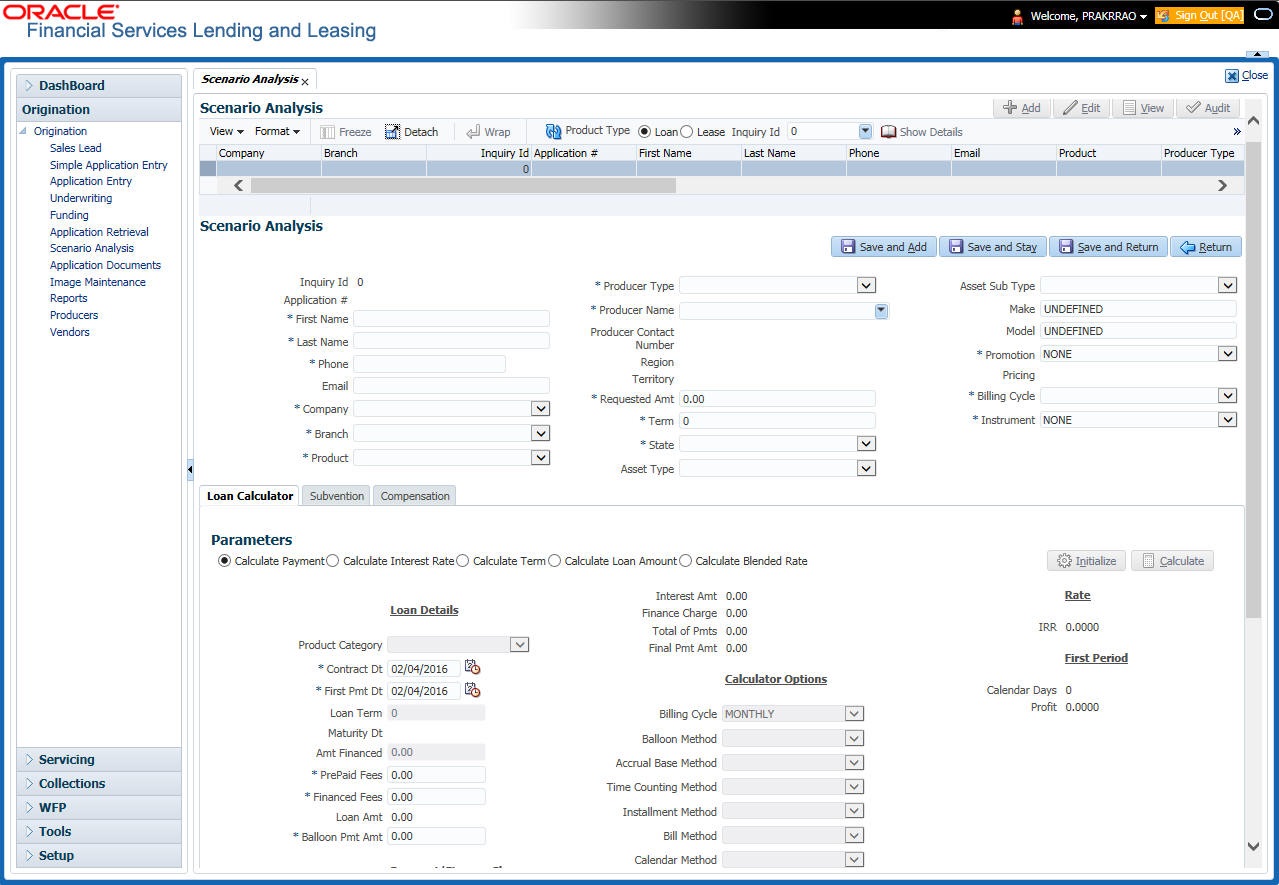
The Scenario Analysis screen displays.
Figure 11-1 Scenario Analysis - Loan Calculator
- Click Add and complete the following Parameters. User can
click Initialize to clear (or refresh) the screen
details at any time.
Table 11-1 Generating Scenario Analysis
Field Description Inquiry Id View the inquiry identification code. Application # View the application number. Company Select the company from the drop-down list. Branch Select the branch from the drop-down list. Product Select the product from the drop-down list.
Agreement Type View the agreement type auto populated based on the product selected. First Name View/specify the first name. Last Name View/specify the last name. Phone Specify the phone number of the applicant. Email Specify the email address of the applicant. Producer Type Select the producer type associated with the product from the drop-down list. Producer Name Select the producer associated with the product from the drop-down list. Producer Contact Number View the producer contact number. Region View the region where the producer belongs. Territory View the territory where the producer belongs. Requested Amt Specify the requested advance amount. Term Specify the requested term (number of payments). State Select the state code. Asset Class View the asset class. Asset Type View/select the asset type. Asset Sub type View/select the asset sub type. Make Specify the make of the vehicle. Model Specify the model of the vehicle. Promotion Select the requested promotion. Pricing View the pricing if applicable. Billing Cycle Select the billing cycle schedule. Instrument Select the instrument. - In the Loan Calculator section, user can specify the details of various
Parameters, Repayment Options, and Amortization Schedule.
For detailed field information, refer to Loan Calculator section inTools chapter.
- After user have specified all the required details, click Calculate.The system computes the standard payments with the details specified.
- Perform any of the Basic Actions mentioned in Preface.
The system auto assigns an identification code to user calculations on the Scenario Analysis screen.
Parent topic: Introduction