10.3 Retrieving an Archived Application
This topic provides information on retrieving an archived application.
User can retrieve archived applications using the Application Retrieve screen. User can retrieve only archived applications.
- On the Origination, click
Origination. Under
Origination, click Application
Retrieval.
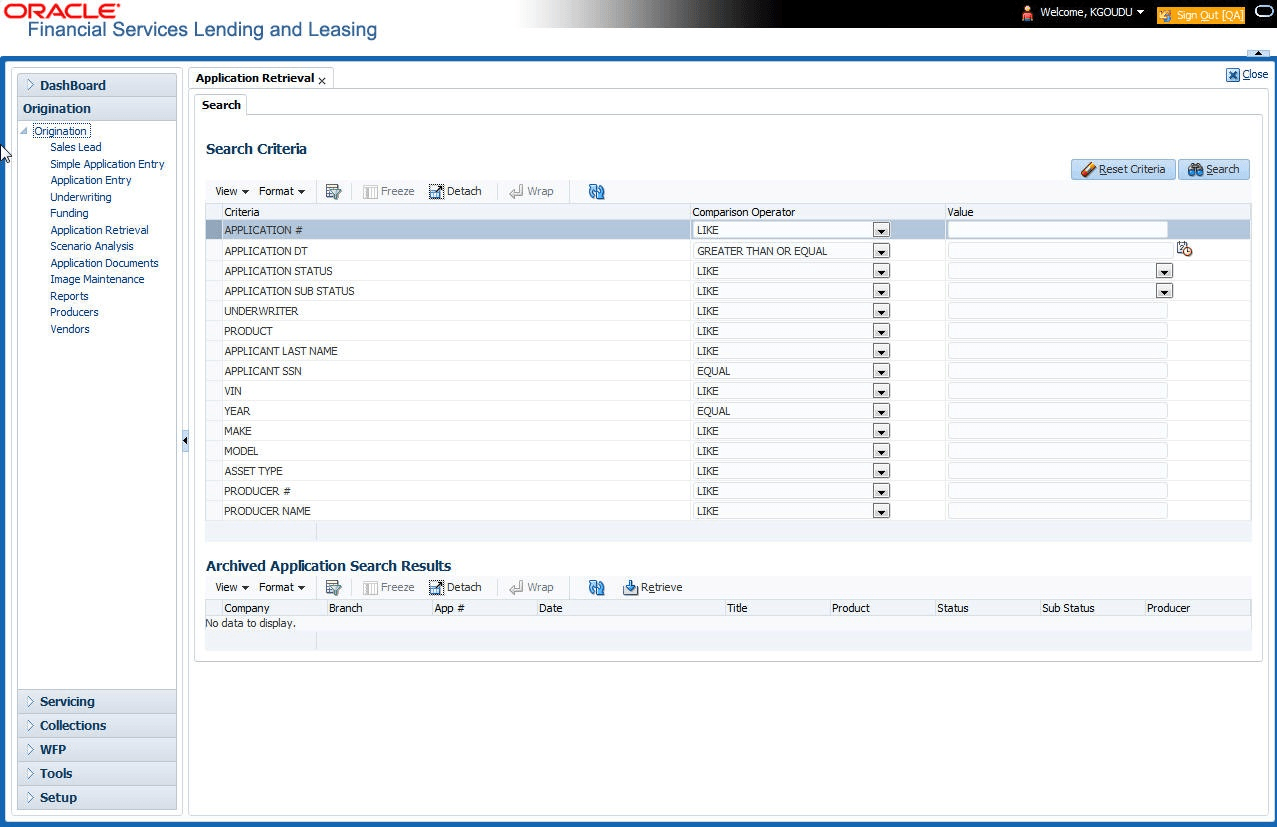
The Application Retrieval screen displays.
Figure 10-1 Application Retrieval - Search
- Use the Comparison Operator and Values fields to create the search
criteria user want to use to find an application.
For more information about creating search criteria, see Searching for an Application chapter of this User Guide.
- Click Search.
The system locates and displays all the applications that meet user search criteria on the Results screen.
Applications are sorted by priority and application number.Table 10-2 Retrieving an Archived Application
Field Description Company Displays the company of the application. Branch Displays the branch of the application. App# Displays the application number. Date Displays the date of the application. Title Displays the title (applicant name) of the application. Product Displays the product of the application. Status Displays the status of the application. Sub Status Displays the sub status of the application. Producer Displays the producer of the application. - Select the application user want to work with and click
Retrieve.
The system loads the application in the Applications screen.
User are now ready to begin work on the application.
Parent topic: Application Retrieval