5.3 Tax Class Details Tab
This topic explains the Tax Class Details tab of Product With-holding Tax Detail screen.
- On Product With-holding Tax Detail screen, click Tax Class Details tab to enter the details.The Tax Class details are displayed.
Figure 5-3 Product With-holding Tax Detail_Tax Class Details Tab
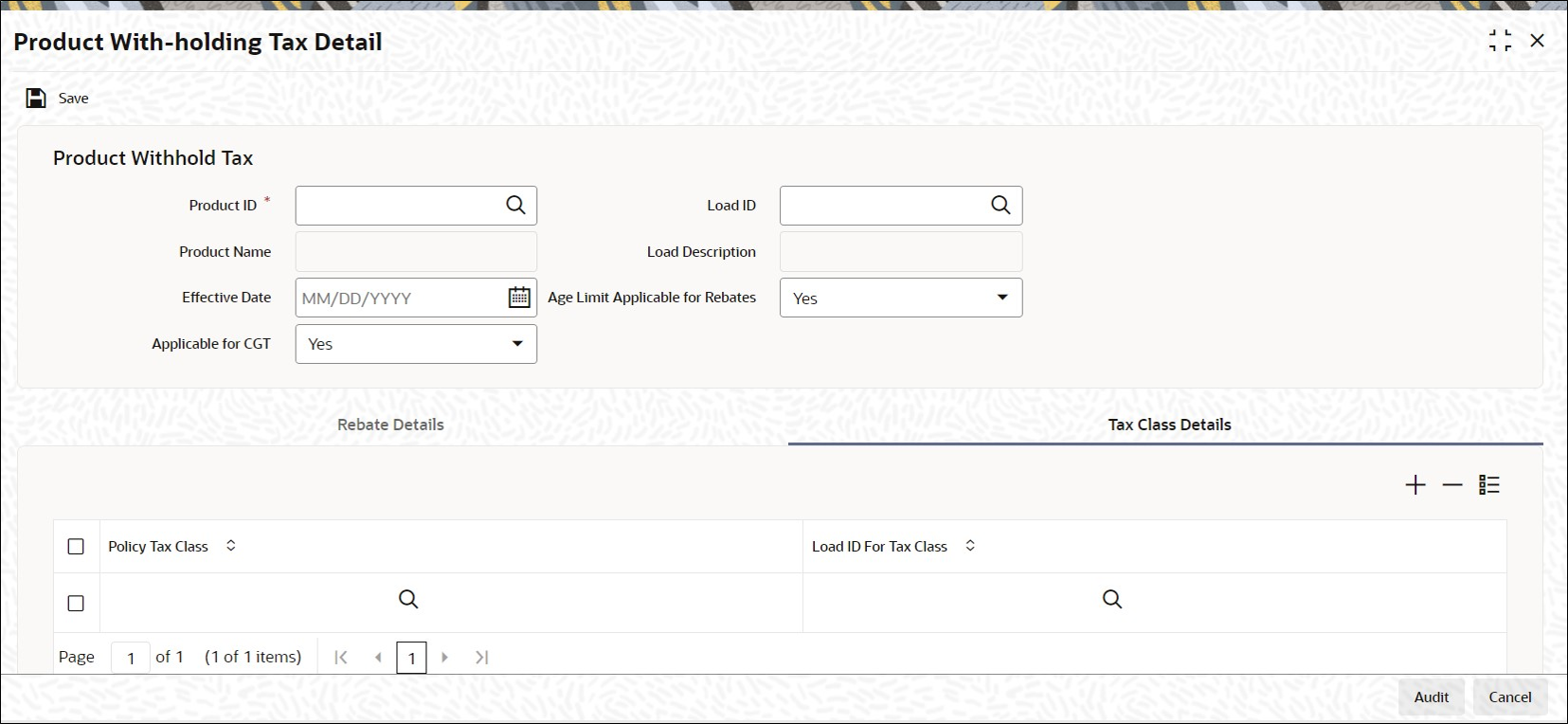
- On Tax Class Details tab, specify the fields. For more information on fields, refer to the field description below,
Table 5-3 Tax Class Details - Field Description
Field Description Policy Tax Class Alphanumeric; 3 Characters; Mandatory
Specify the policy tax class details. Alternatively, you can select policy tax class from the option list.
The list displays all the valid policy tax class details maintained in the system.
Load ID for Tax Class Numeric; 5 Characters; Mandatory
Specify the load ID for tax class details. Alternatively, you can select load ID for tax class from the option list.
The list displays all the valid load ID for tax class details maintained in the system.
- Select the field Applicable for CGT only when Tax class load mapping will be allowed.
- Click Save when you have entered all the mandatory information.The system displays the confirmation message as Record Successfully Saved.
- Click Ok button from the dialog box.This indicates the record has been saved.
Parent topic: Product With-Holding Tax
